
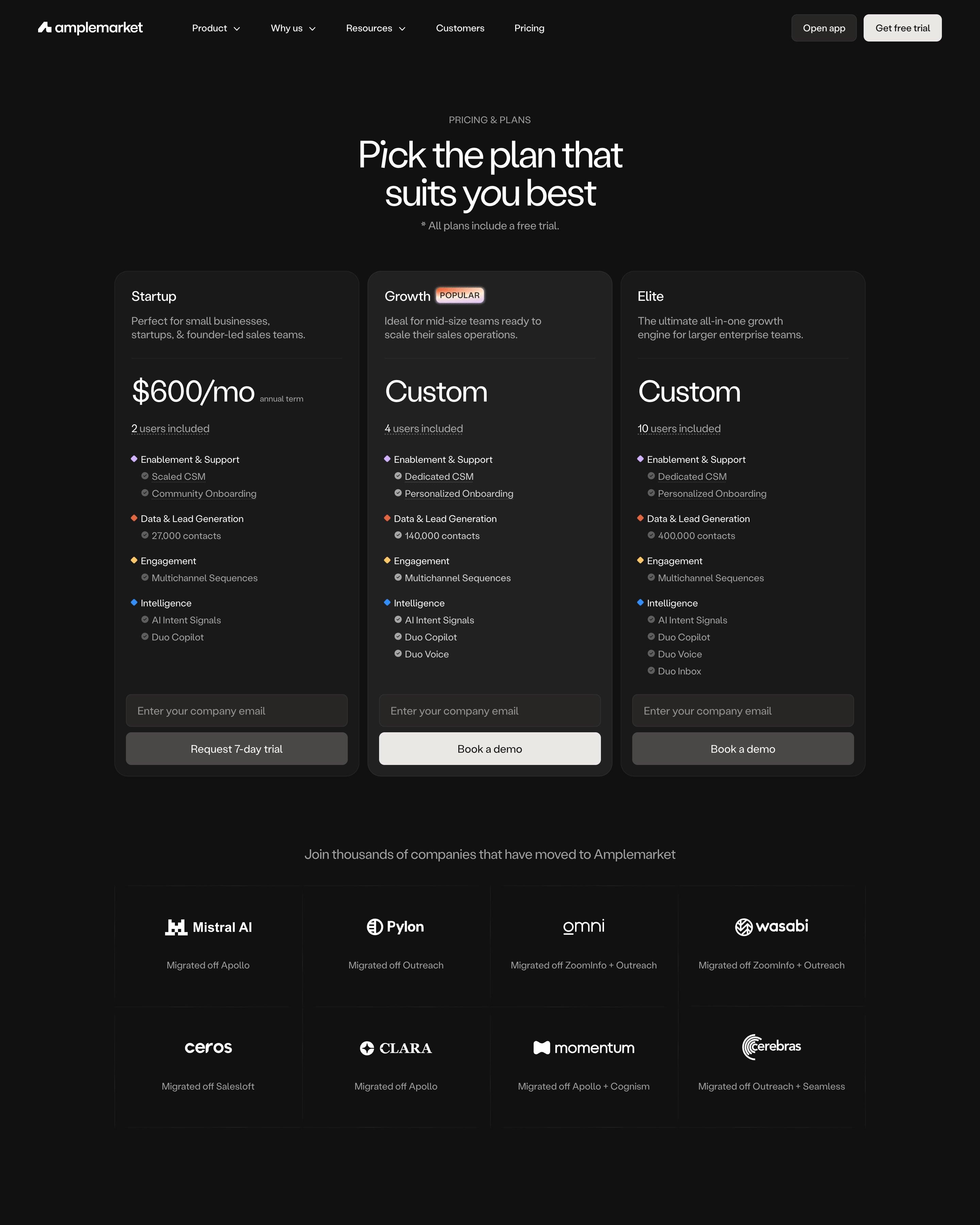

The top half goes black, with three dark cards for Startup at $600/mo, Growth and Elite, each with an email field above its button. The light compare table groups rows under small coloured diamonds, and pastel stat tiles follow a scribbled "see the insights!" note. Worth stealing: the logo grid that says what each customer left, such as "Migrated off ZoomInfo + Outreach".
78 examples
Best SaaS Pricing Page Examples
How well-designed SaaS companies lay out their plans: tiers, toggles, comparison tables and enterprise asks, each shot as the whole page.
- Dark or light
- 16 dark, 62 light
- of 78 pages
- Heading fonts
- Inter
- Inter 7, Roobert 2, Britti Sans 2, Oracle 2
- Built with
- Next.js
- Next.js 46, Webflow 11, Framer 7, Astro 2
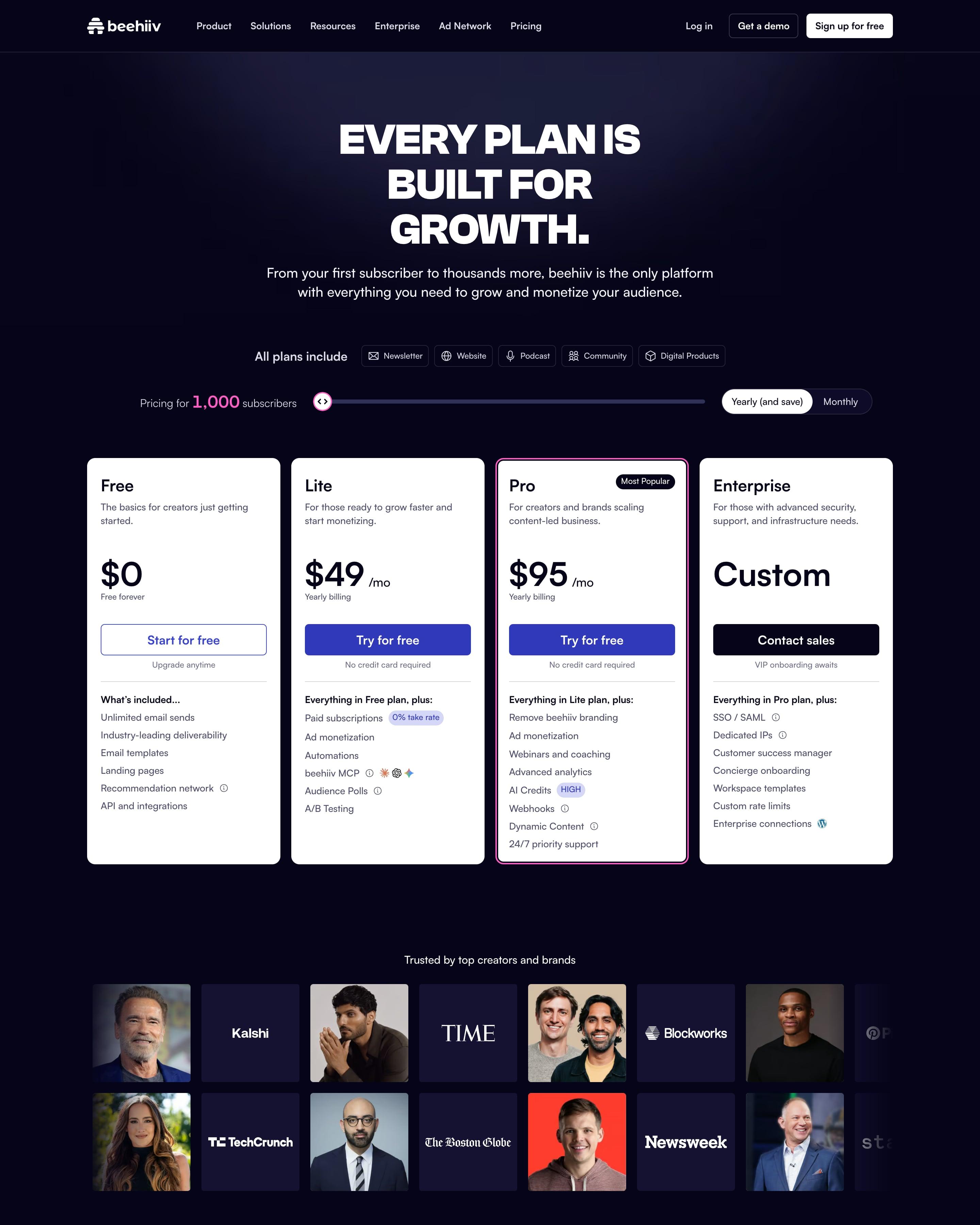
Four white plan cards sit on the dark navy page, Pro with a pink outline and a "Most Popular" tag. The subscriber-count slider above them, which sets the price, is the part to copy. Below, the comparison table folds into collapsible groups, with only Plan limits open.
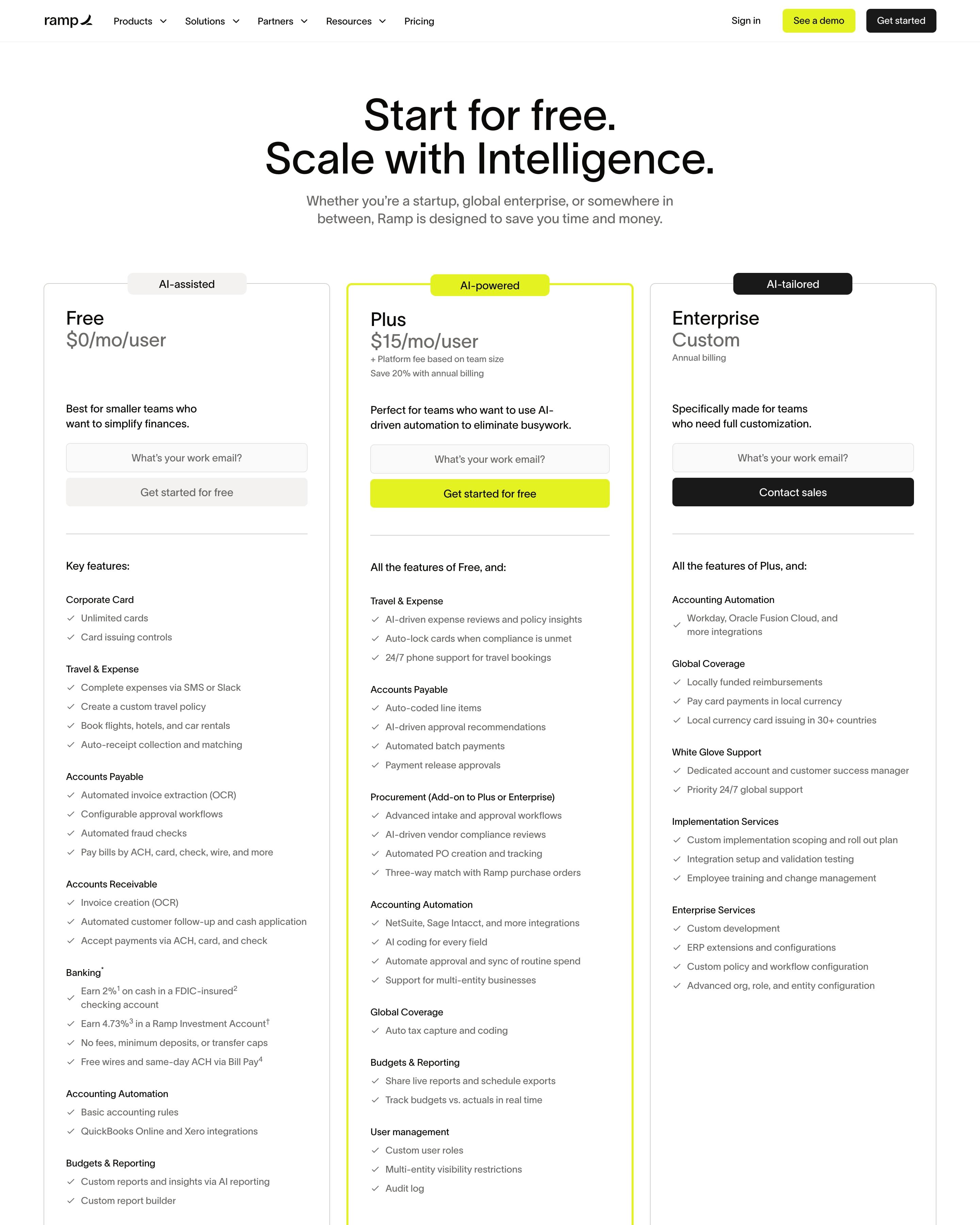
"Start for free. Scale with Intelligence." heads three plan cards tagged AI-assisted, AI-powered and AI-tailored, and only Plus at $15/mo/user gets a chartreuse outline and button. Below a logo row, "Compare Features" runs as one long collapsible table with green check circles and dotted-underlined feature names. Those underlines quietly mark every row as having a tooltip.
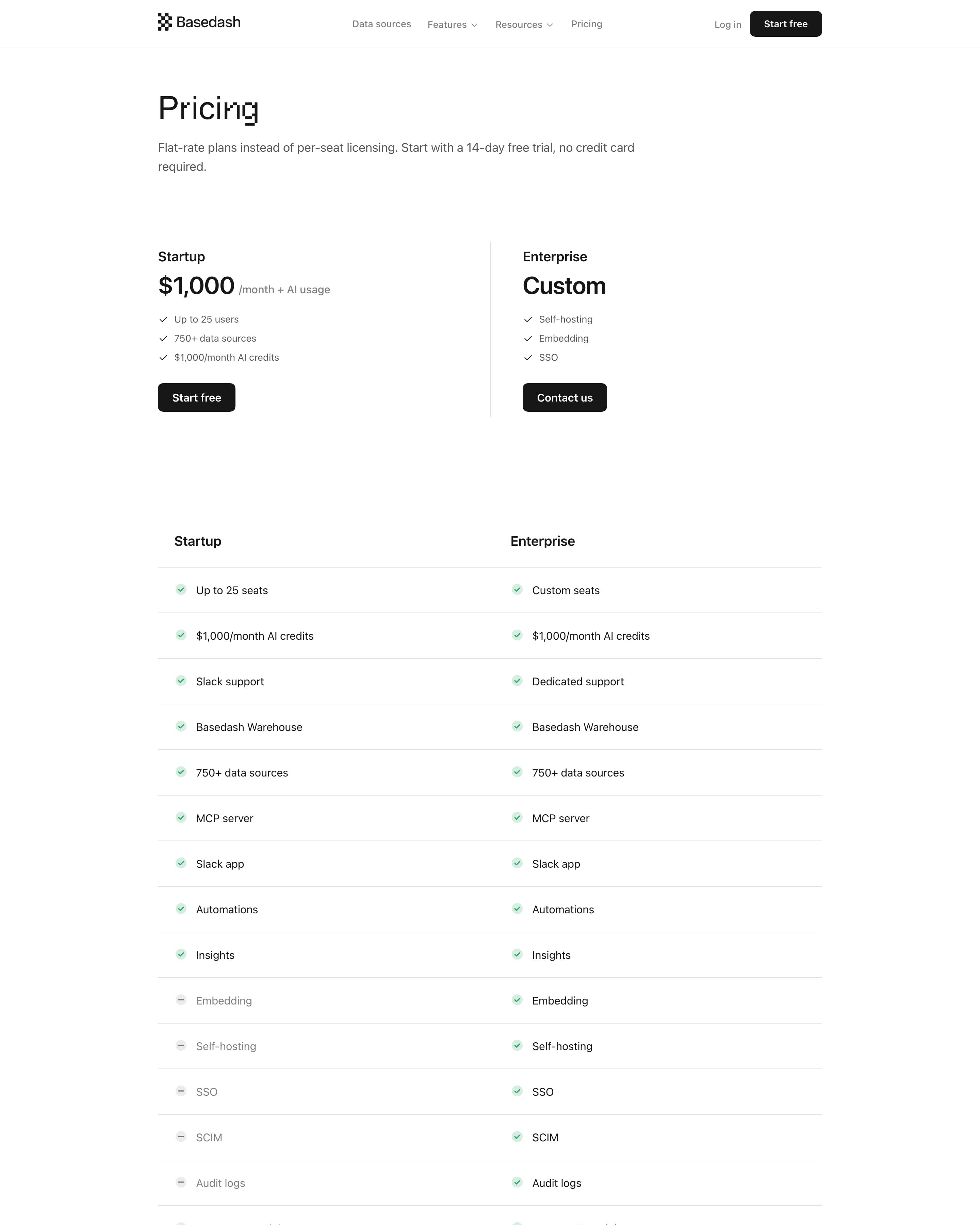
Only two plans, Startup at $1,000 a month and Enterprise, split by a thin vertical rule with no card boxes at all. A row-by-row checklist follows, then a table comparing pricing models across Tableau, Power BI, Metabase, Looker and Omni. "Plan around adoption, not seats." gives three worked examples, such as a 15-person sales org, before the FAQ.
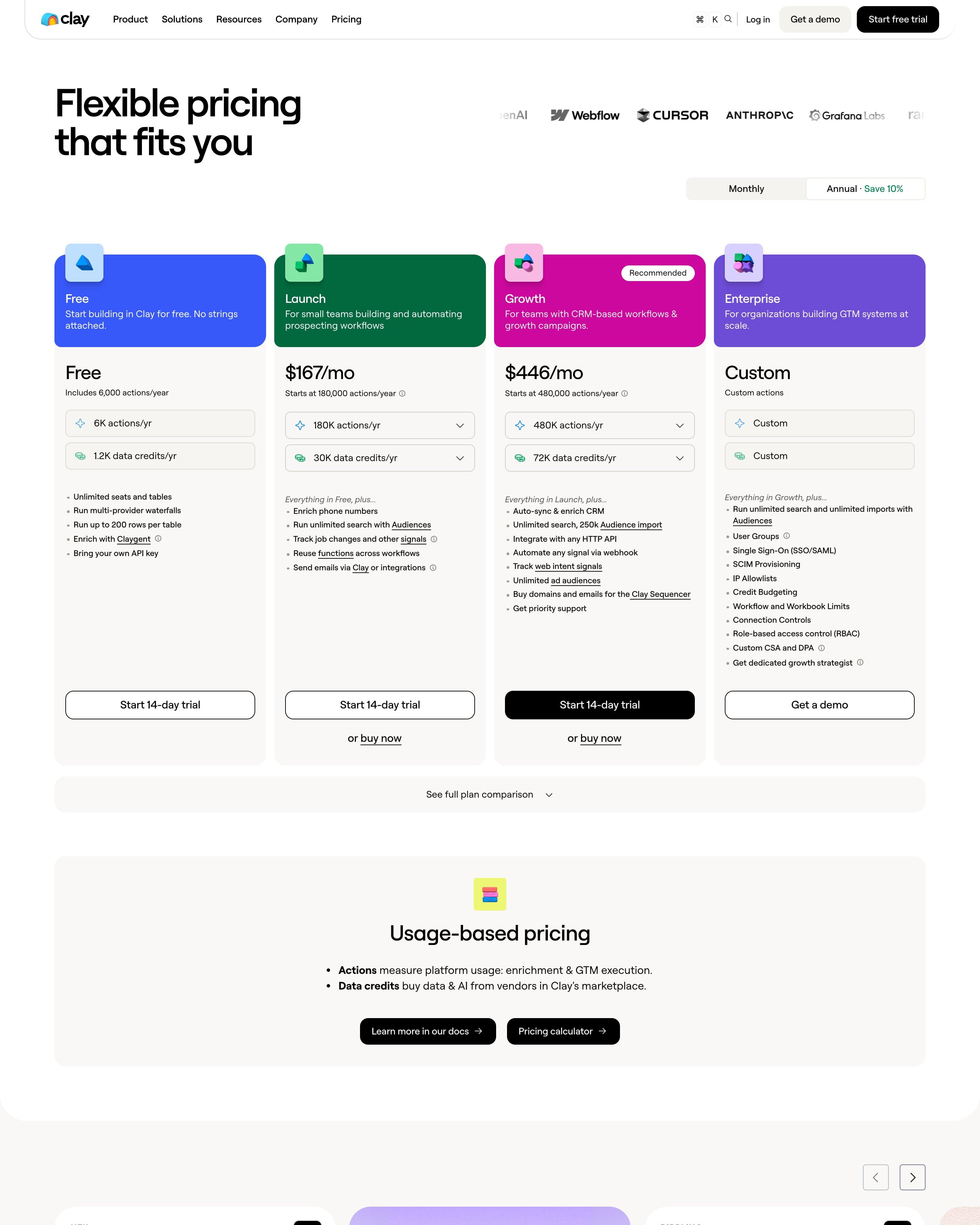
Each of the four plans gets its own saturated header colour, with Growth marked Recommended, and dropdowns in the paid plans pick actions and data credits. Further down, compliance badges such as SOC 2 and GDPR are modelled as clay flowers. Those flower badges are the detail to steal for any security section.
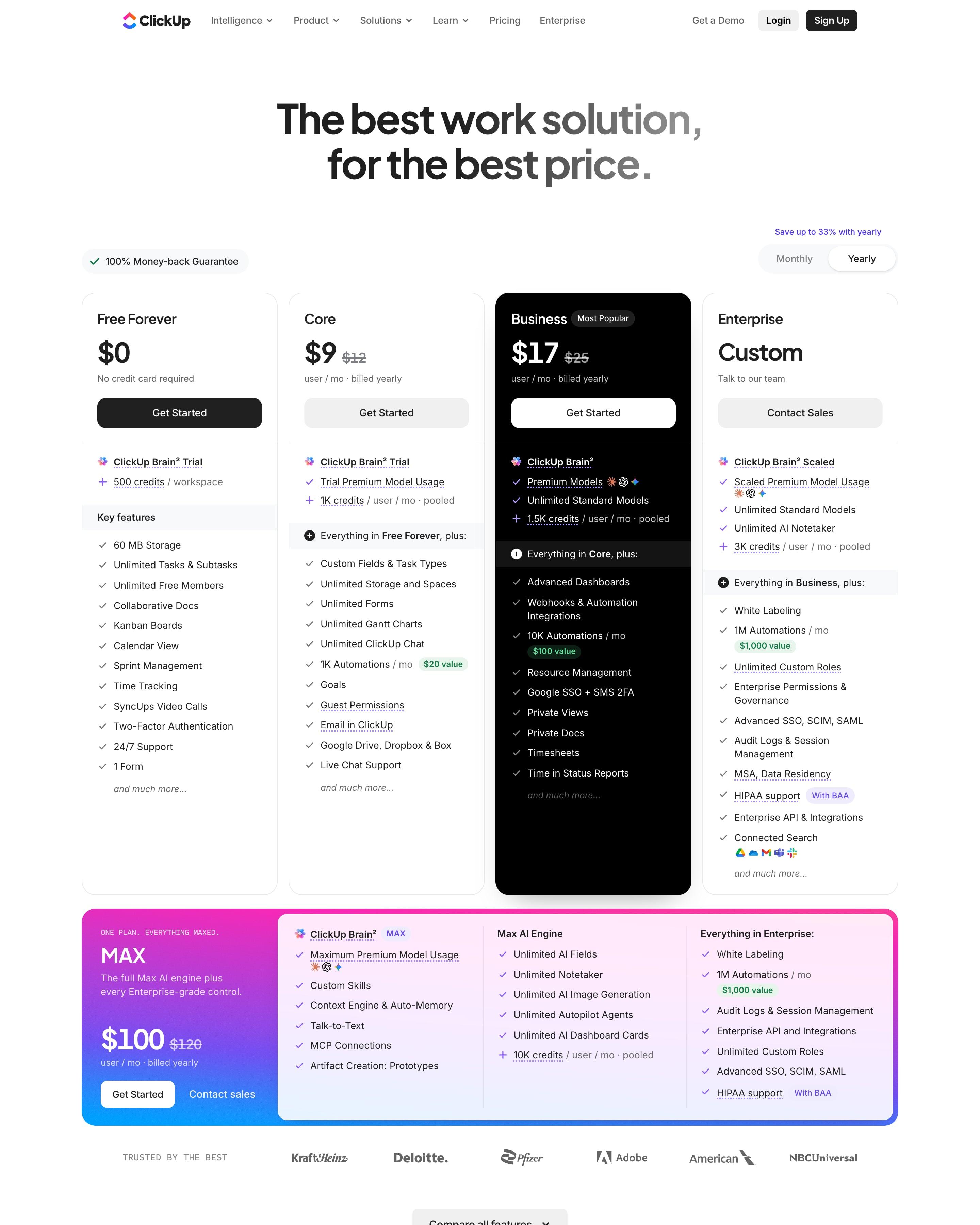
Four plan cards, with Business flipped to black and old prices struck through ($17, down from $25). A fifth plan, MAX at $100, gets a full-width card in a pink-to-blue gradient frame. Worth copying: the "Kill busy work" calculator, where you tick the apps you pay for and drag a headcount slider to see $409,980 a year shrink to ClickUp's $102,000.
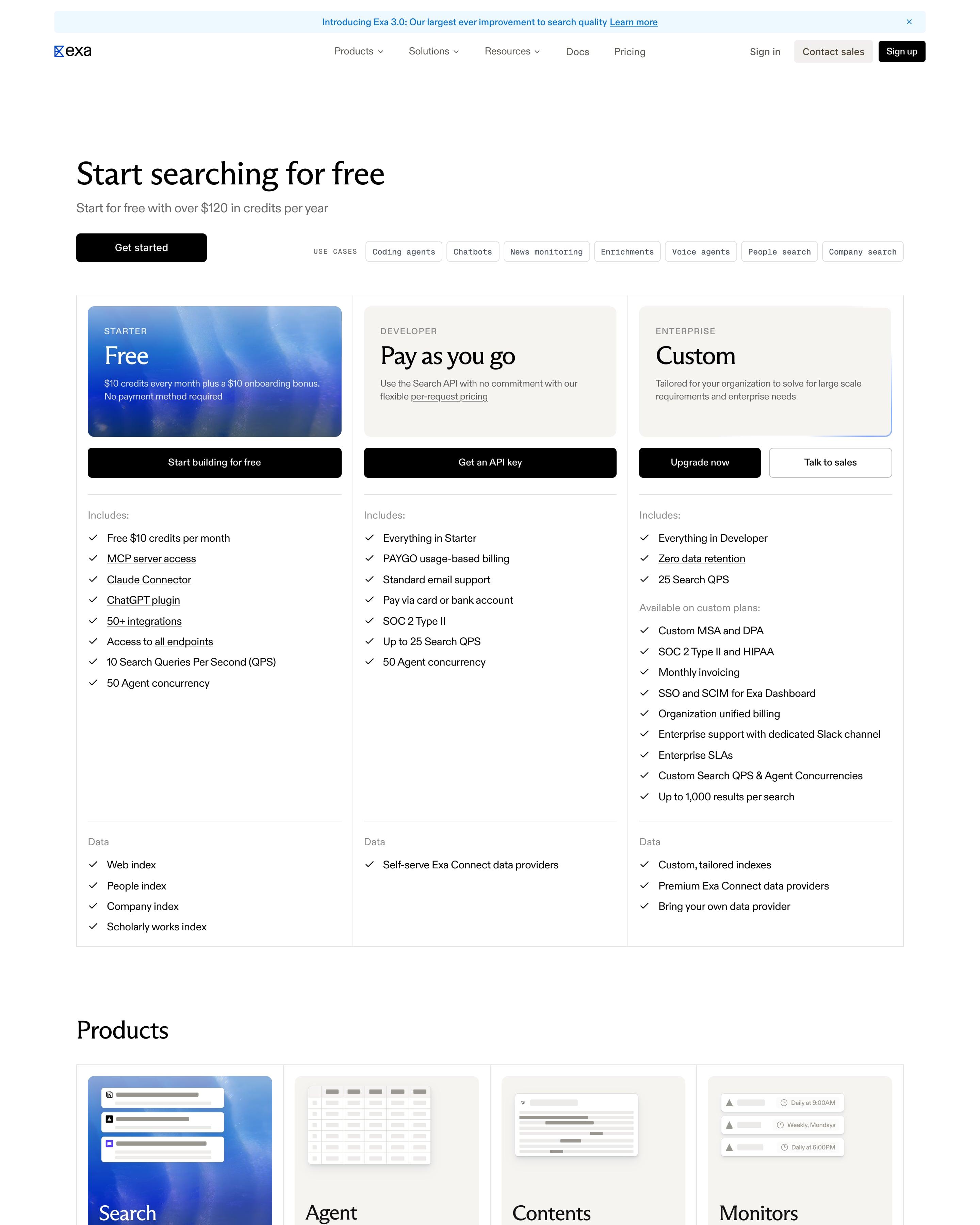
"Start searching for free" opens on three tiers in one bordered frame, and only the Free card gets a blue fluid image while the others stay warm grey. Below come four product cards priced per 1k requests (Search from $4, Monitors $2), an endpoint table from Lite Search to Answer, and a use-case picker that swaps in a Cursor customer story.
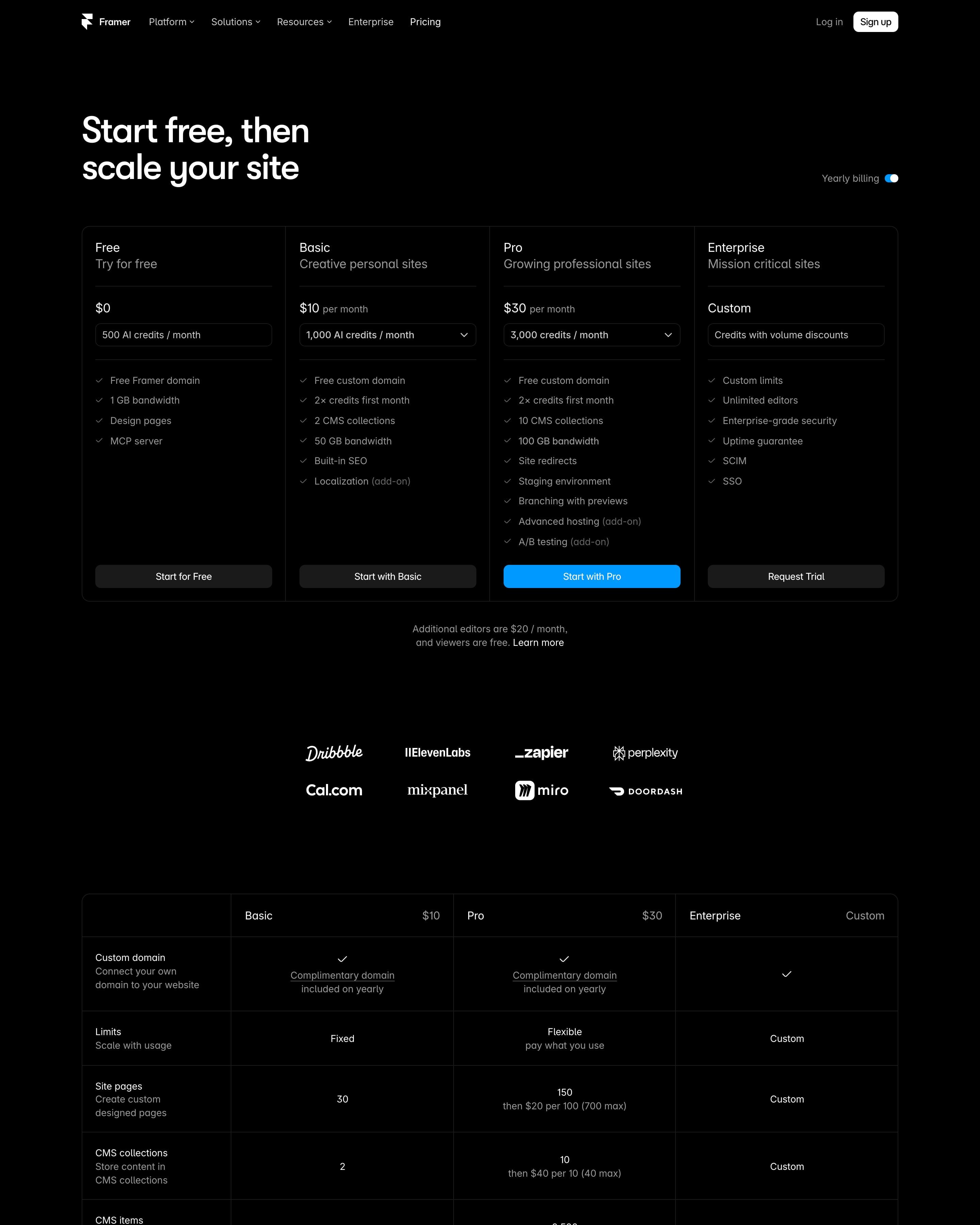
"Start free, then scale your site" leads four plan columns on black, Free $0 to Enterprise, each with an AI-credits dropdown and only Pro's button in blue. The comparison table gives every row a two-line label, name in white and a grey explainer, with sections for Agents, Live collaboration and Add-ons. FAQ answers sit fully open in one narrow centred column, no accordions.
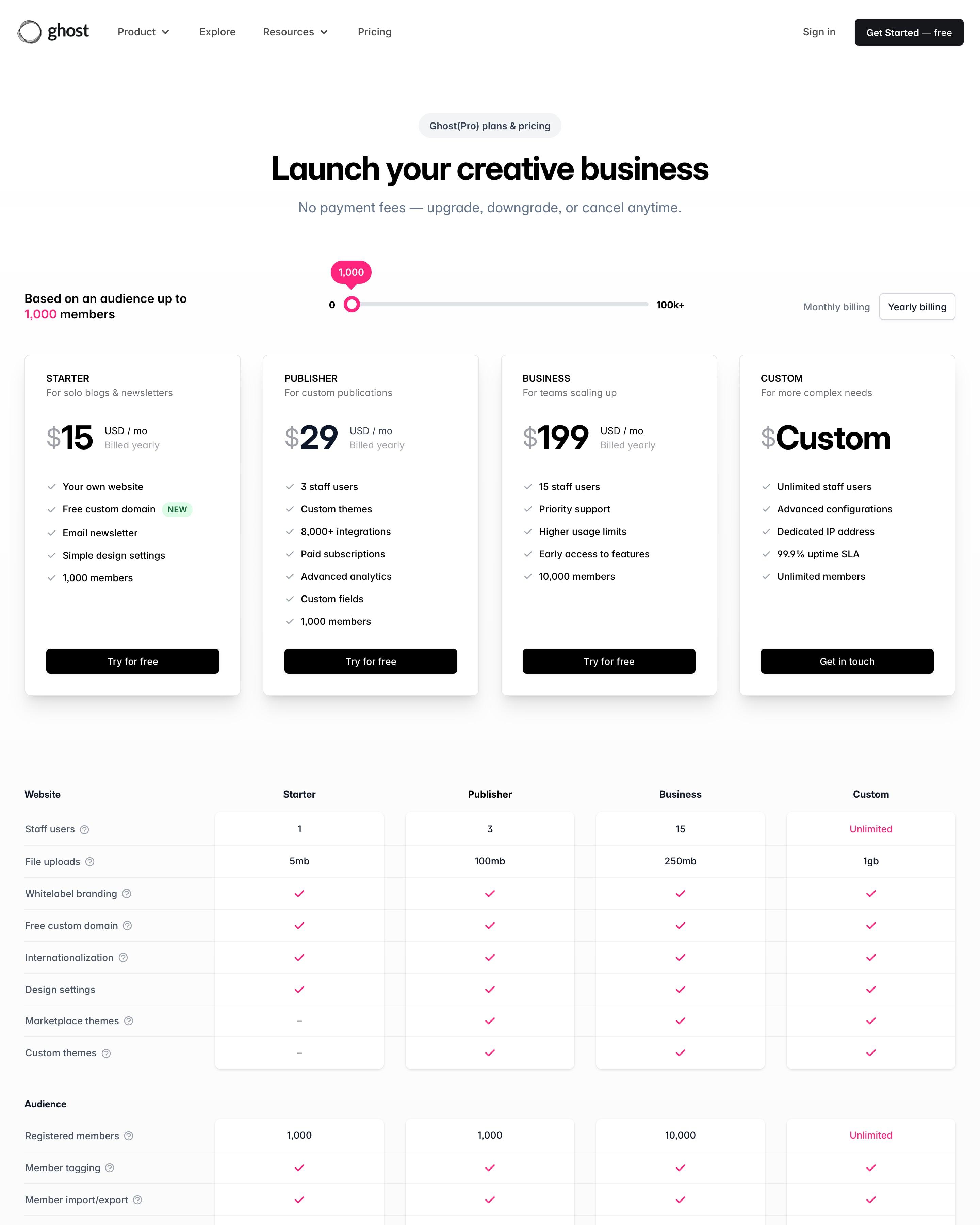
A members slider (0 to 100k+) sets the audience size behind the four prices, next to a monthly/yearly switch. Below the cards, a comparison table splits features into nine groups marked with pink ticks. Tying the price to a slider is the idea to take.
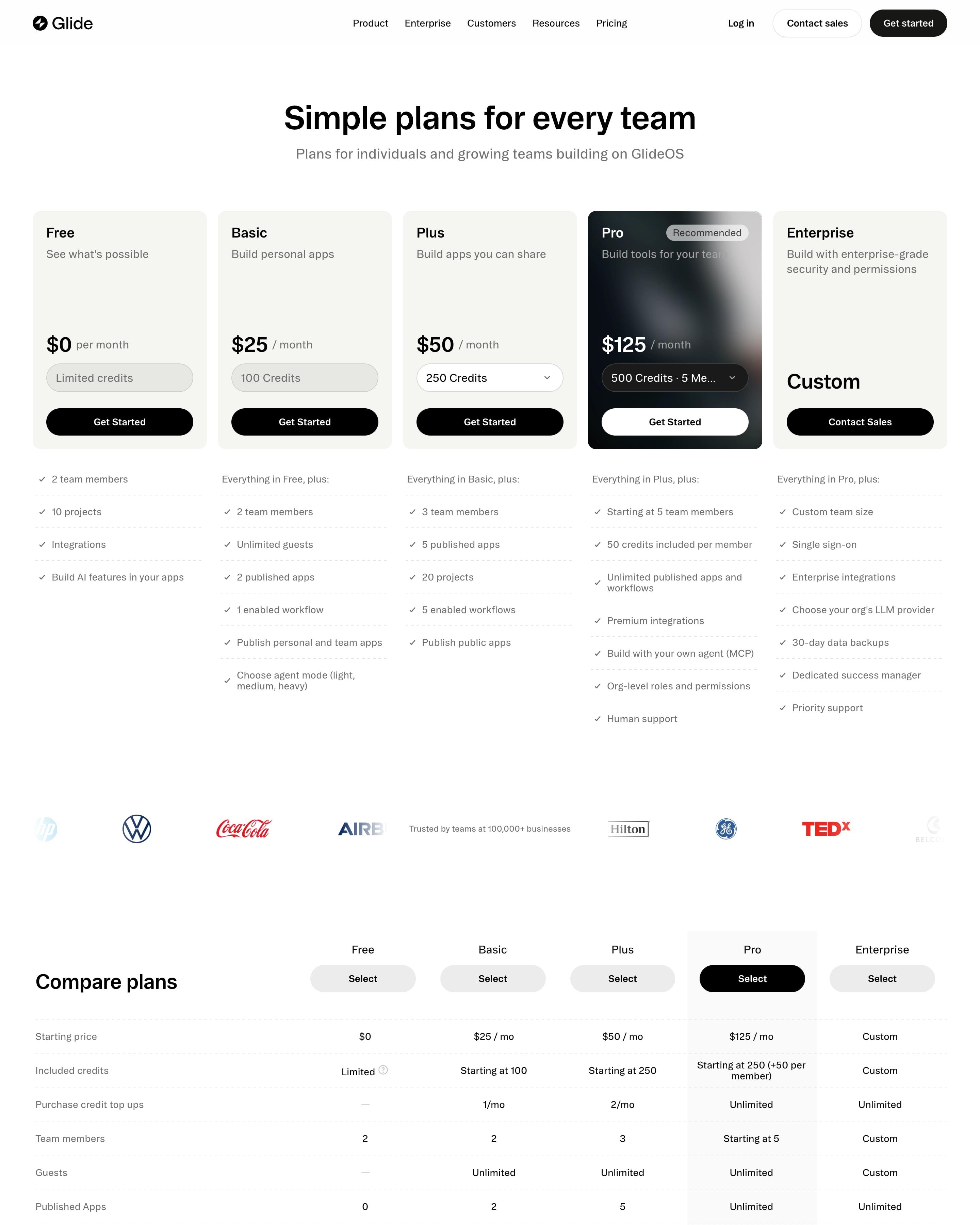
"Simple plans for every team" sets five cards on beige, Free $0 to Enterprise, and only Pro at $125 flips to a dark card with a soft blur and a Recommended tag. The comparison table shades the Pro column grey all the way down and groups rows as "Unlock with Basic", "Unlock with Plus" and so on. A large serif customer quote and a construction-site photo CTA close the page.
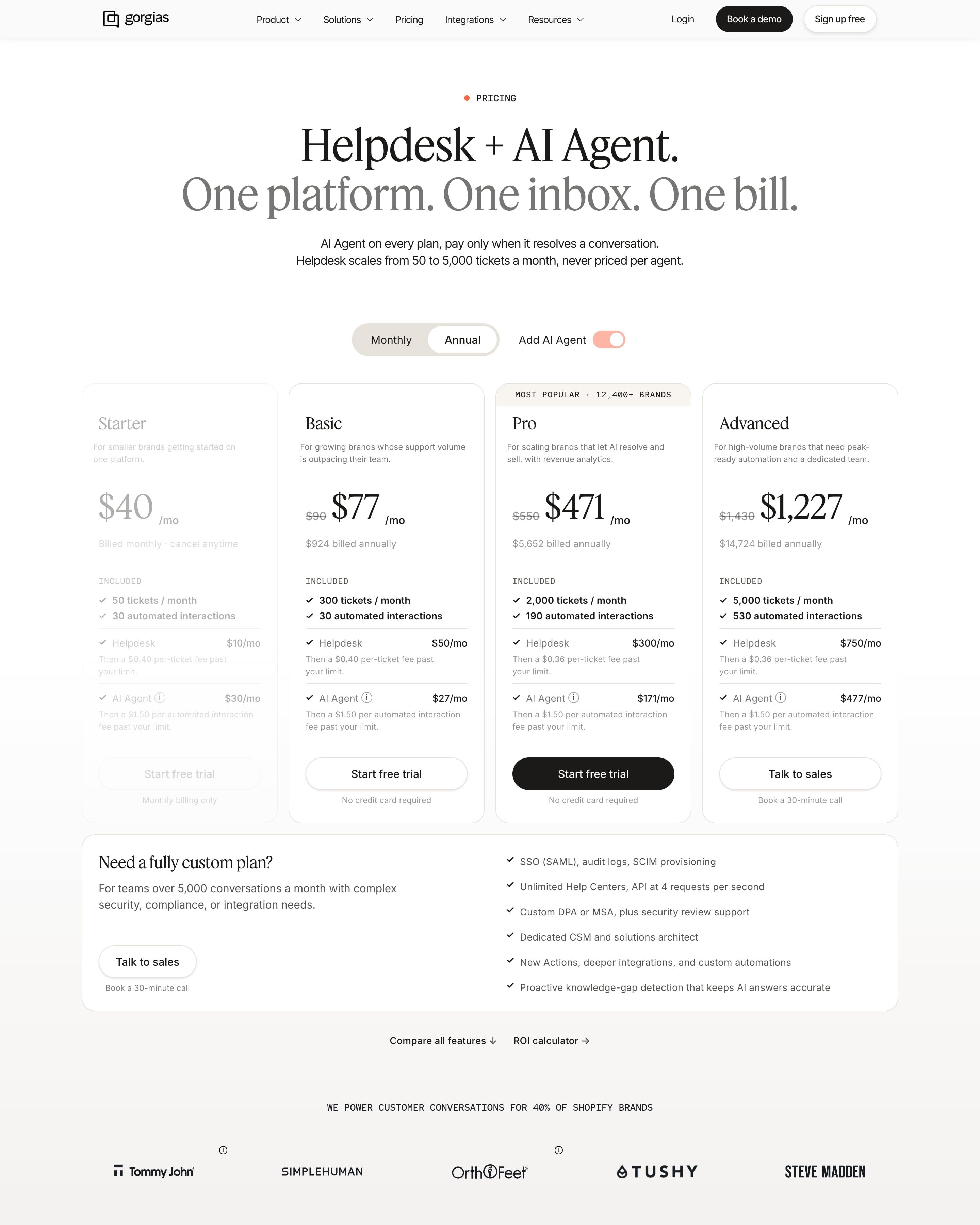
An "Add AI Agent" switch sits beside the monthly/annual toggle, and with Annual on, three plans show struck-through prices while Starter fades out. Voice and SMS add-ons get their own volume estimators. Worth copying: Pro's tab, which backs "Most popular" with a count of 12,400+ brands.
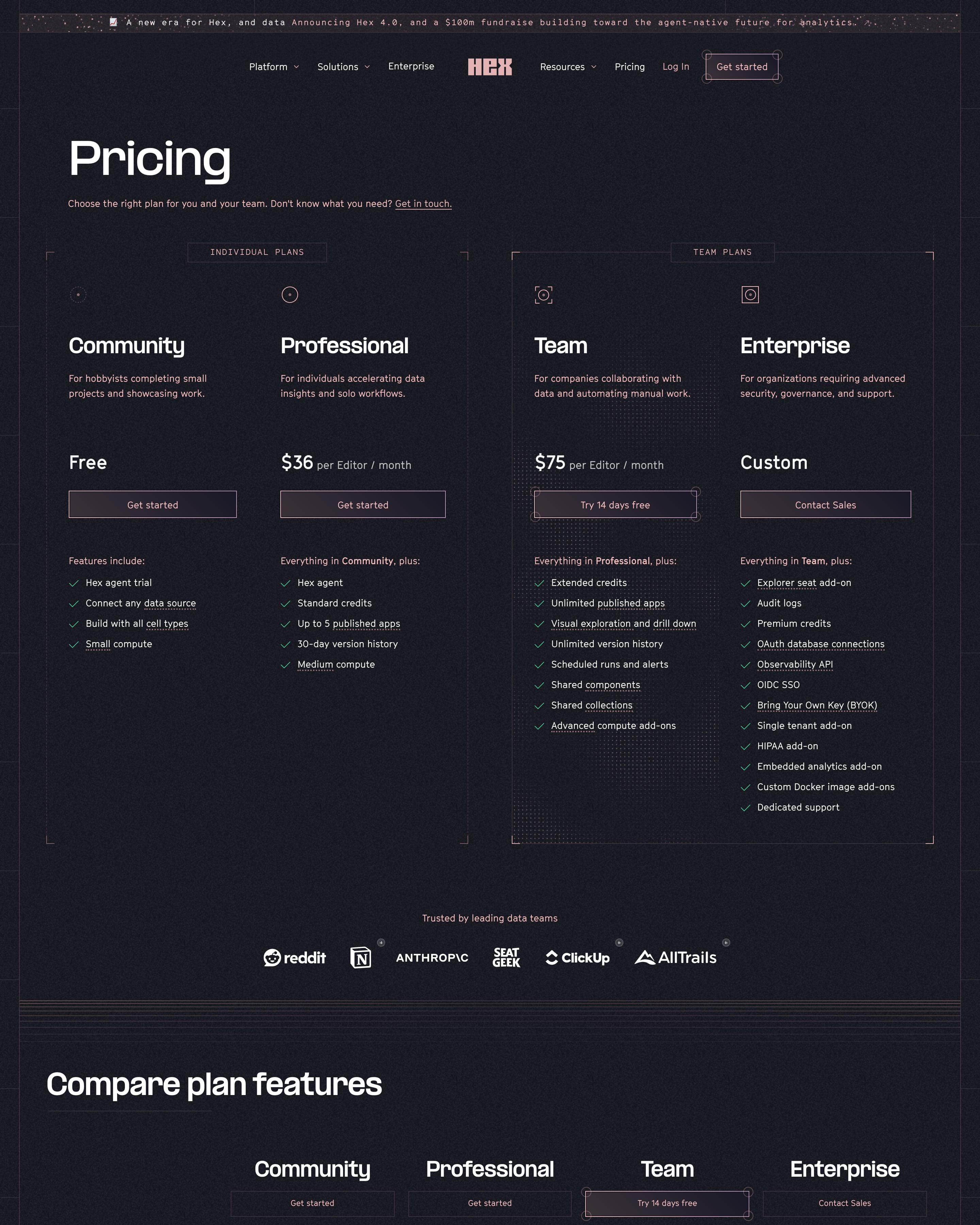
The page flips to a dark plum background with pink accents and splits four plans into "Individual plans" and "Team plans" inside bracketed frames. Team, at $75 per editor, gets the only outlined button. The compare table underlines every feature name as a link to its definition. Worth copying: grouping plans by who buys them before any comparison starts.
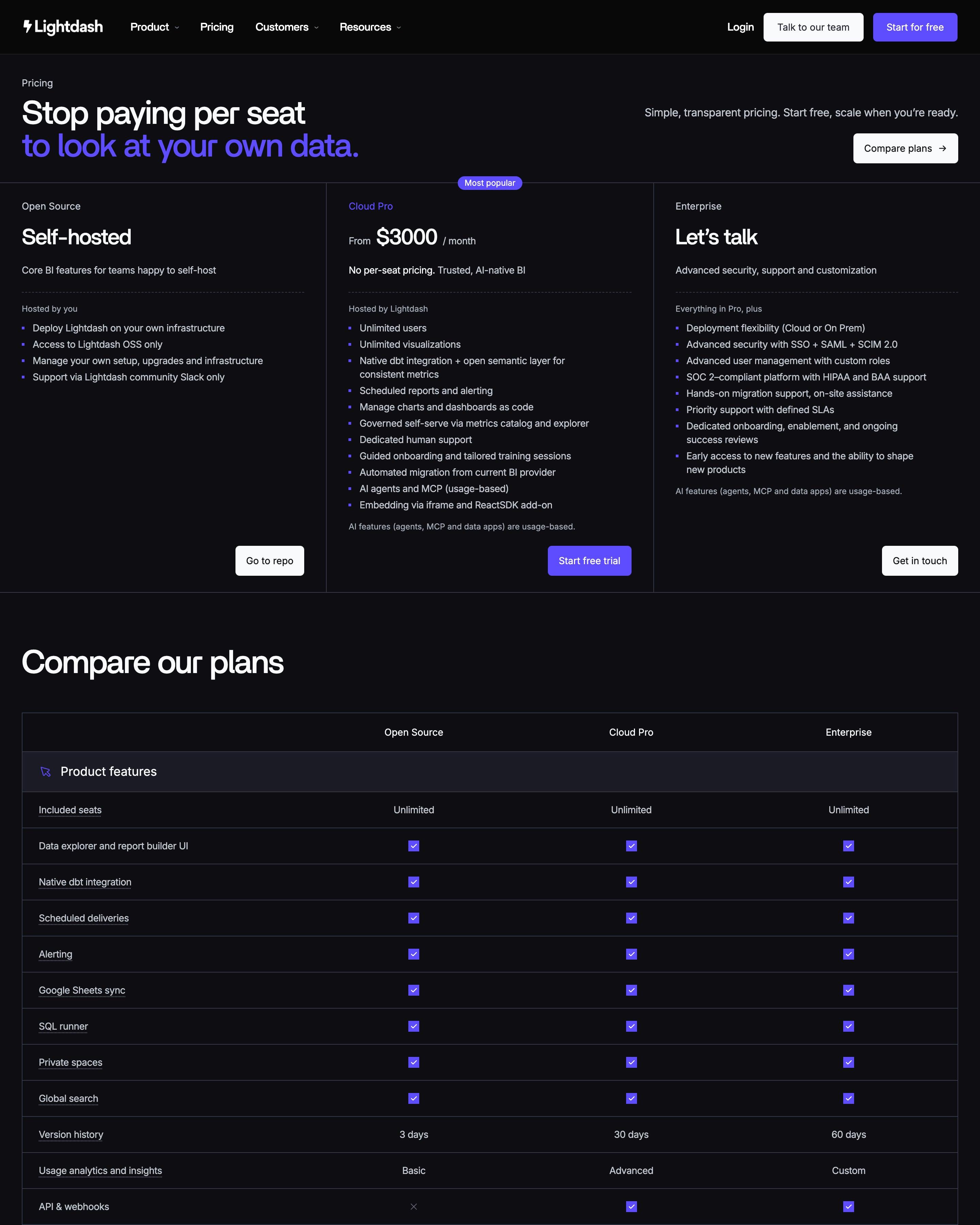
Three plans sit in ruled columns rather than cards: Self-hosted, Cloud Pro from $3000 a month, and Enterprise's "Let's talk". Cloud Pro alone is singled out in violet: its name, a "Most popular" tag and its button. Steal the comparison table's style: rows grouped under icon headers, with violet ticks against grey crosses.
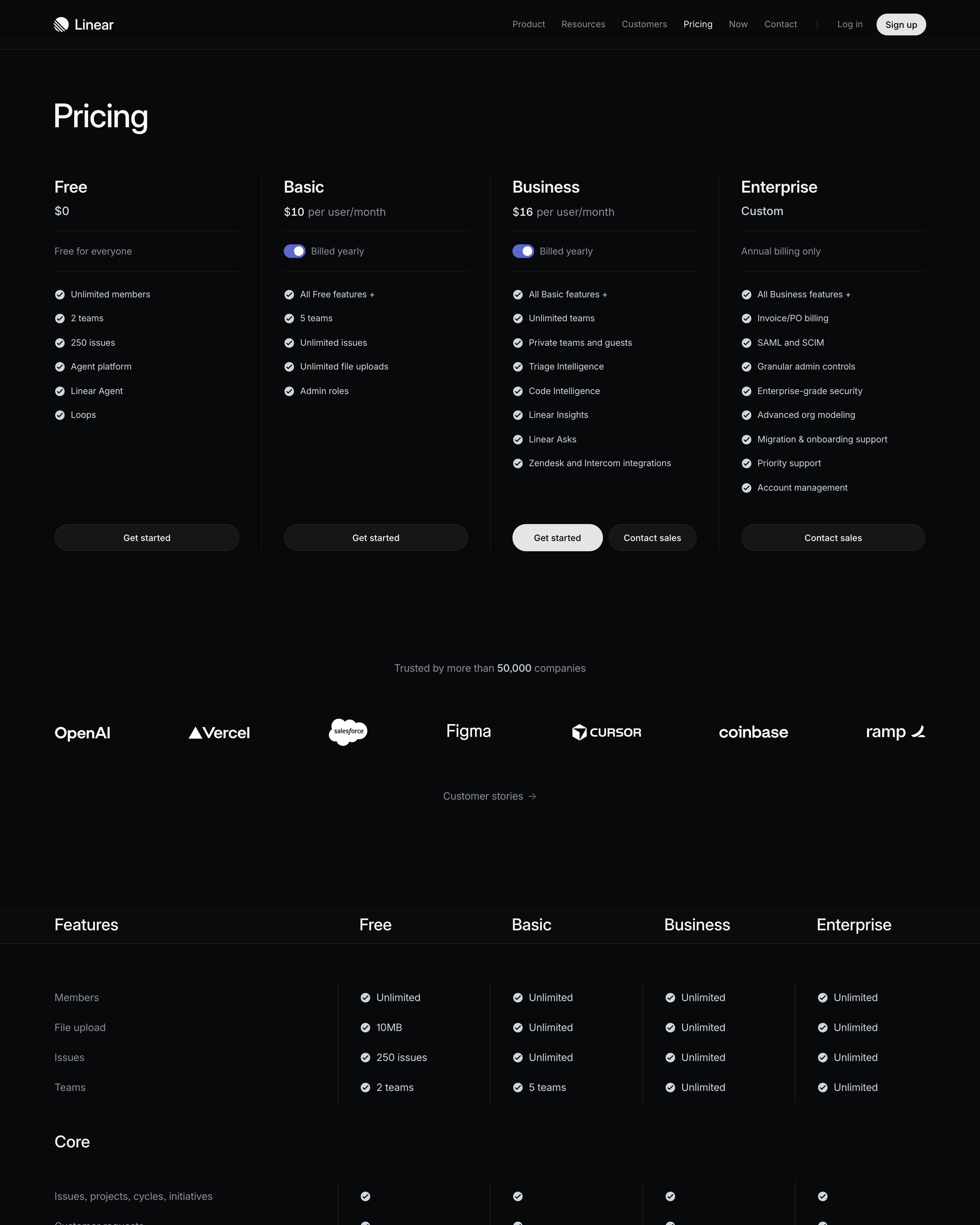
Four plans sit in open columns split by thin lines rather than boxed cards, and Business is marked only by its white button. Basic and Business each carry their own "Billed yearly" switch. The grouped comparison table, from Core to Support, repeats the plan buttons at its foot, a detail worth lifting.
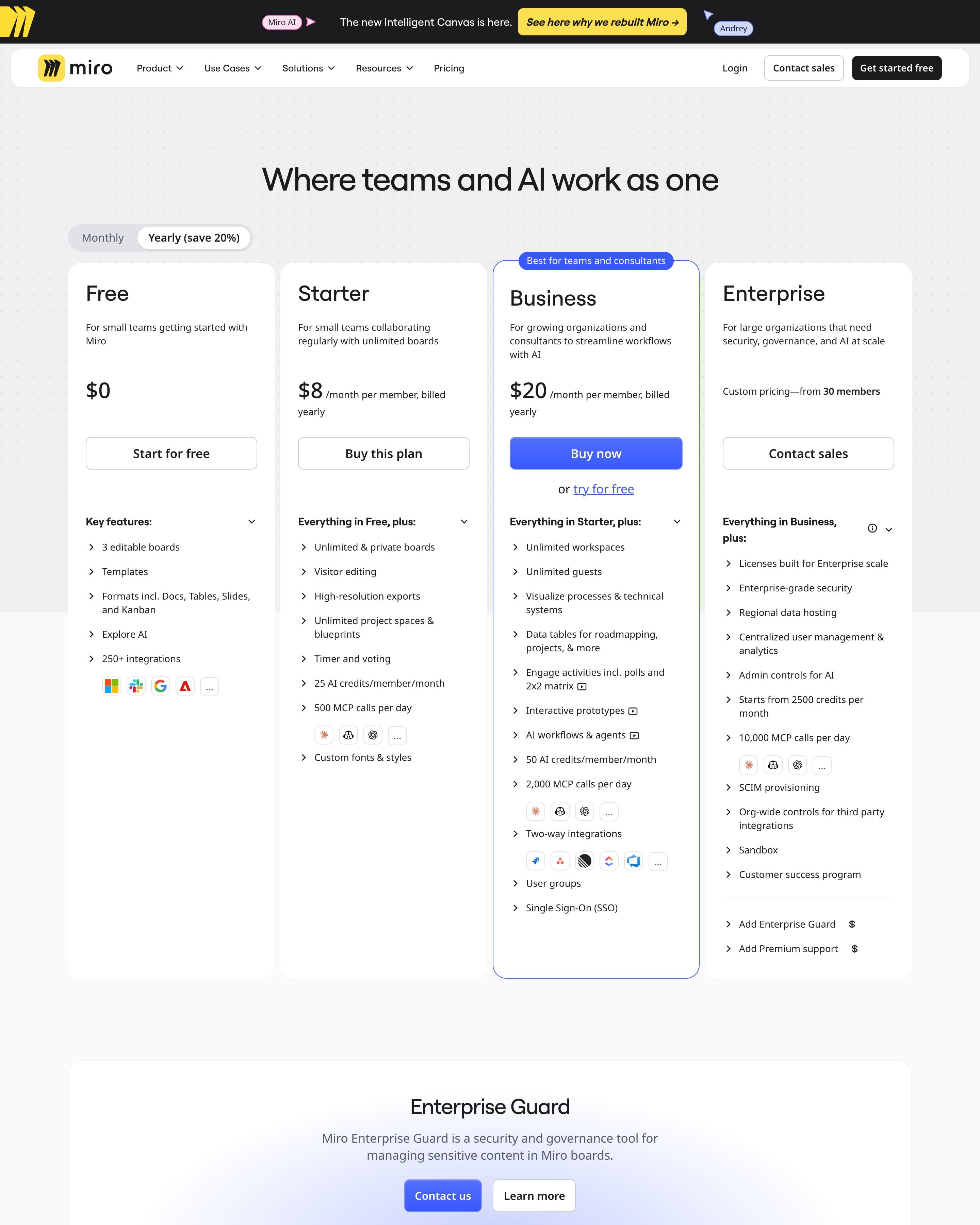
Of four plans, Business is singled out with a tab above it, a blue outline, the only blue button and a "try for free" link. A monthly/yearly switch names the 20% saving, and a long feature table follows. Reuse the six compliance badges laid out as tiles just above the FAQ.
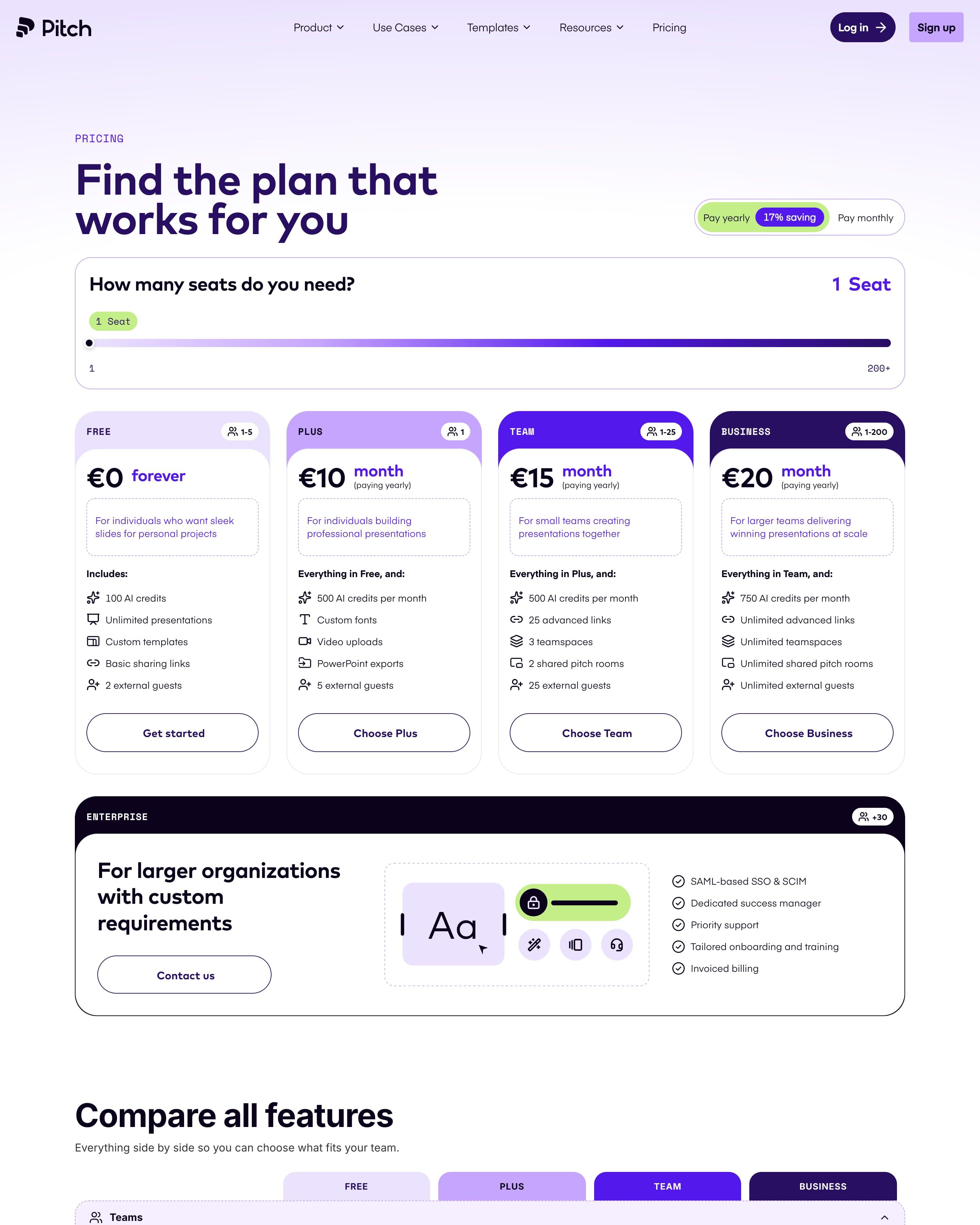
A seat slider from 1 to 200+ sits above four plans whose header bands deepen from lilac to dark purple, with a yearly/monthly switch showing a 17% saving. Each plan shows its seat range in a badge. The slider, and the Enterprise card set apart below the grid, are both worth copying.
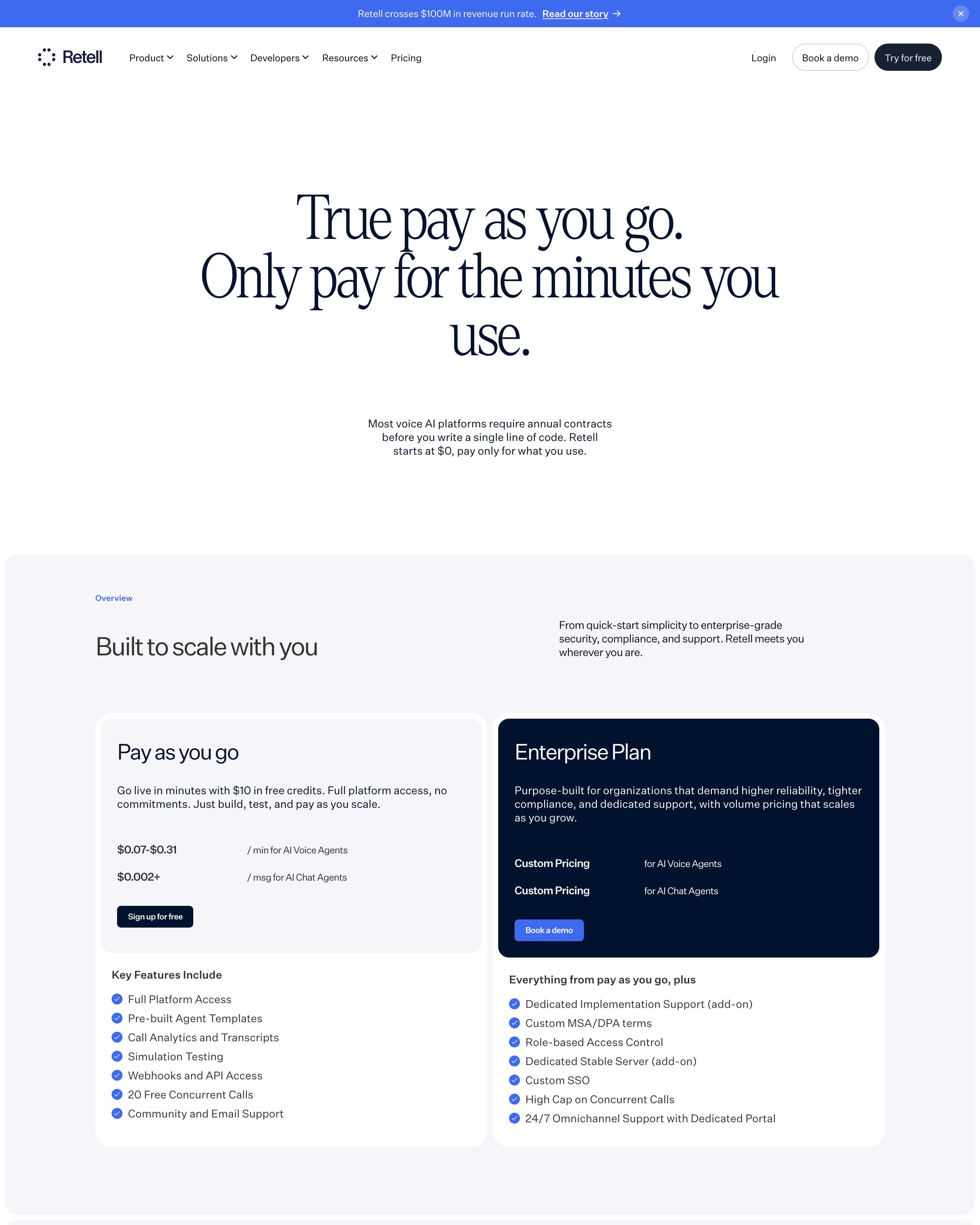
"True pay as you go. Only pay for the minutes you use." opens in large serif type. A white pay-as-you-go card, $0.07 to $0.31 a minute, faces a navy Enterprise card, followed by a cost estimator, a plan comparison with blue checks, and long price tables for every voice engine, text-to-speech provider and LLM, each billed per minute.
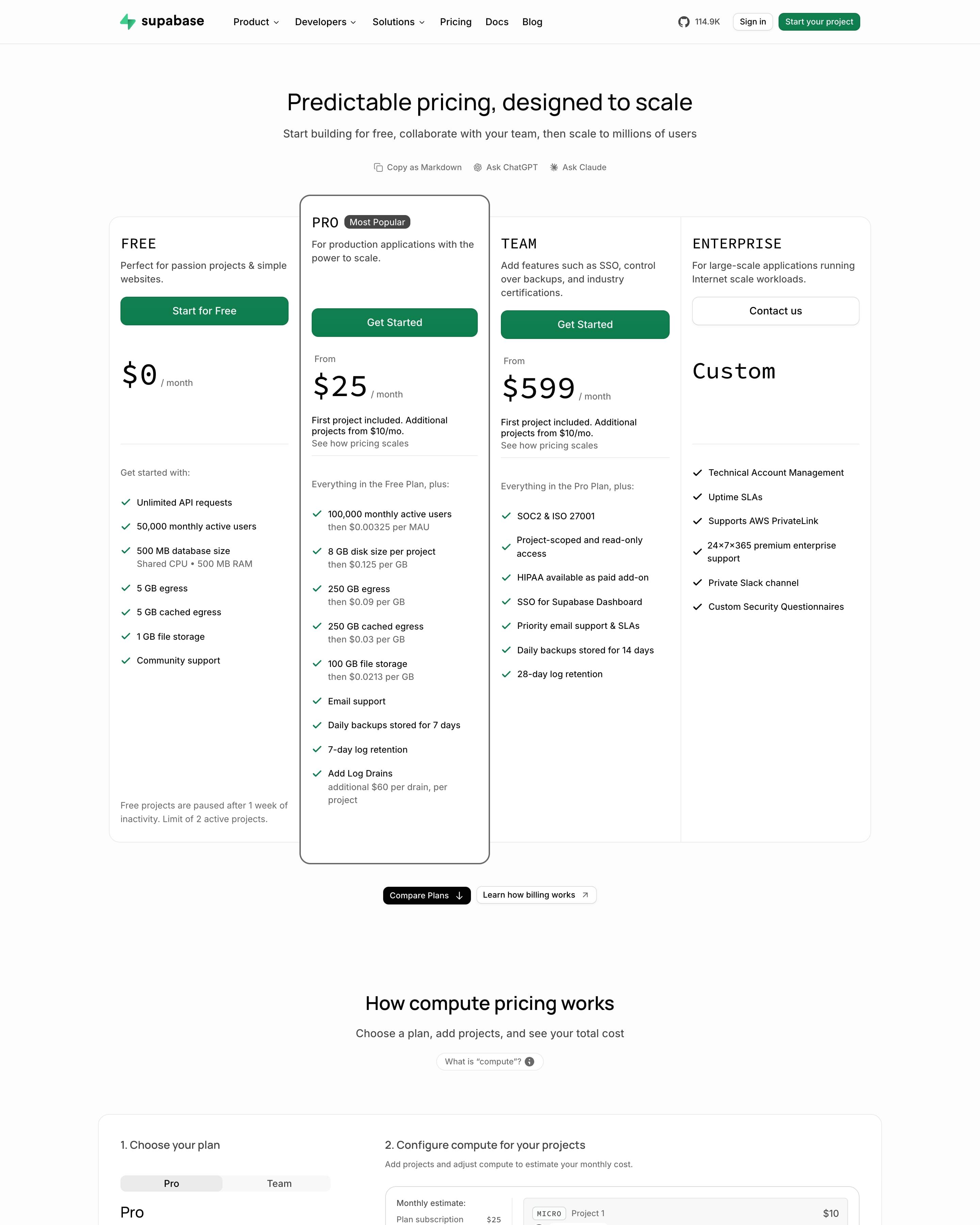
Four plans share one bordered row, and Pro breaks out of it with a taller outlined card and a "Most Popular" pill. Plan names and prices are set in a monospace face against regular sans for everything else. Below, a compute estimator lets you add projects and drag an instance size, ahead of disk tables, add-on cards and a long FAQ.
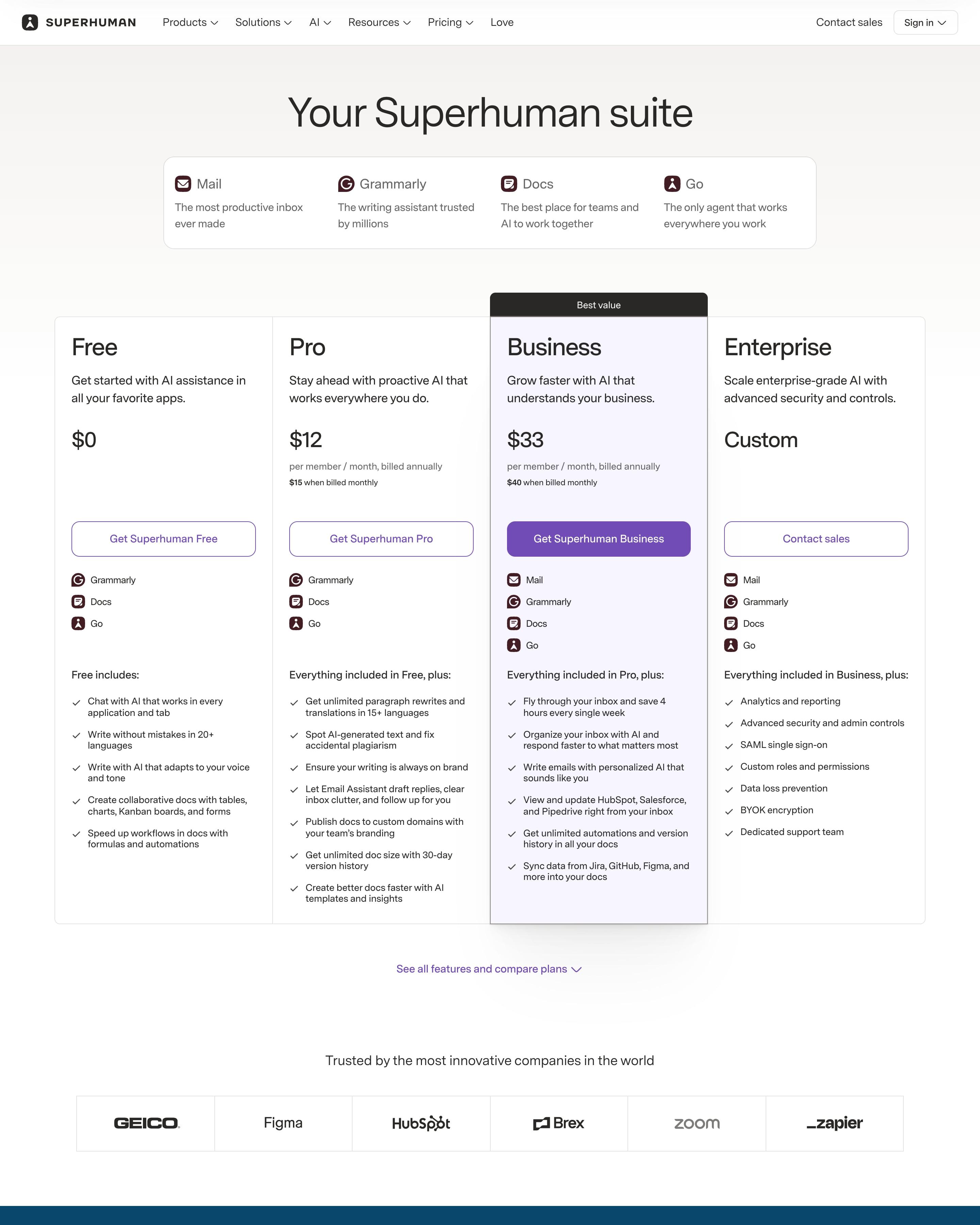
Mail, Grammarly, Docs and Go are named in a strip above four plans, and each plan lists the products it includes with their icons. Business gets a black 'Best value' tab and stays shaded down a comparison table grouped by product. Showing a bundle as product icons is a neat touch to lift.
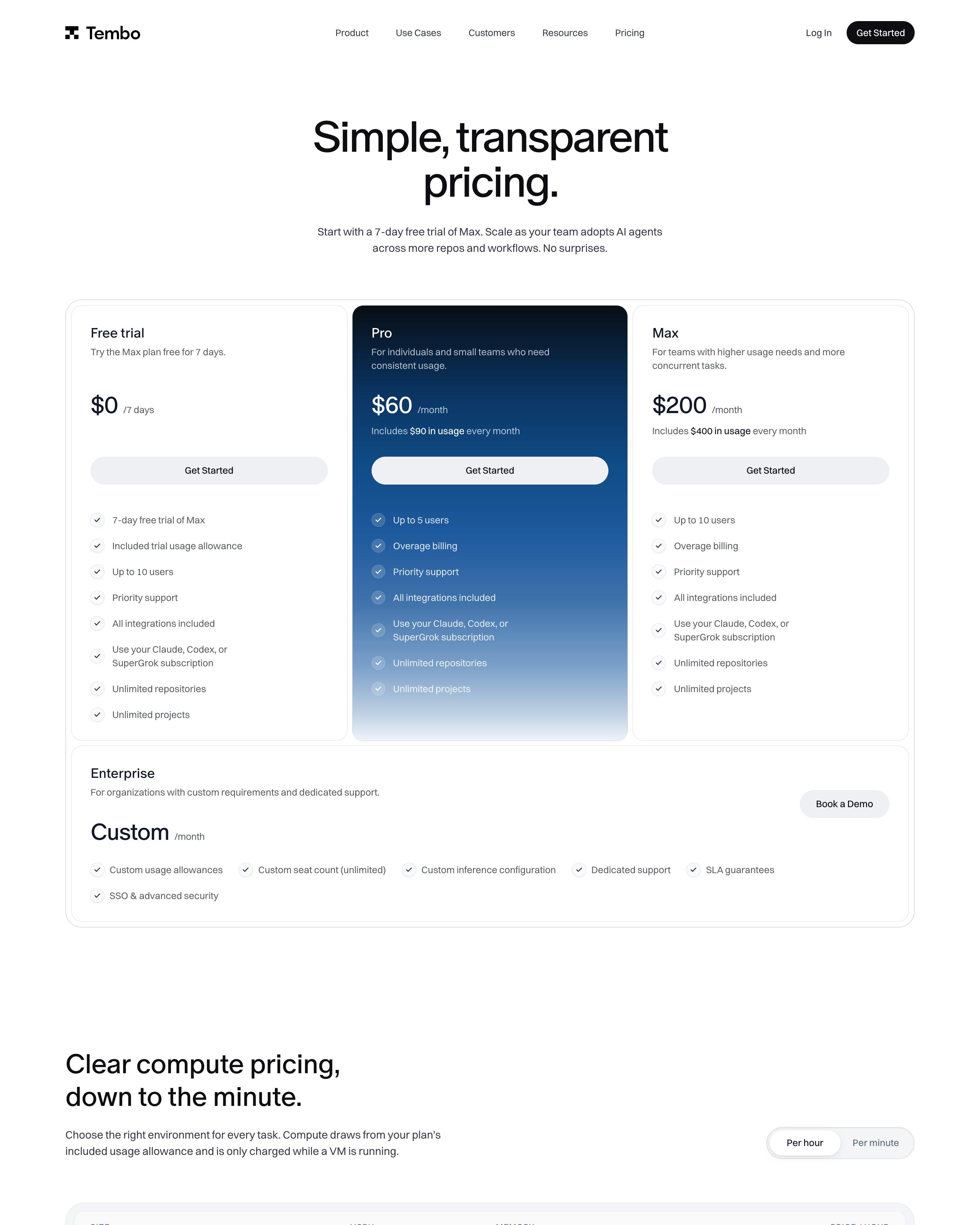
Three plan cards, and only Pro at $60 gets the brand's blue gradient, fading to white at the bottom. Enterprise runs as a wide strip underneath. The compute table prices seven VM sizes from Nano at $0.1066 an hour to Ultra at $2.9536, with a per-hour or per-minute toggle, and a Gateway table lists per-token model prices with model names in monospace.
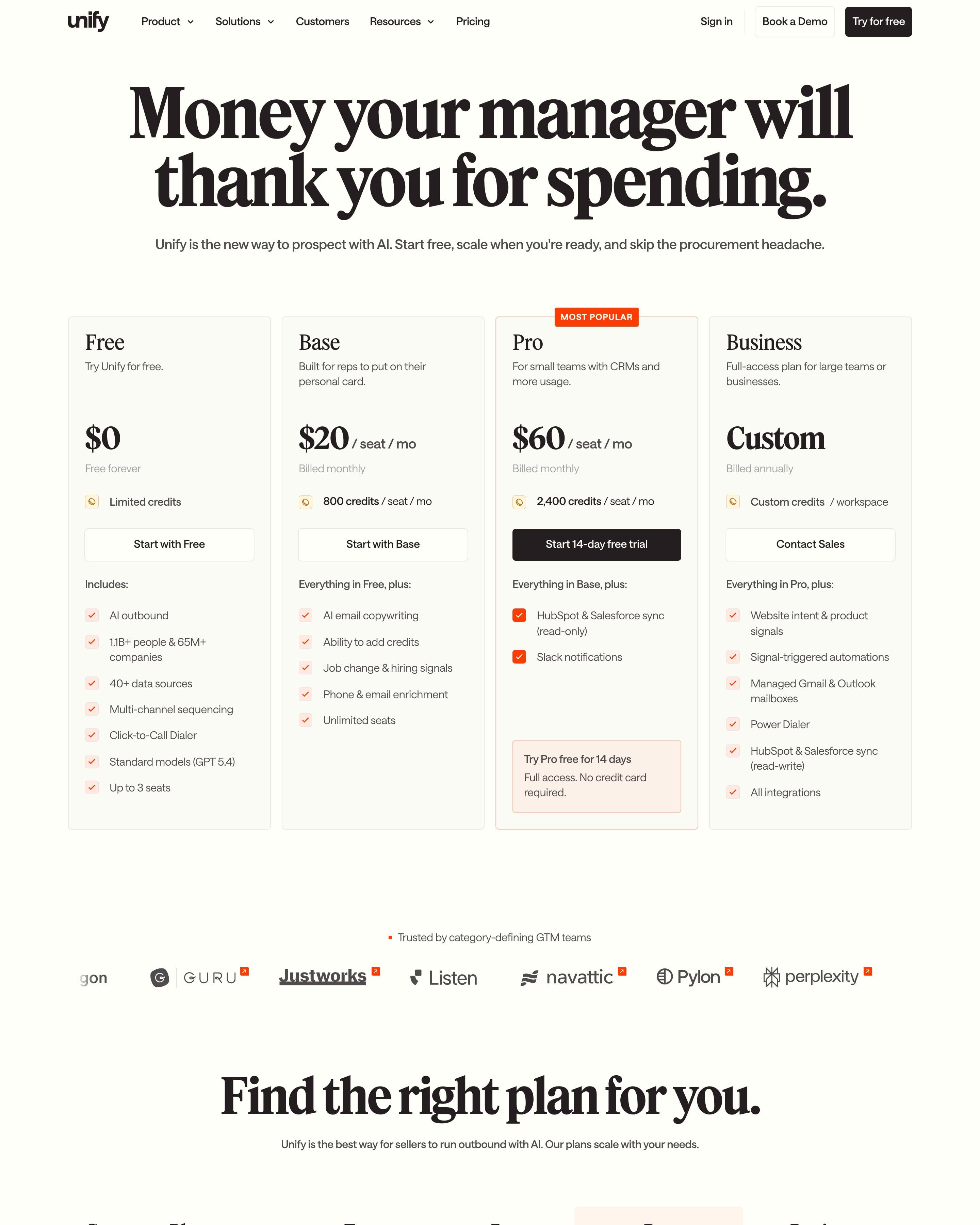
The headline "Money your manager will thank you for spending." sits over four cards, where Pro gets an orange "MOST POPULAR" tab and the only black button. In the long comparison table Pro's column stays tinted peach all the way down, its checkmarks solid orange while the other plans get pale ones. Group labels like "Signals" and "Sequencing & deliverability" are orange too.
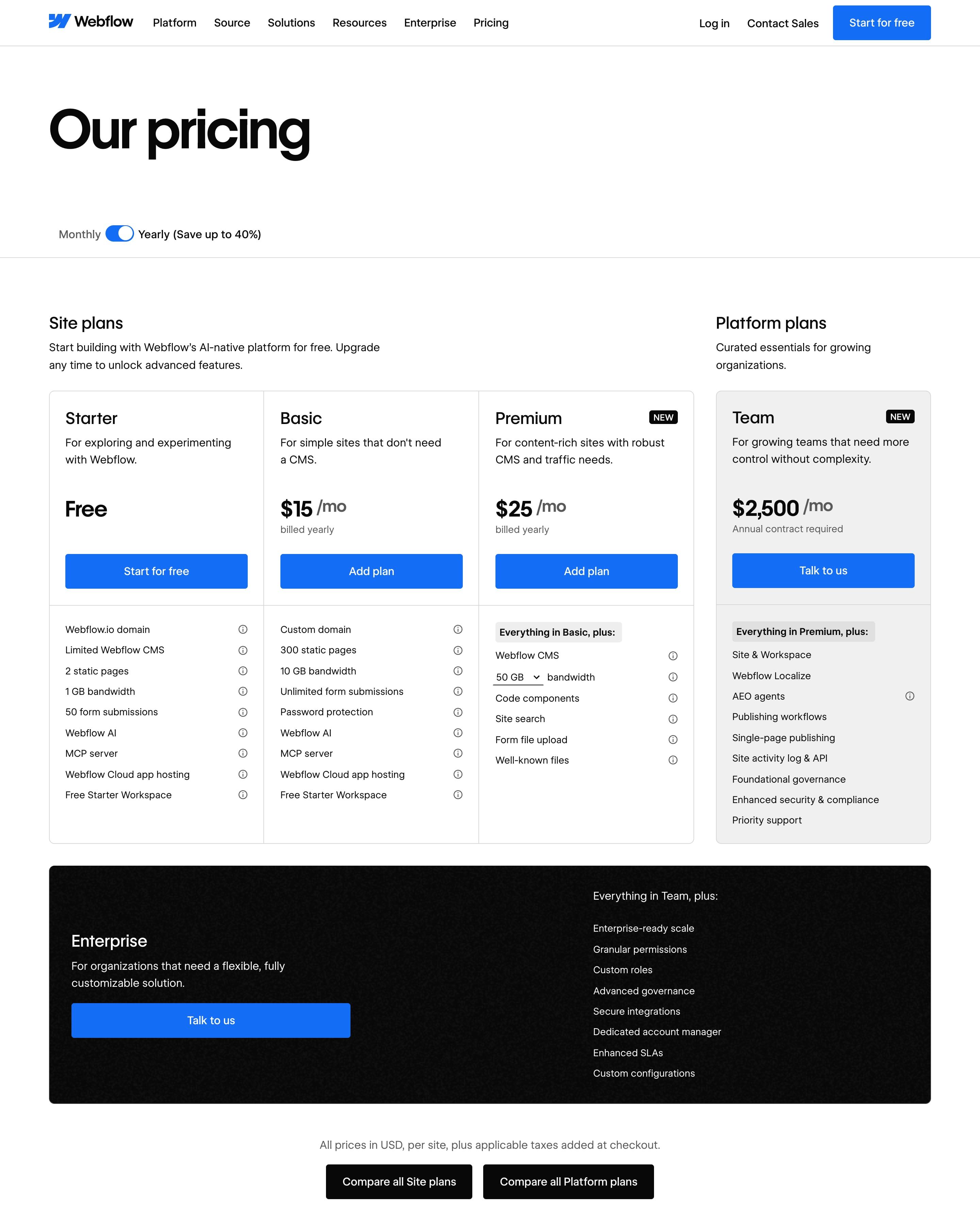
A Monthly/Yearly switch heads three Site plans, from Free to $25, with the $2,500 Team plan beside them in grey and Enterprise in a black band below. Add-ons get priced cards with usage dropdowns; Ecommerce and Workspace plans fold away under big headings. Borrow the split between site and platform plans.
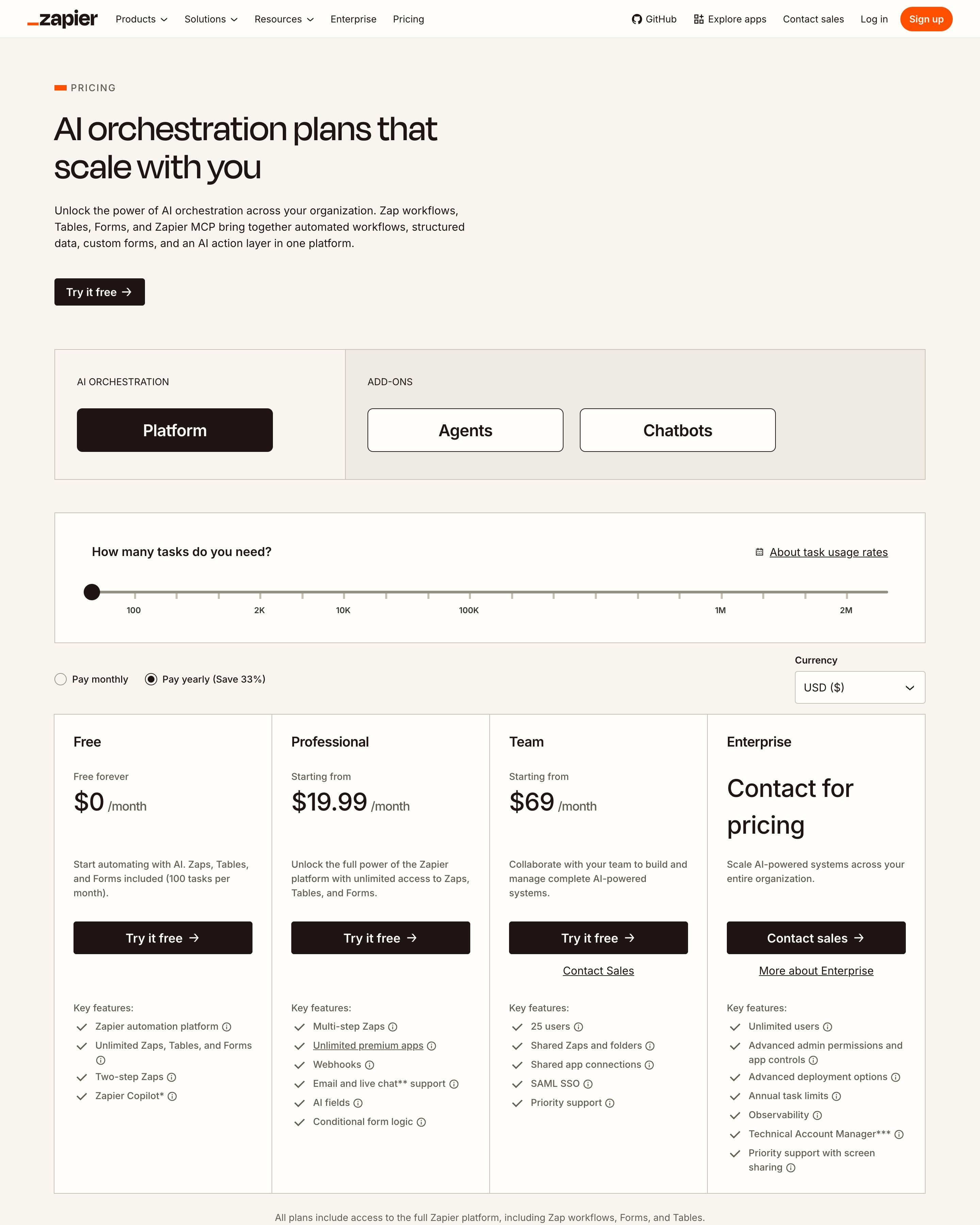
Before any plan, a slider asks how many tasks you need, from 100 to 2M, next to monthly or yearly options and a currency picker; four plan columns follow. Tabs switch between the platform and its add-ons (Agents, Chatbots), and the FAQ is grouped by topic. The task slider is the part to borrow.
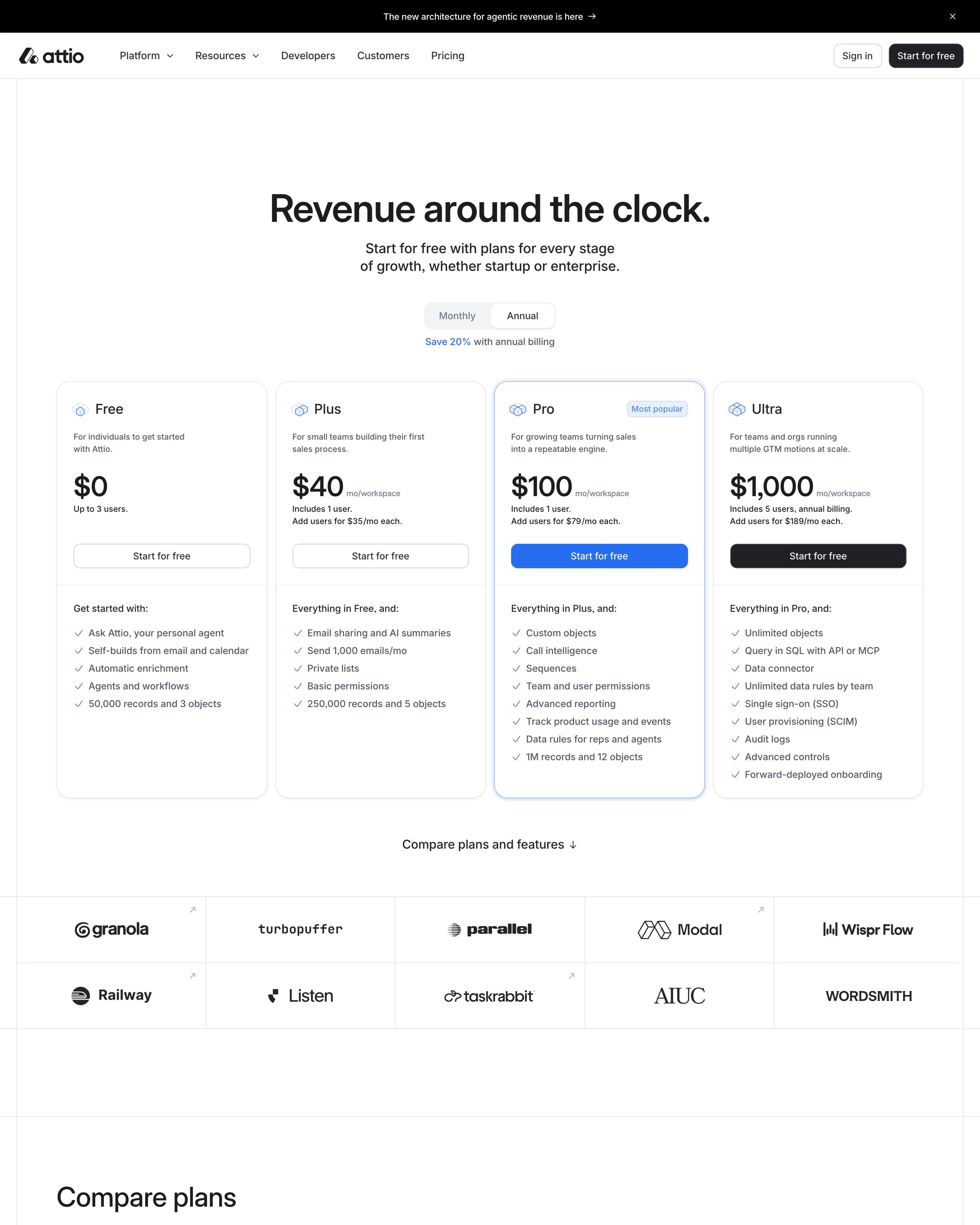
Four plans sit side by side, and Pro, marked "Most popular", gets a blue outline and the only blue button. Copy how that blue tint runs down Pro's column in the full comparison table, which repeats the billing toggle. A grey serif quote on a dot grid and a two-column FAQ follow.
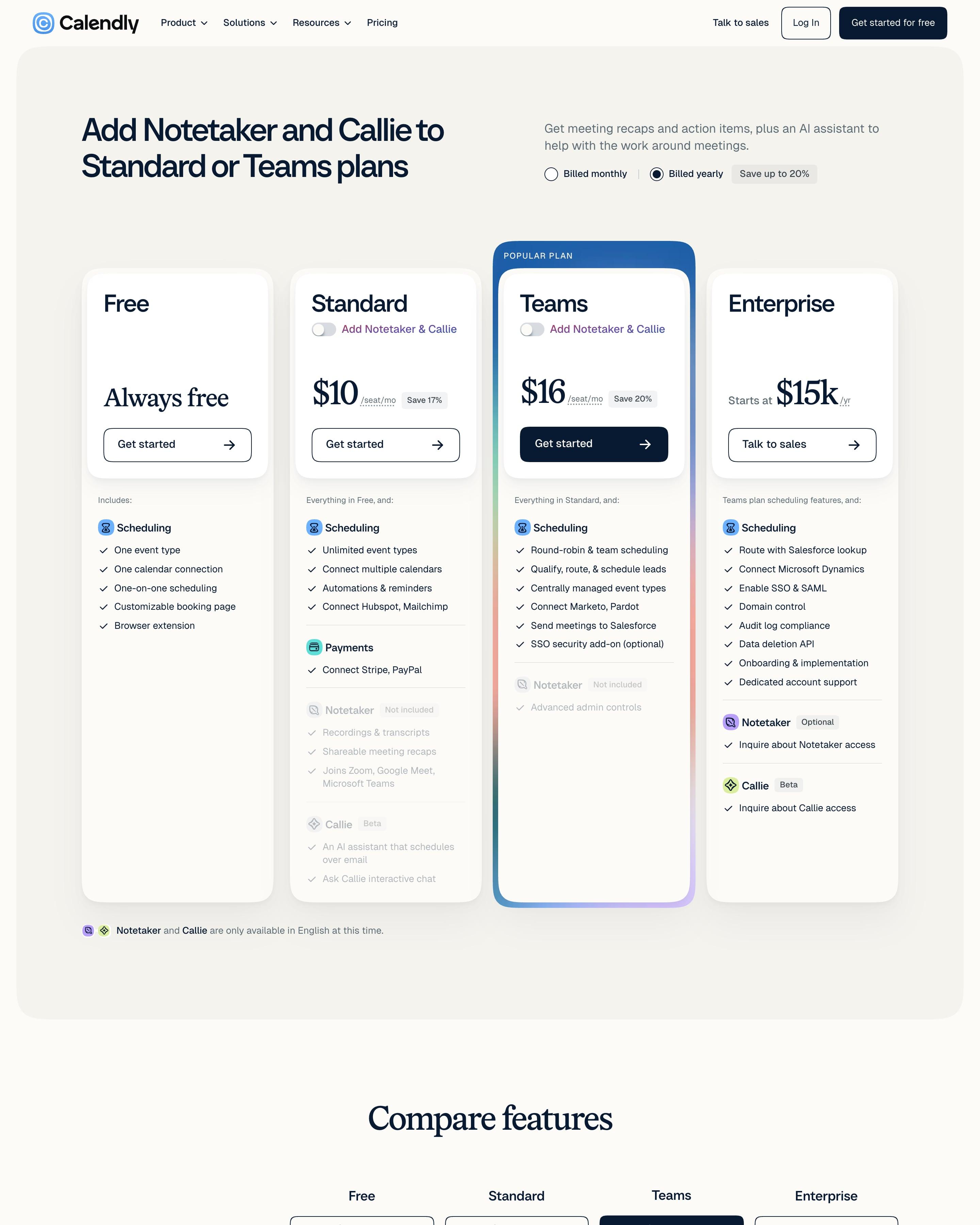
Four plan cards sit in a rounded grey panel, and Teams is lifted by a navy "Popular plan" cap and a gradient border. Standard and Teams each carry an "Add Notetaker & Callie" switch, so the add-on lives inside the card. The long comparison groups rows under icons for Callie, Payments, Automations and more. Worth copying: that in-card add-on toggle.
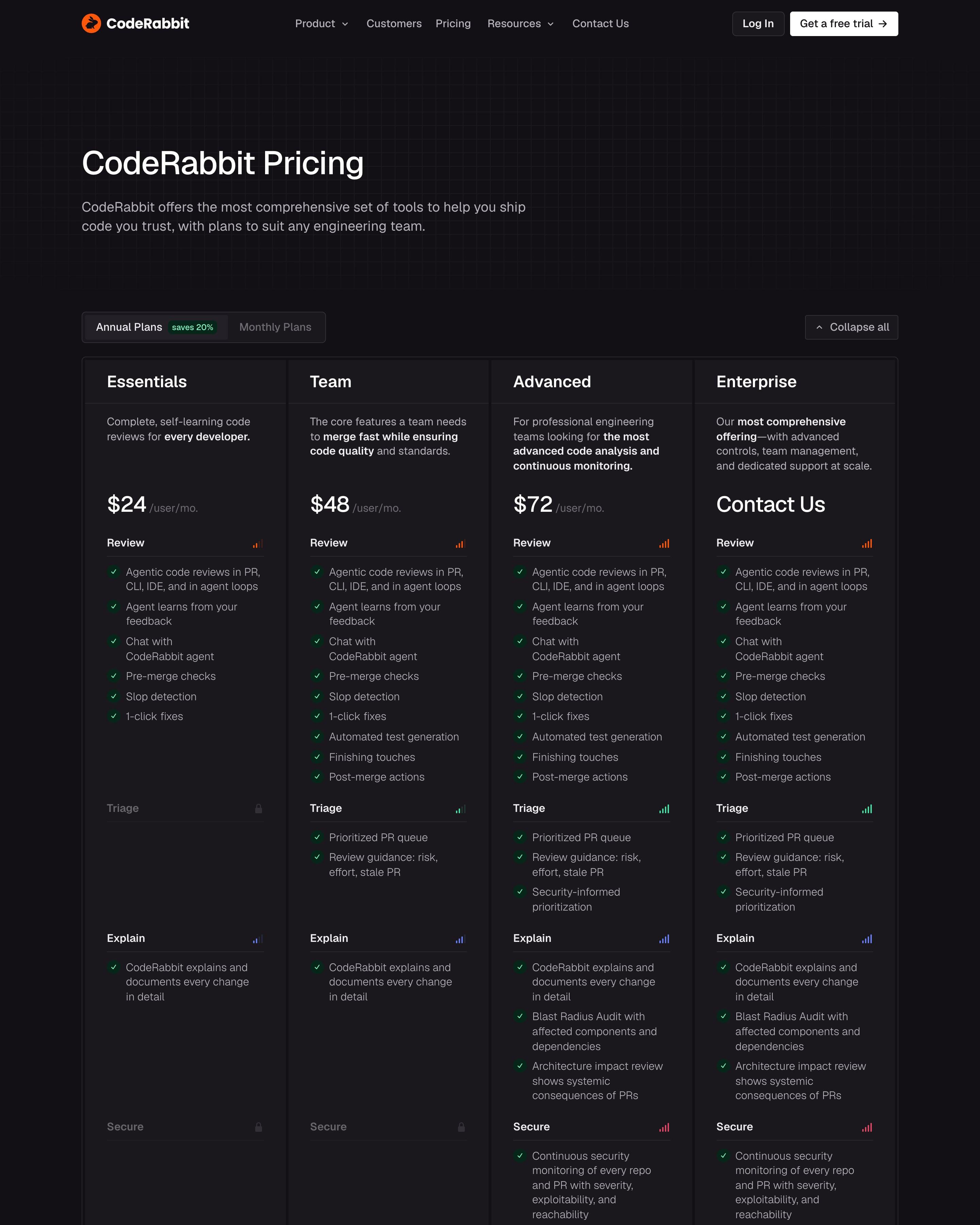
Essentials at $24, Team at $48, Advanced at $72 and Enterprise sit as four dark columns grouped by product: Review, Triage, Explain, Secure and Enterprise Controls. Groups a plan lacks fade to grey with a padlock instead of disappearing. The comparison table repeats those groups, each header tinted its own colour (orange Review, green Triage, blue Explain, red Secure, yellow Enterprise Controls) over a faint dot grid.
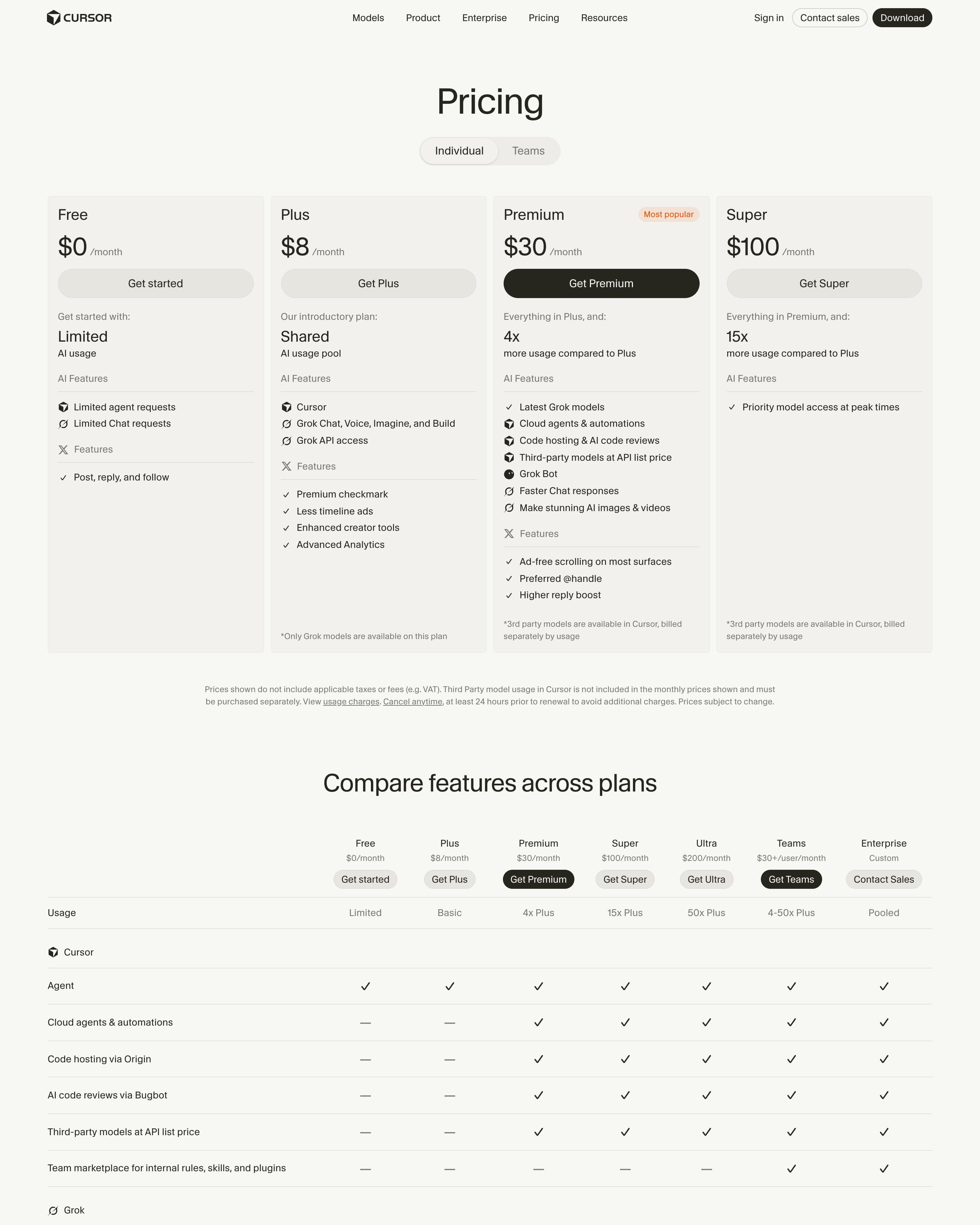
An Individual/Teams switch sits above four plan cards, where only Premium, tagged "Most popular", gets a black button. Cards group features under small product icons, including X perks like a premium checkmark. A pattern to copy: the comparison table adds Ultra, Teams and Enterprise, so seven plans appear there and only four as cards.
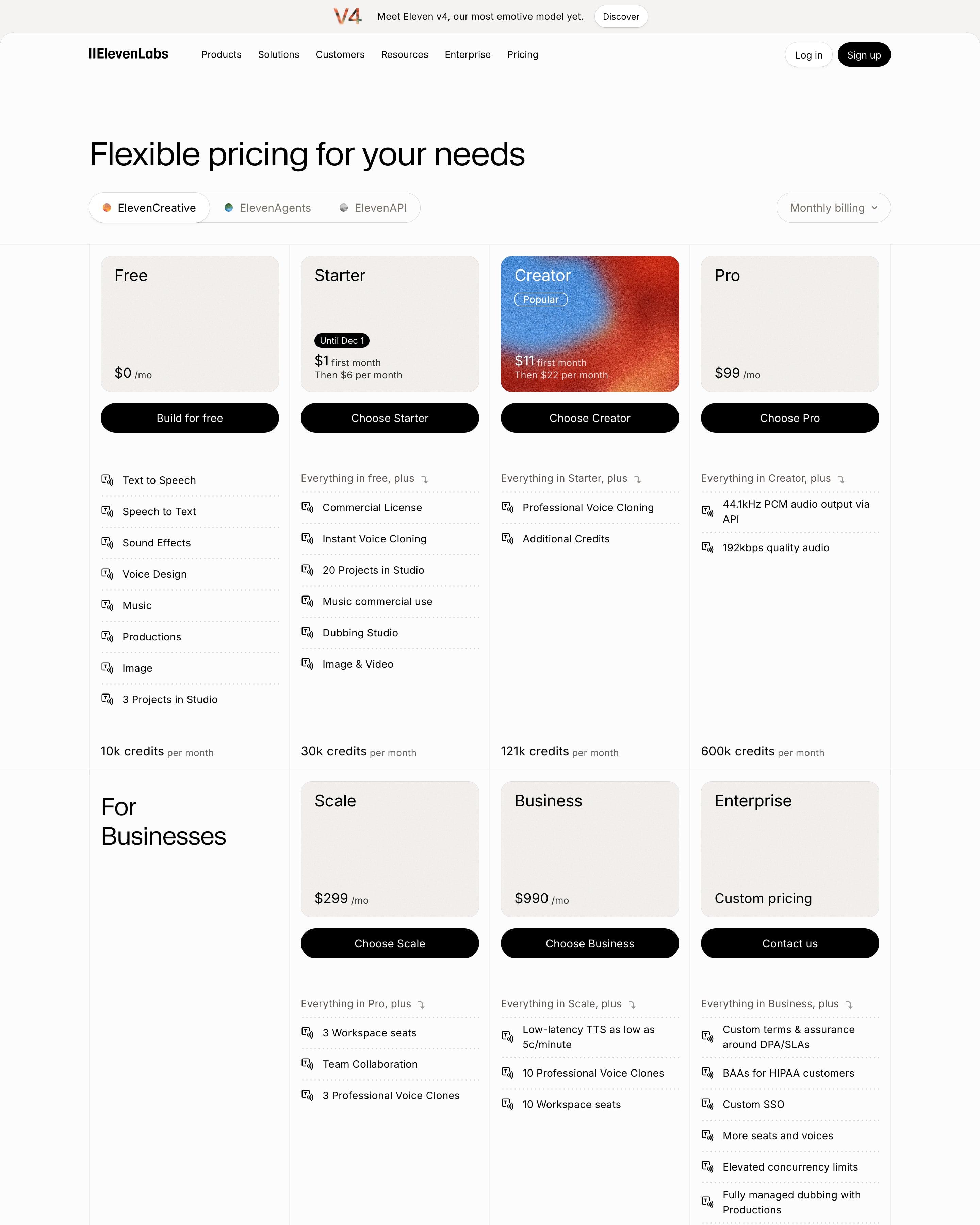
Tabs switch between ElevenCreative, ElevenAgents and ElevenAPI, and each plan sits in a beige header tile above a black full-width button. Only Creator gets a grainy blue-to-red gradient, which makes it the obvious pick. A cost calculator with a minutes slider recommends a plan in the same gradient card, and an isometric stack of boxes illustrates the Startup Grants Program.
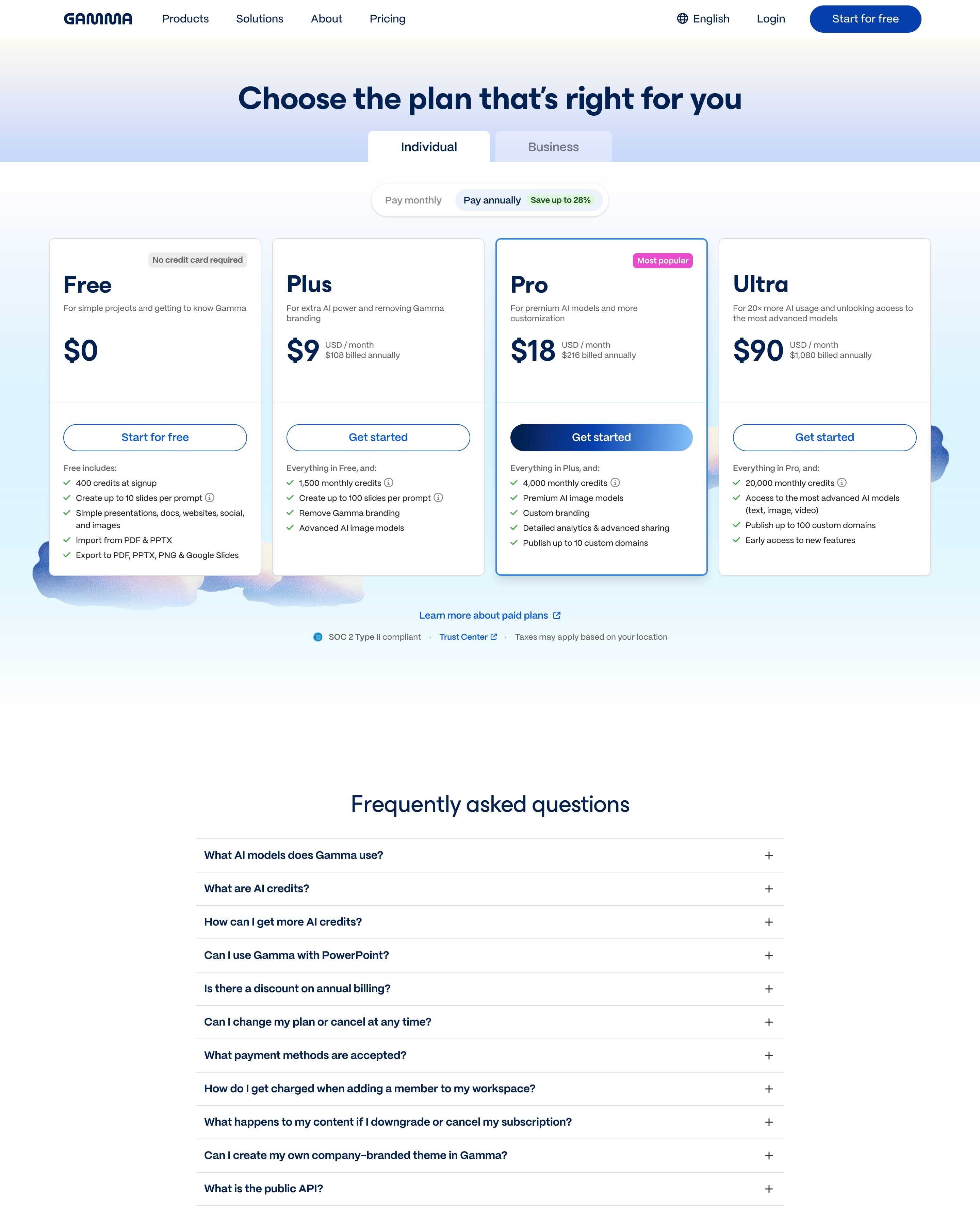
Individual and Business tabs sit over a monthly/annual switch tagged "Save up to 28%", then four plan cards. Pro has a pink "Most popular" tag and the only filled button, in a navy-to-blue gradient. Worth copying: the "No credit card required" tag on the Free card, and the clouds peeking out behind the cards.
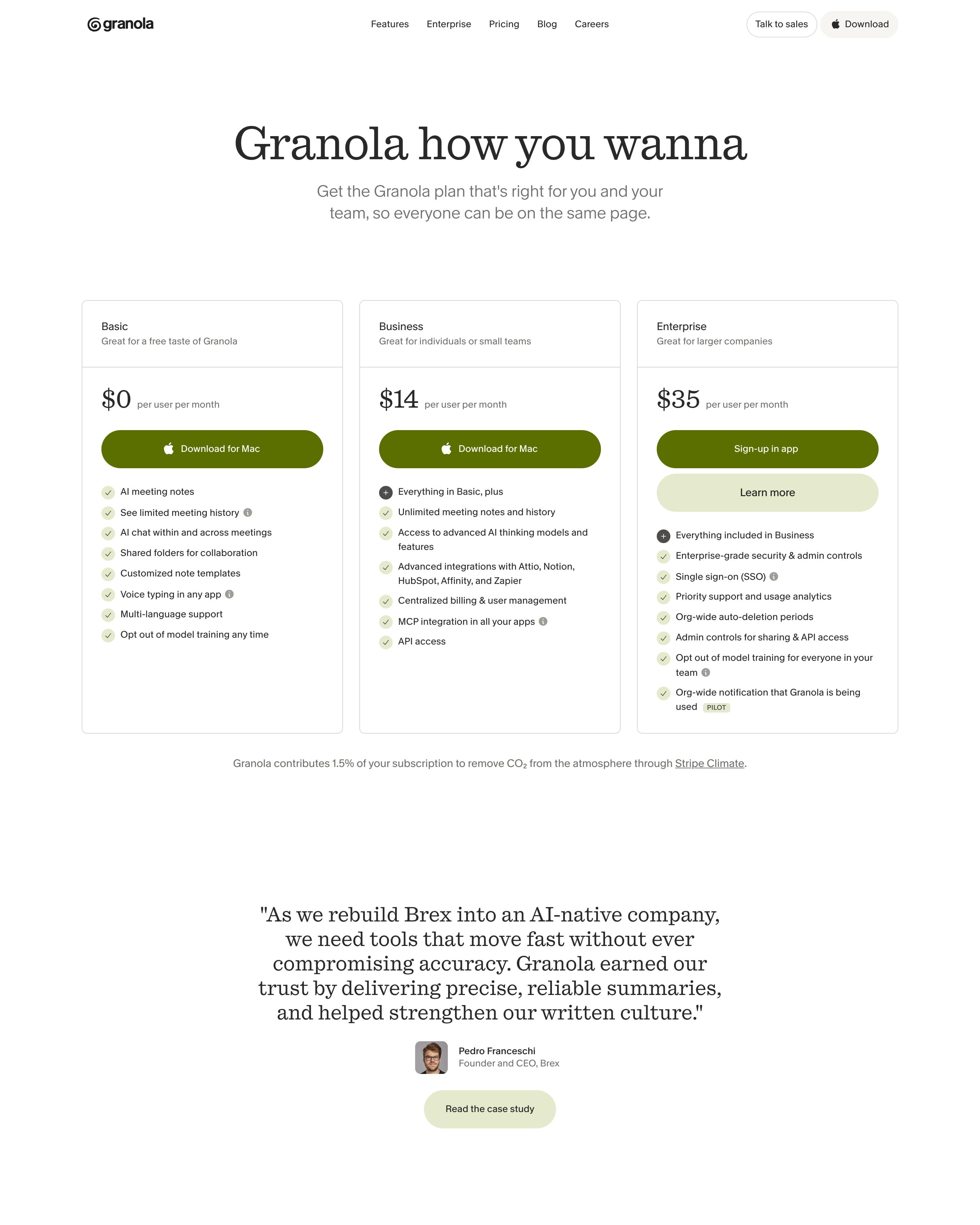
Olive download or sign-up buttons sit on three plain plan cards, with no billing toggle and a 1% climate contribution line beneath. A Brex quote leads into a grouped compare table, and six posts embedded from X come later. The FAQ title, "Things worth noting", is a small touch to borrow.
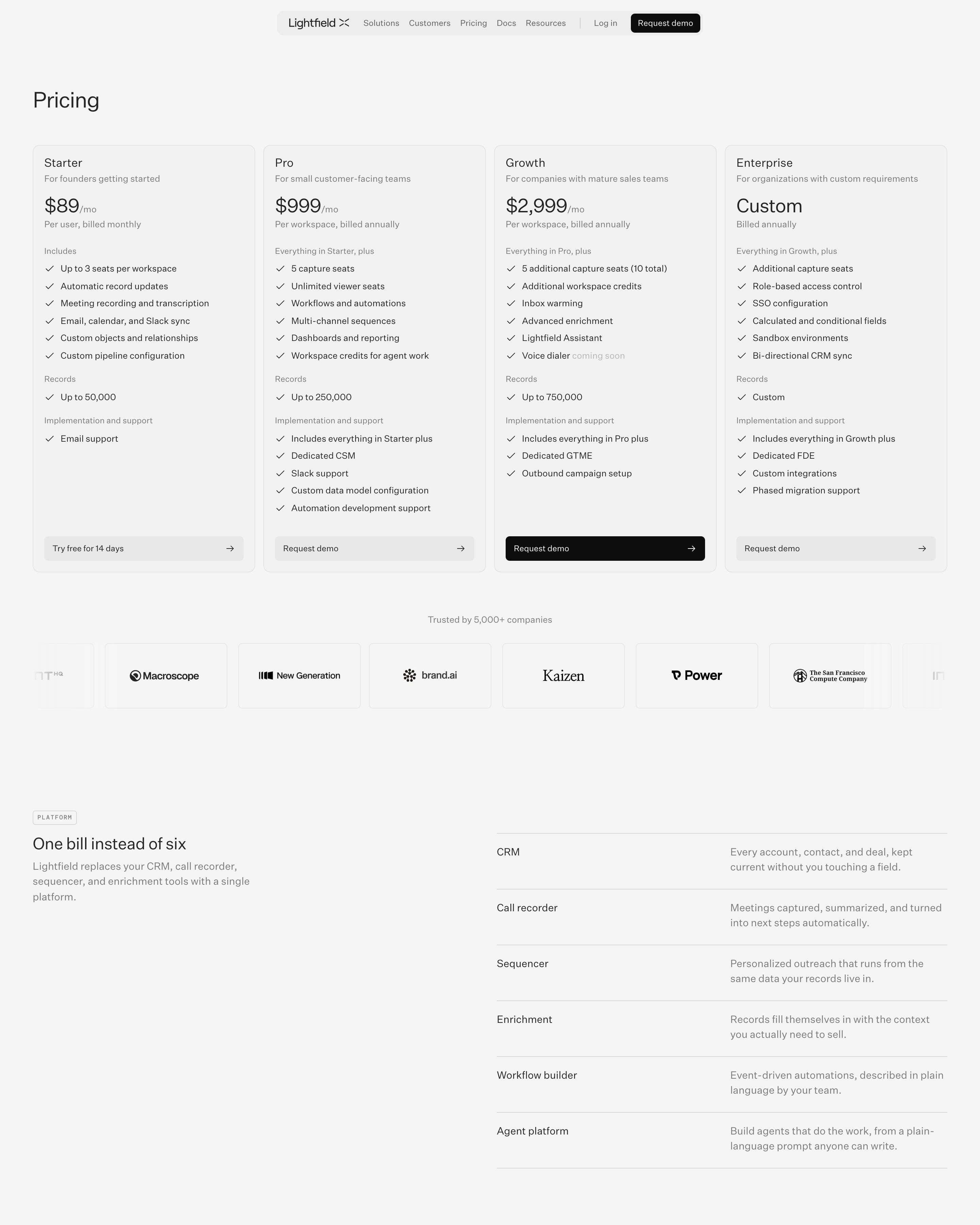
Four equal cards, and only Growth gets a black button, the single highlight in the table. "One bill instead of six" lists the tools the CRM replaces, from call recorder to sequencer. Compliance gets a 2×2 grid of line drawings for SOC 2, HIPAA, GDPR and ISO 27001.
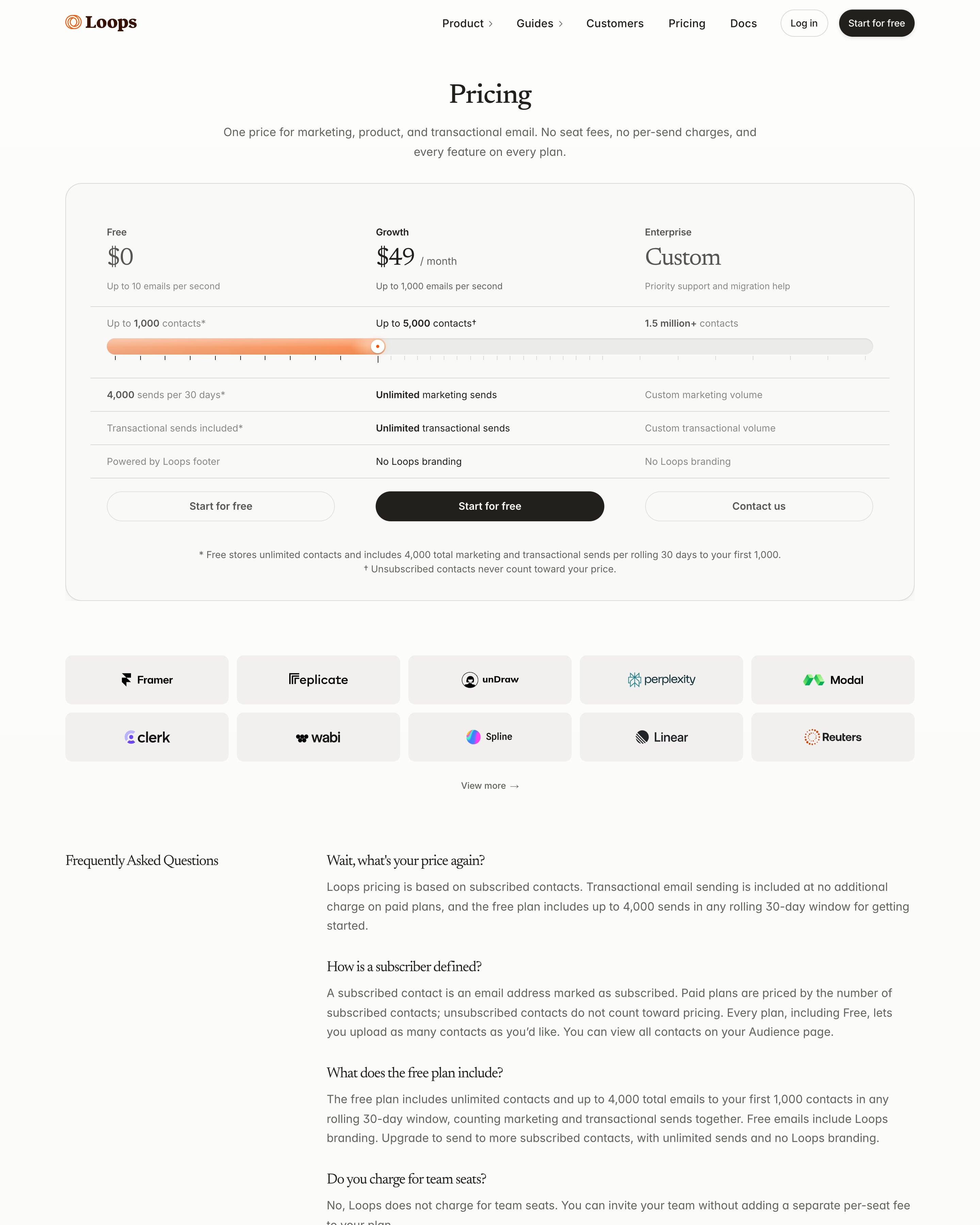
"Pricing" in serif heads one bordered card holding Free $0, Growth $49 and Enterprise Custom as columns, with an orange contacts slider running across all three. Only Growth's button is black. A grey grid of ten customer logos follows, then a two-column FAQ that answers in full, starting with "Wait, what's your price again?"
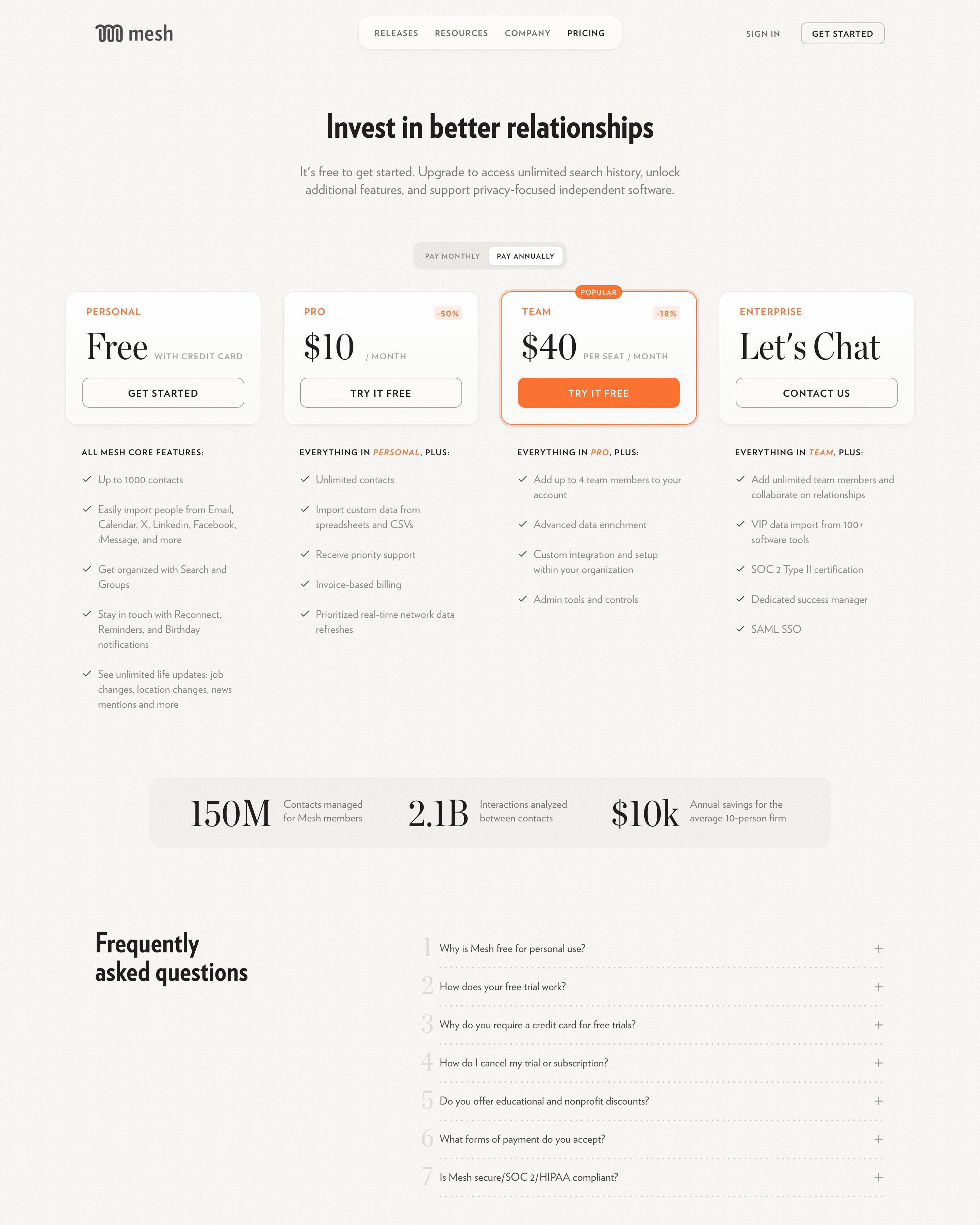
Pro and Team carry orange saving badges, and a monthly or annual switch sits above all four plans. Team is the recommended pick, marked "Popular" with an orange outline and the only filled button. Worth copying: the band of three large figures, from contacts managed to yearly savings, between the plans and the FAQ.
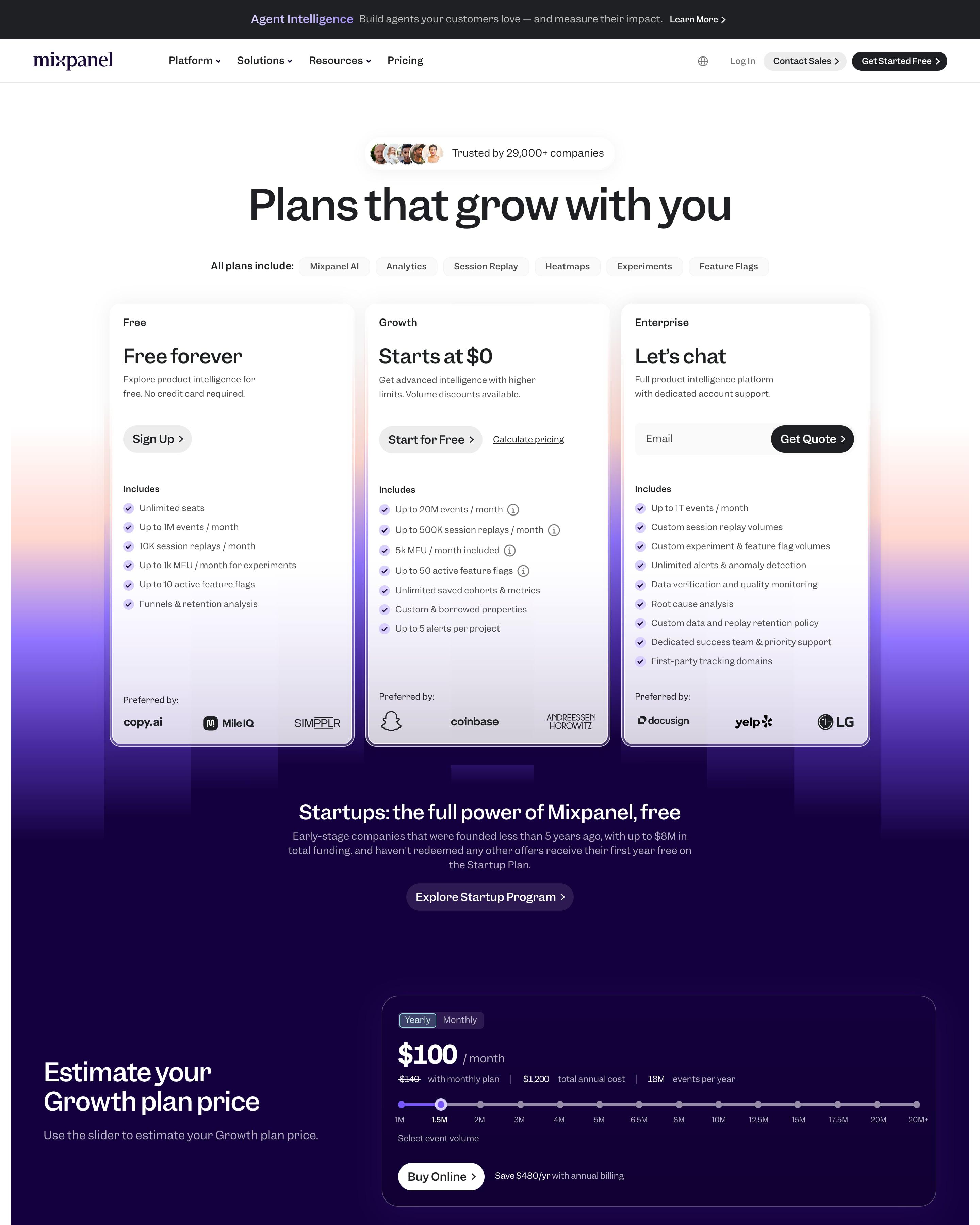
Free, Growth from $0 and Enterprise sit under a "Trusted by 29,000+ companies" pill; the Enterprise card takes an email for a quote. A slider on deep indigo estimates the Growth price, and the comparison table folds into eight groups. Worth borrowing: the customer logos closing each plan card.
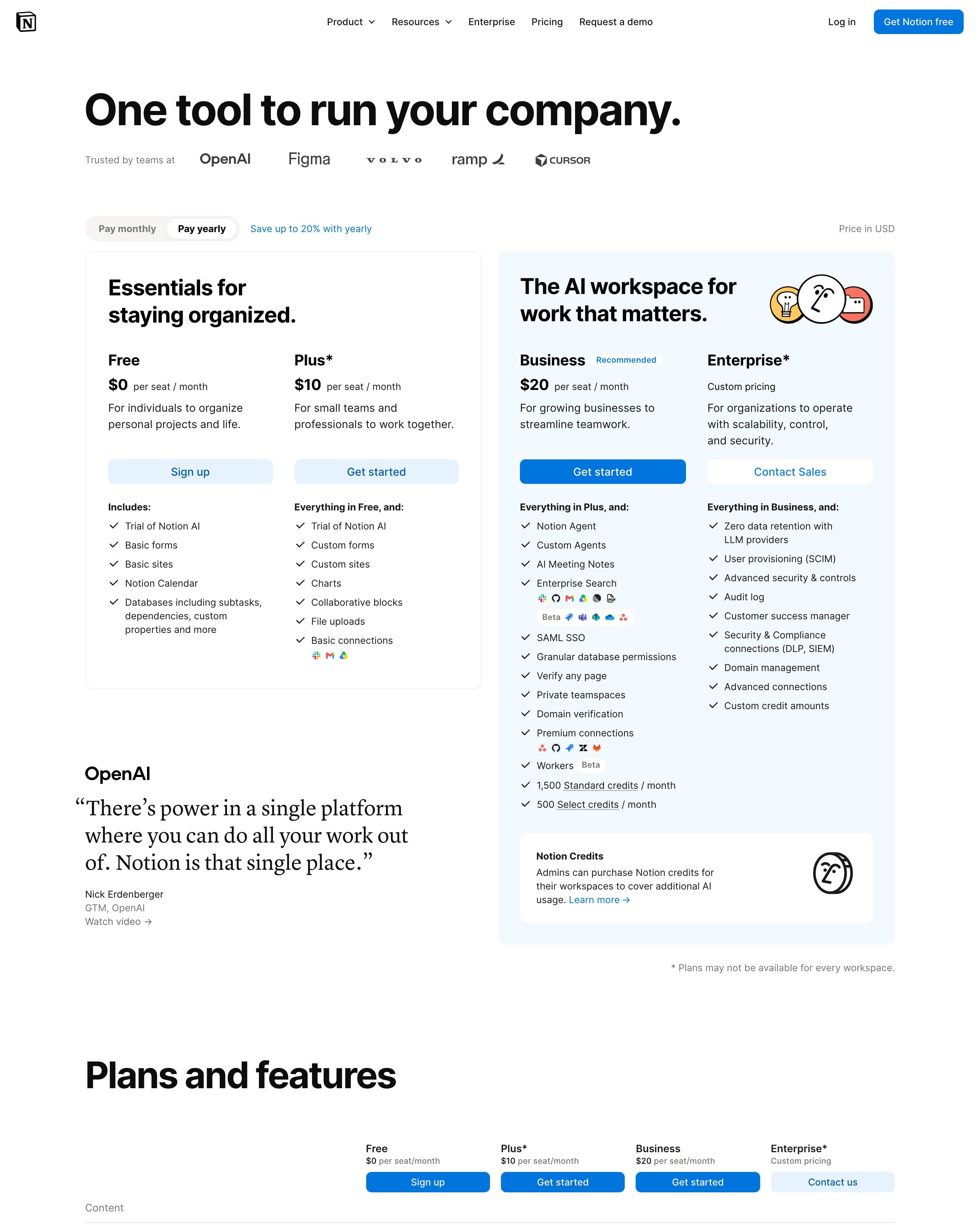
"One tool to run your company." splits plans into two boxes: a white one for Free and Plus, "Essentials for staying organized", and a pale blue one for Business and Enterprise headed "The AI workspace for work that matters" with three sketched faces. Business carries a small Recommended tag. The long comparison table uses dotted-underlined feature names and tiny app icons inside cells for connectors.
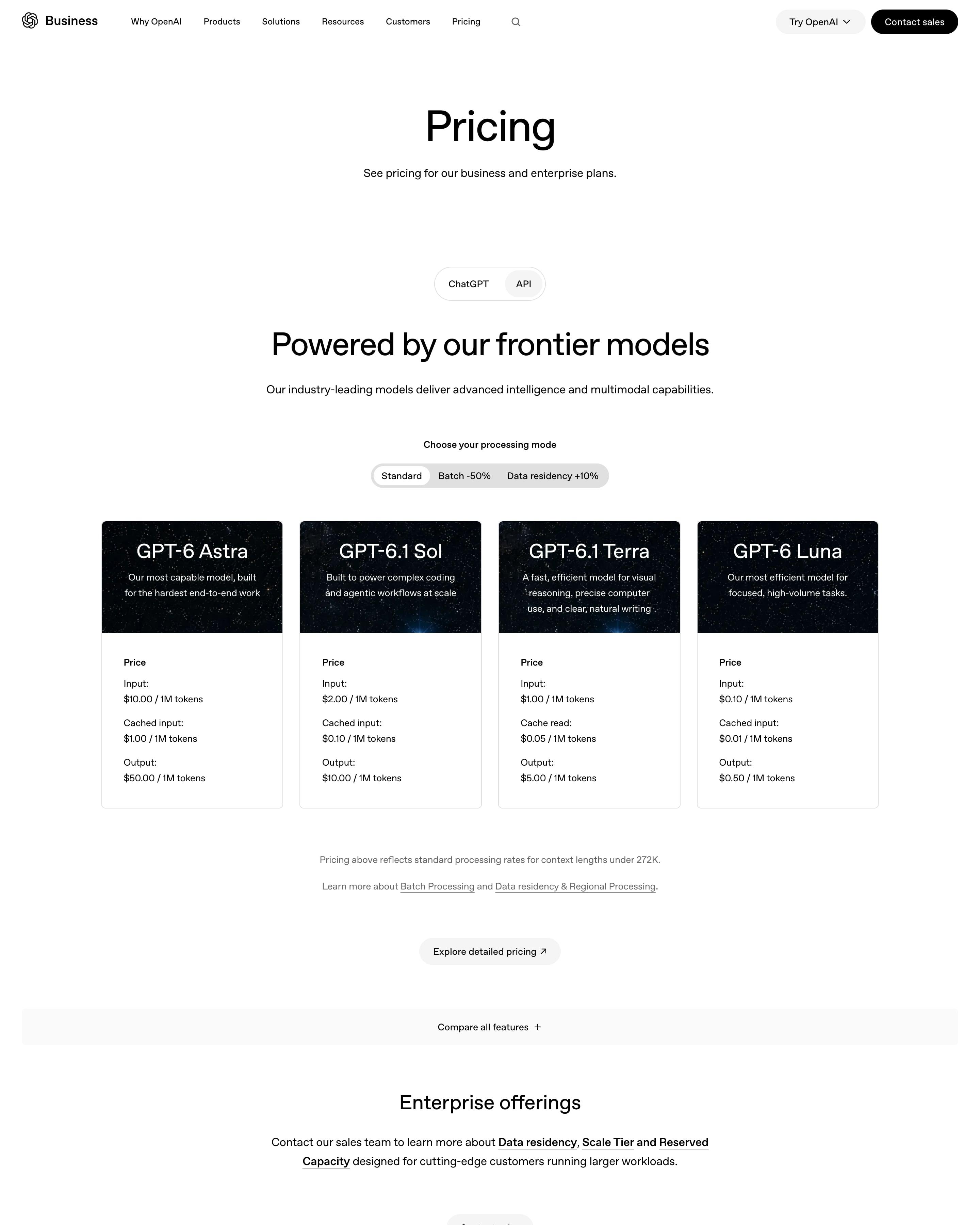
A ChatGPT/API switch and a Standard, Batch -50% and Data residency +10% mode selector sit above four model cards. Each card has a starry dark header for GPT-6 Astra, 6.1 Sol, 6.1 Terra or 6 Luna, then input, cached input and output prices per 1M tokens on white. Worth copying: the processing-mode toggle, which puts the discount right in the label.
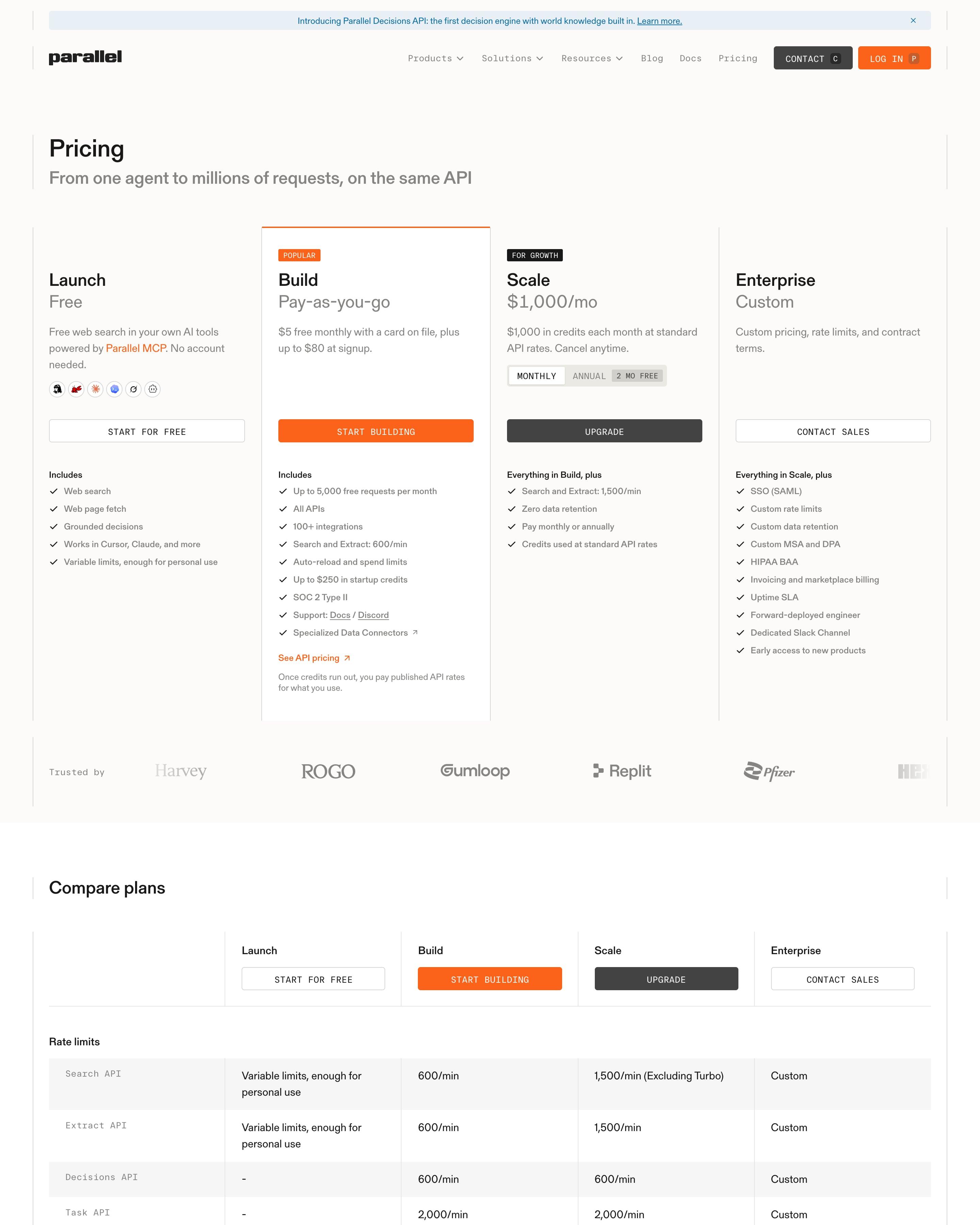
Ruled columns hold four plans, with Build flagged by an orange "Popular" tag, top border and button. The monthly/annual switch, offering two months free, sits only inside the Scale card. Below the plan comparison, a per-API price table with a starting price for each API is a good model.
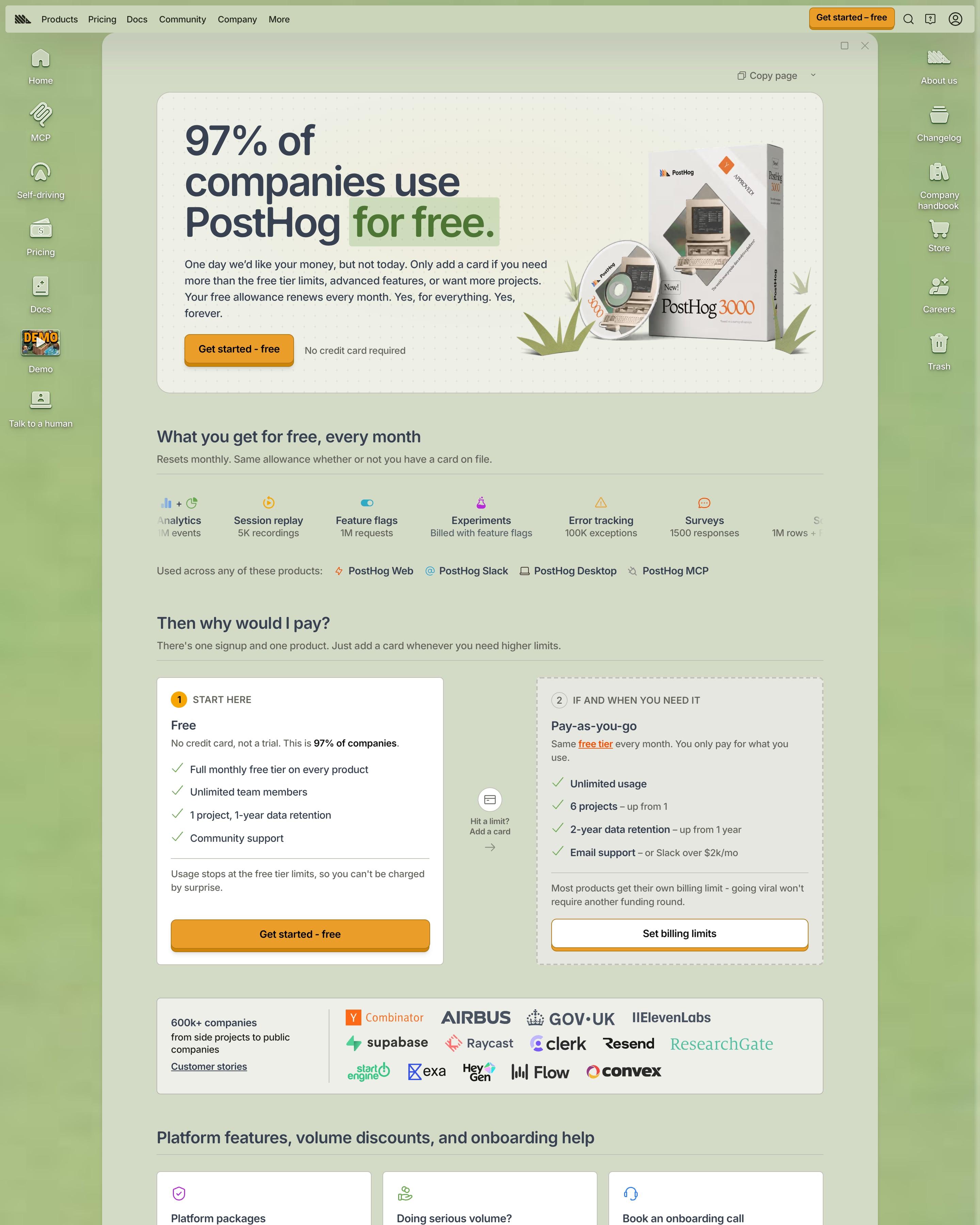
A boxed "PostHog 3000" package with a CD sits beside the headline "97% of companies use PostHog for free." Free monthly allowances come first, then two plans, Free and Pay-as-you-go, followed by a calculator with sliders and a note from a co-founder. Showing the free allowances before any price is the move to copy.
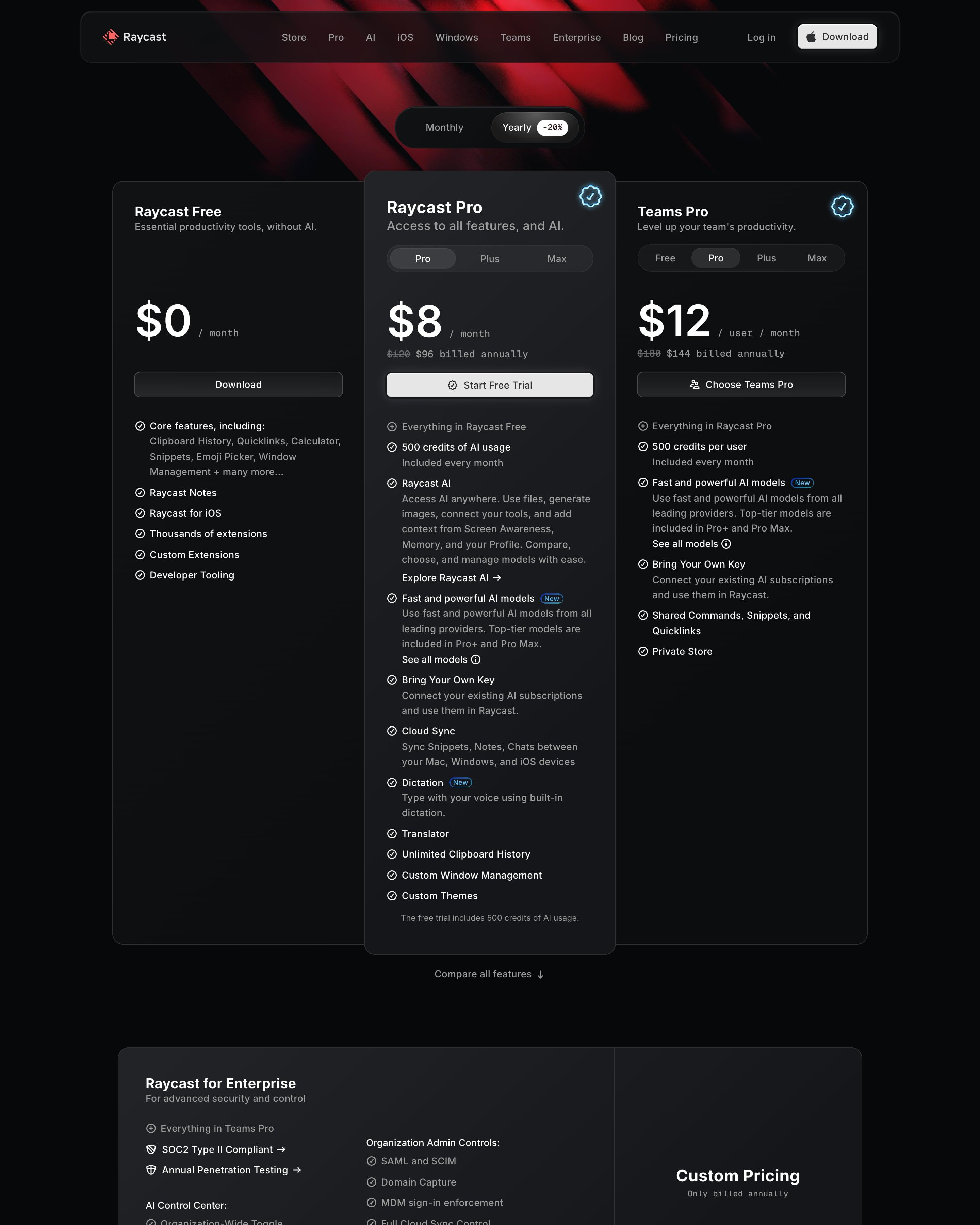
A Monthly/Yearly switch with a '-20%' badge sits over three dark cards. The idea to lift: the raised Pro card has its own Pro, Plus and Max tabs, so one card covers three tiers. A wide Enterprise panel, a five-column comparison table with a button under each plan and an accordion FAQ follow.
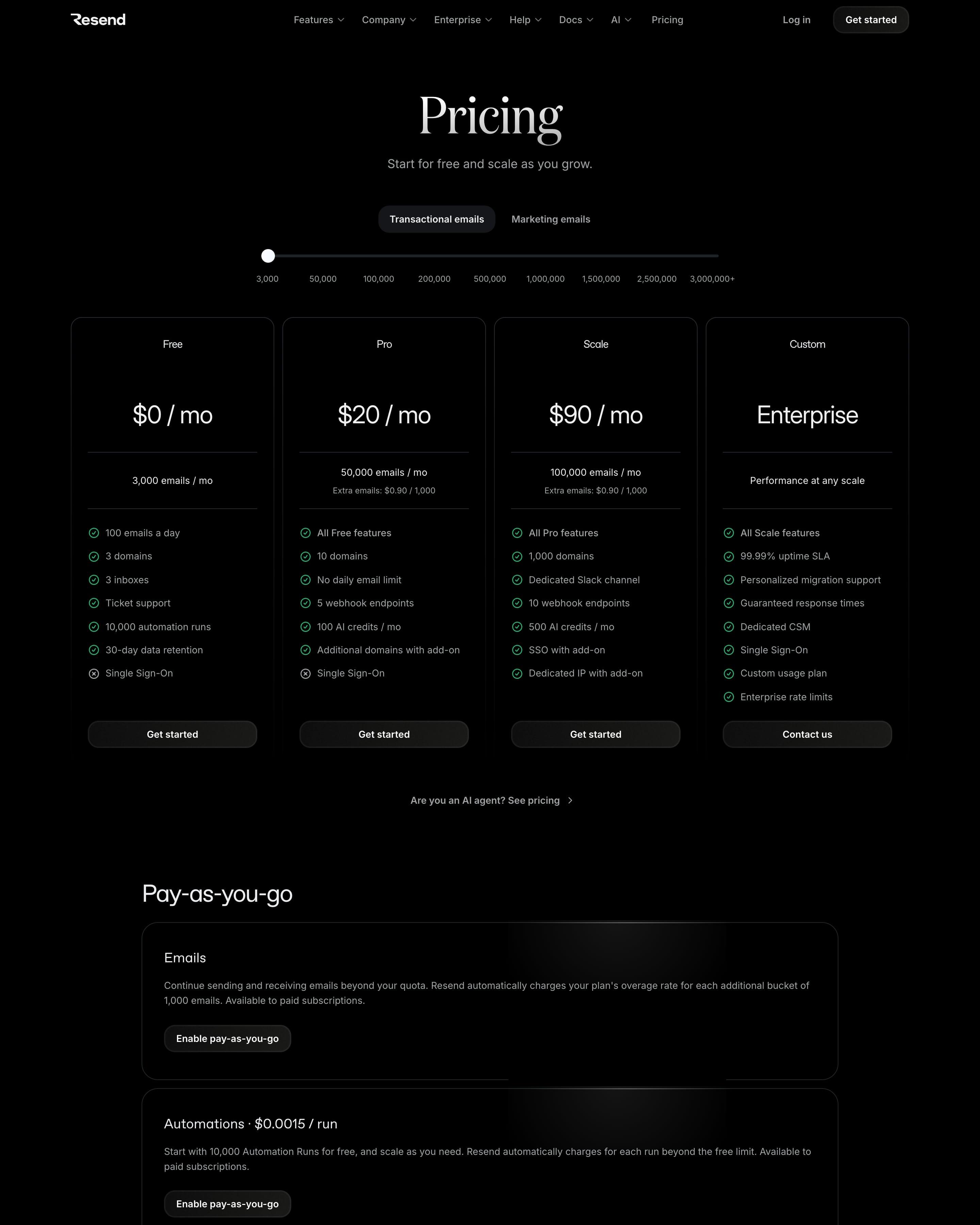
Tabs switch between transactional and marketing email, and a slider runs from 3,000 to 3,000,000+ emails. Four plan cards sit side by side, none marked as recommended. Worth copying: comparison tables split by topic, such as Inboxes and Security & privacy, with green ticks for each plan.
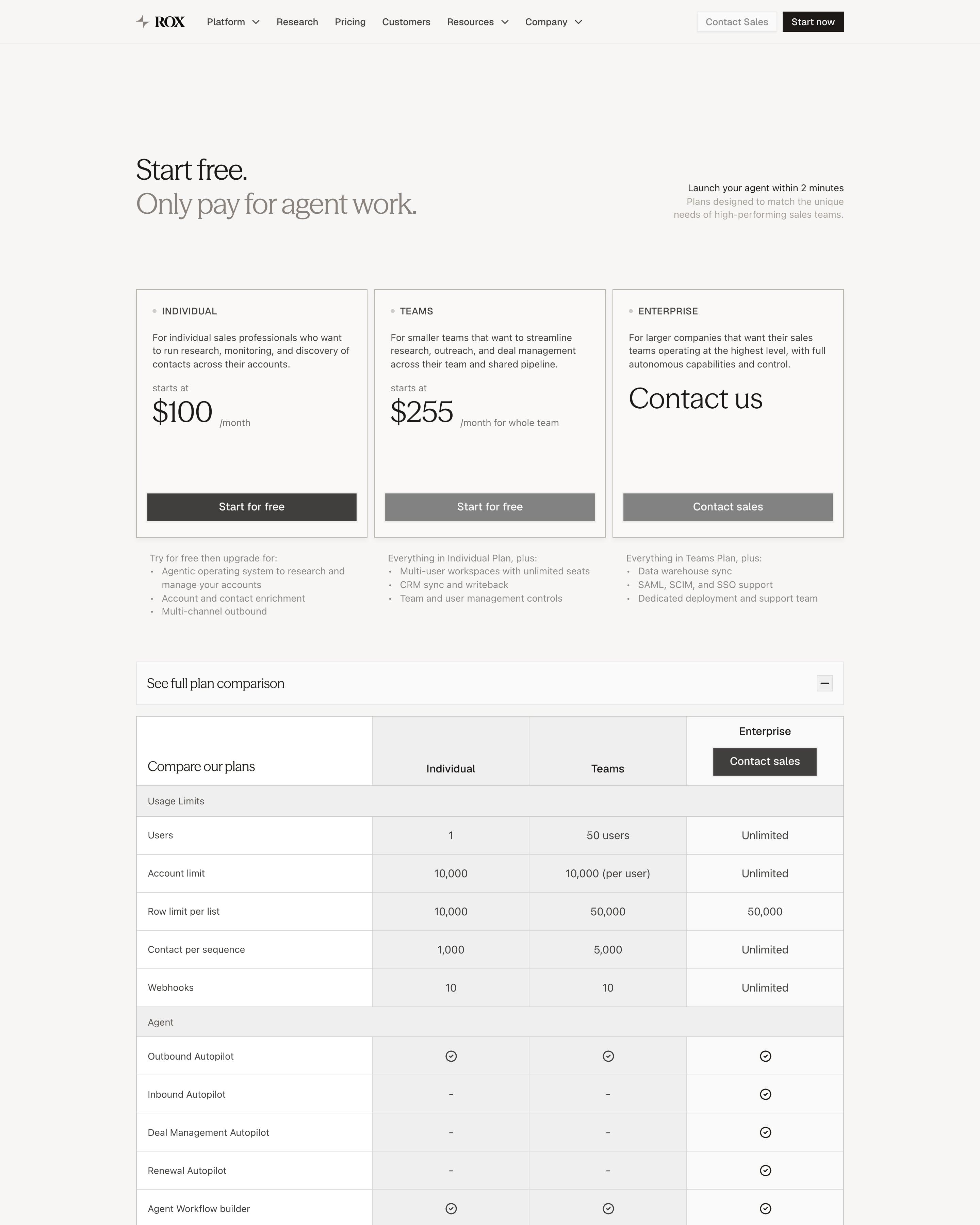
"Start free. Only pay for agent work." sits above three square cards: Individual at $100, Teams at $255 and Enterprise. Only Individual gets a dark button; the others are grey. An open comparison table with grey shaded columns runs through usage limits, agent, enrichment and sales engagement, followed by about 15 FAQs on how agent actions are metered.
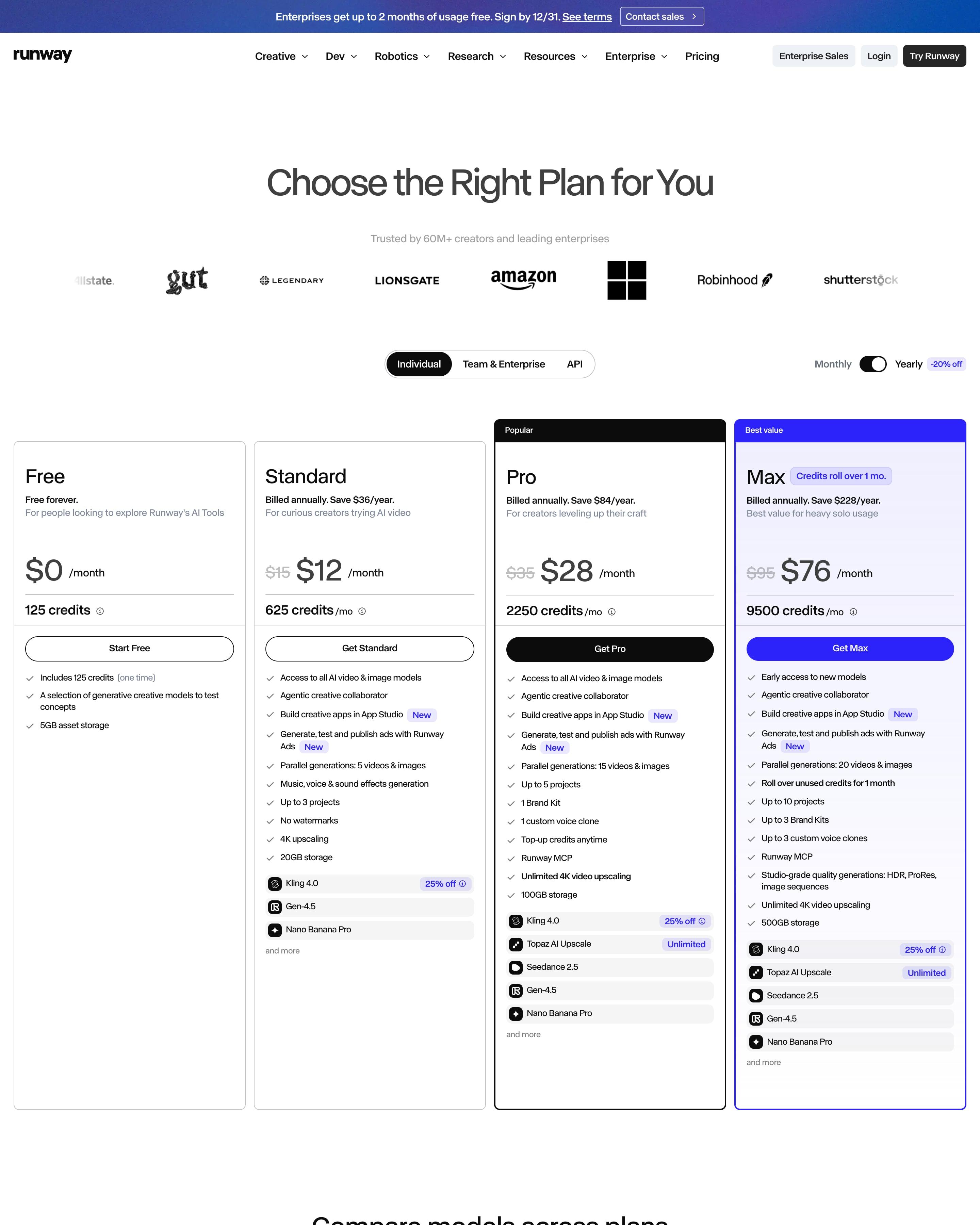
Pro and Max get black "Popular" and violet "Best value" headers, and each paid plan shows a struck-through price. Max's card is tinted lilac, with a "Credits roll over 1 mo." pill. Worth copying: the comparison table that turns each plan's credits into counts of videos, images and songs per model.
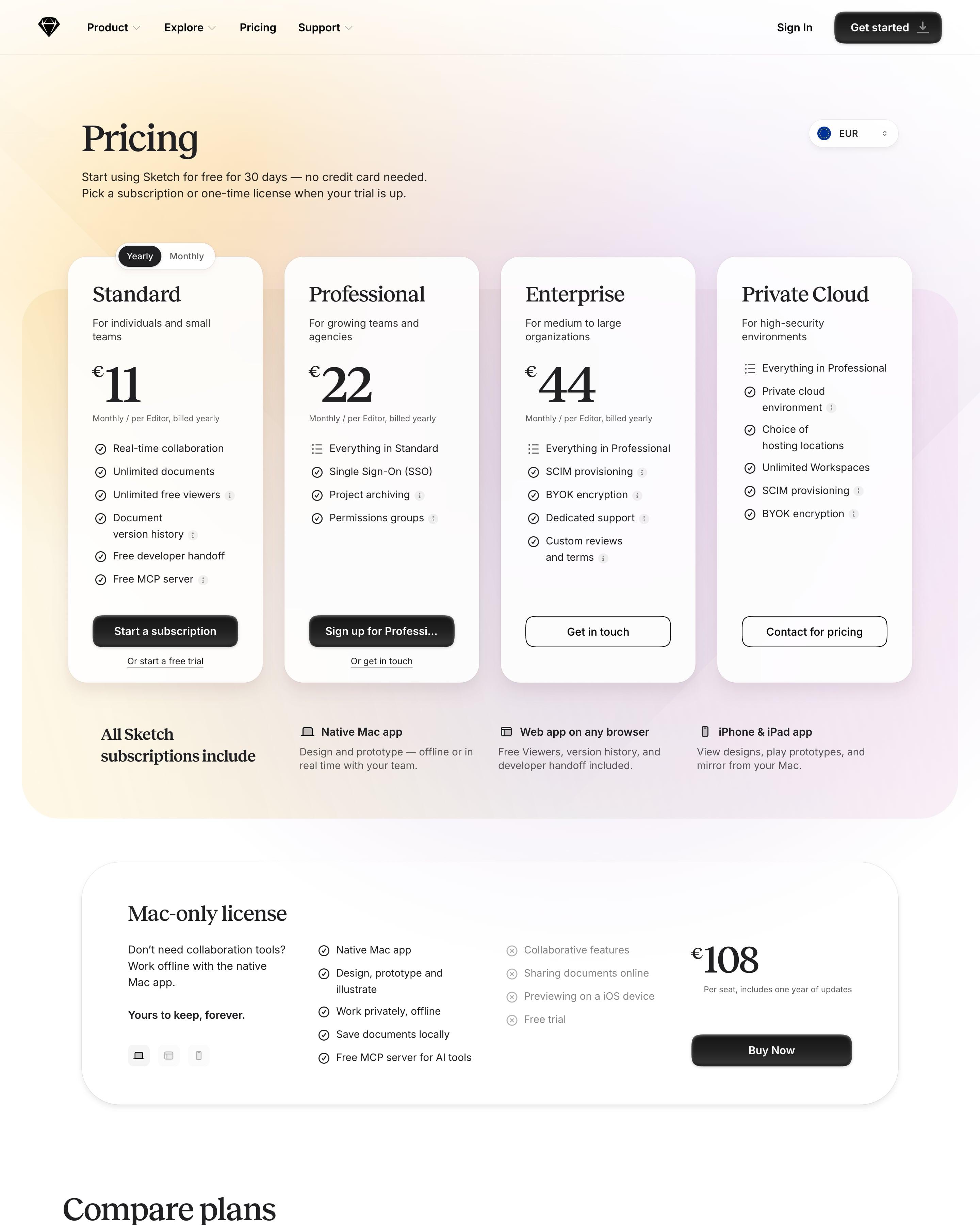
Four white cards float on a peach-to-lilac panel, with a EUR currency picker in the corner and big serif prices from €11 to €44. Private Cloud skips the price and lists features instead. A separate "Mac-only license" card at €108 ticks what you get and greys out what you don't, under "Yours to keep, forever." In the compare table, every feature name has a dotted underline for its tooltip.
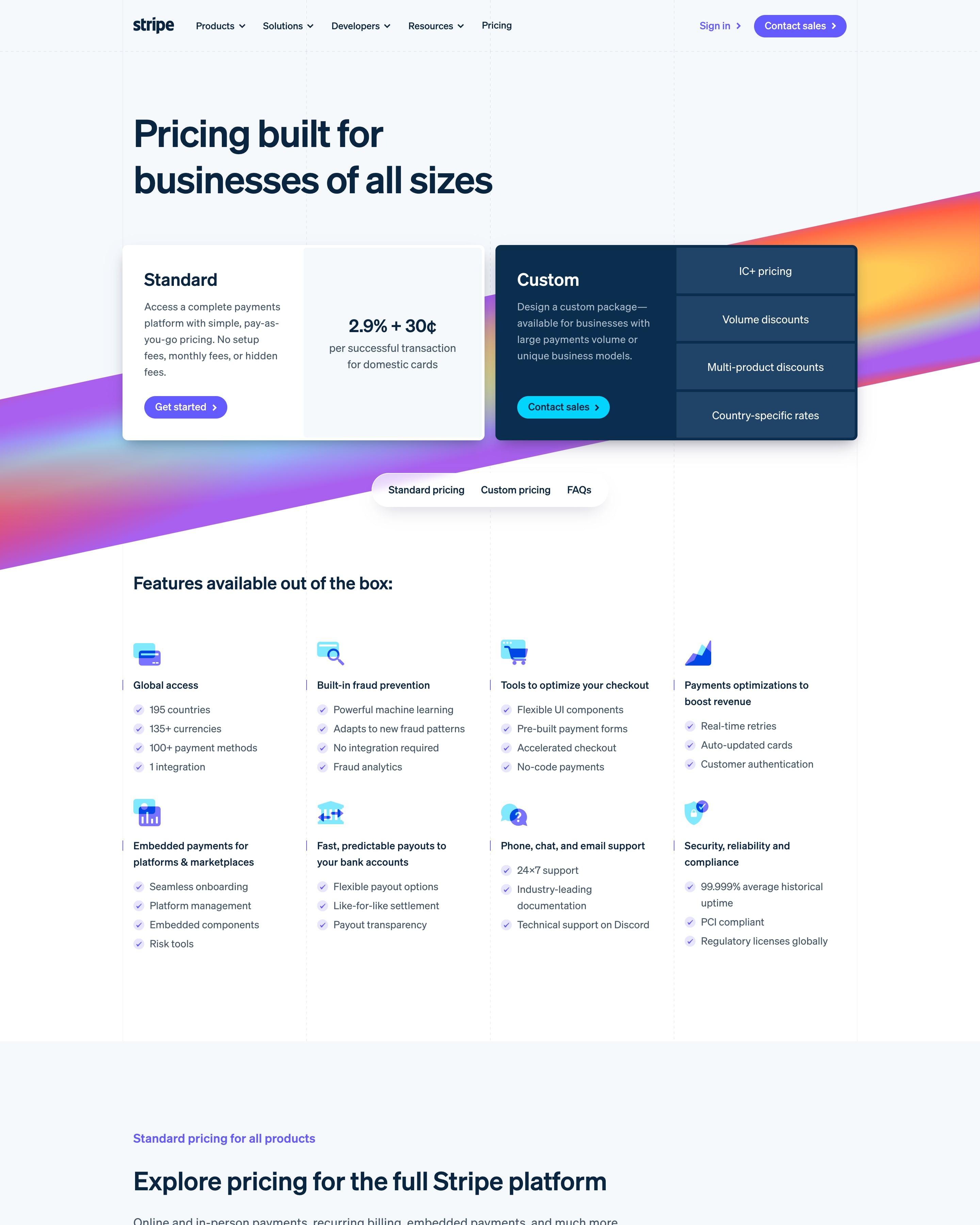
Two cards open the page; the Standard one is worth copying: a single '2.9% + 30¢' rate on white. Beside it, a navy Custom card lists four options, and both rest on a diagonal gradient band. A pill bar jumps to Standard pricing, Custom pricing or FAQs, and a product index steers the fee list.
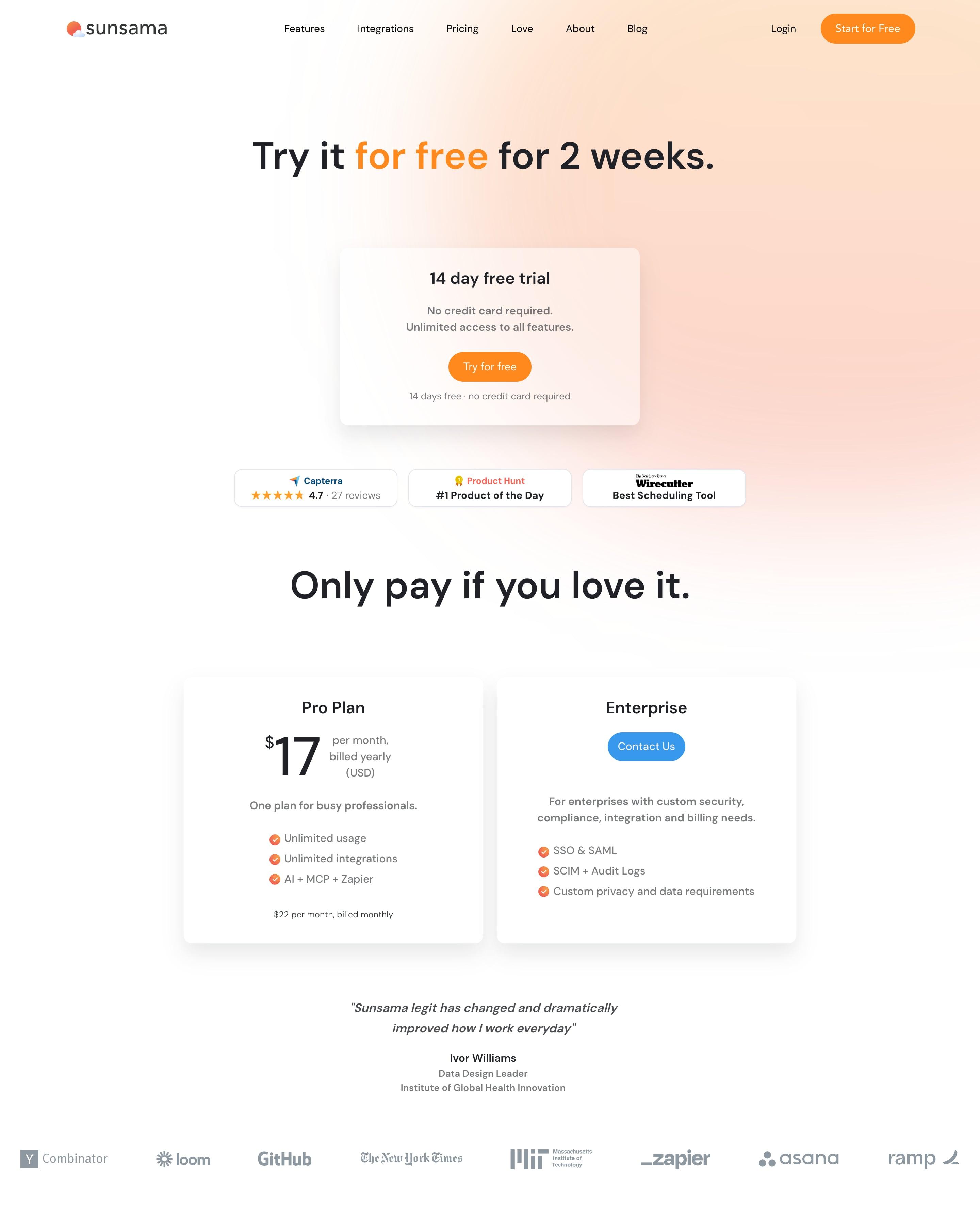
The free trial gets its own card before any price appears, then "Only pay if you love it." leads to just two plans: Pro at $17 and Enterprise. The long "Pricing Manifesto" sets principles like "No psychological trickery" and "No fake sales" in a right-hand column beside a short pinned heading. Worth copying: explaining why the price is a whole number, right on the pricing page.
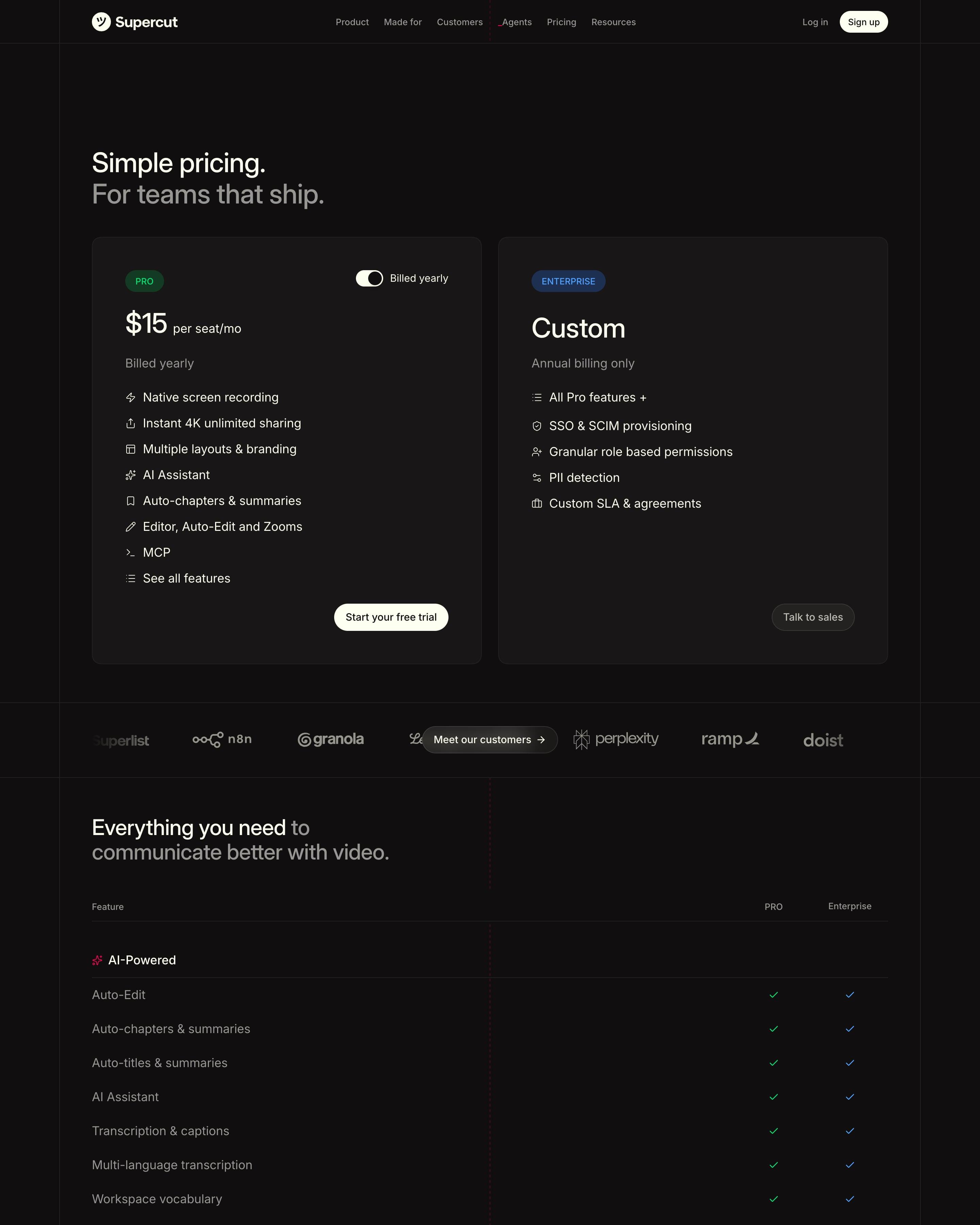
"Simple pricing. For teams that ship." leads into just two dark cards: Pro at $15 per seat with a green tag, and Enterprise with a blue one. A logo strip with a "Meet our customers" button set into its middle splits the cards from a long feature table grouped under small red icons. Worth copying: green checks for Pro and blue for Enterprise, matching each plan's tag.
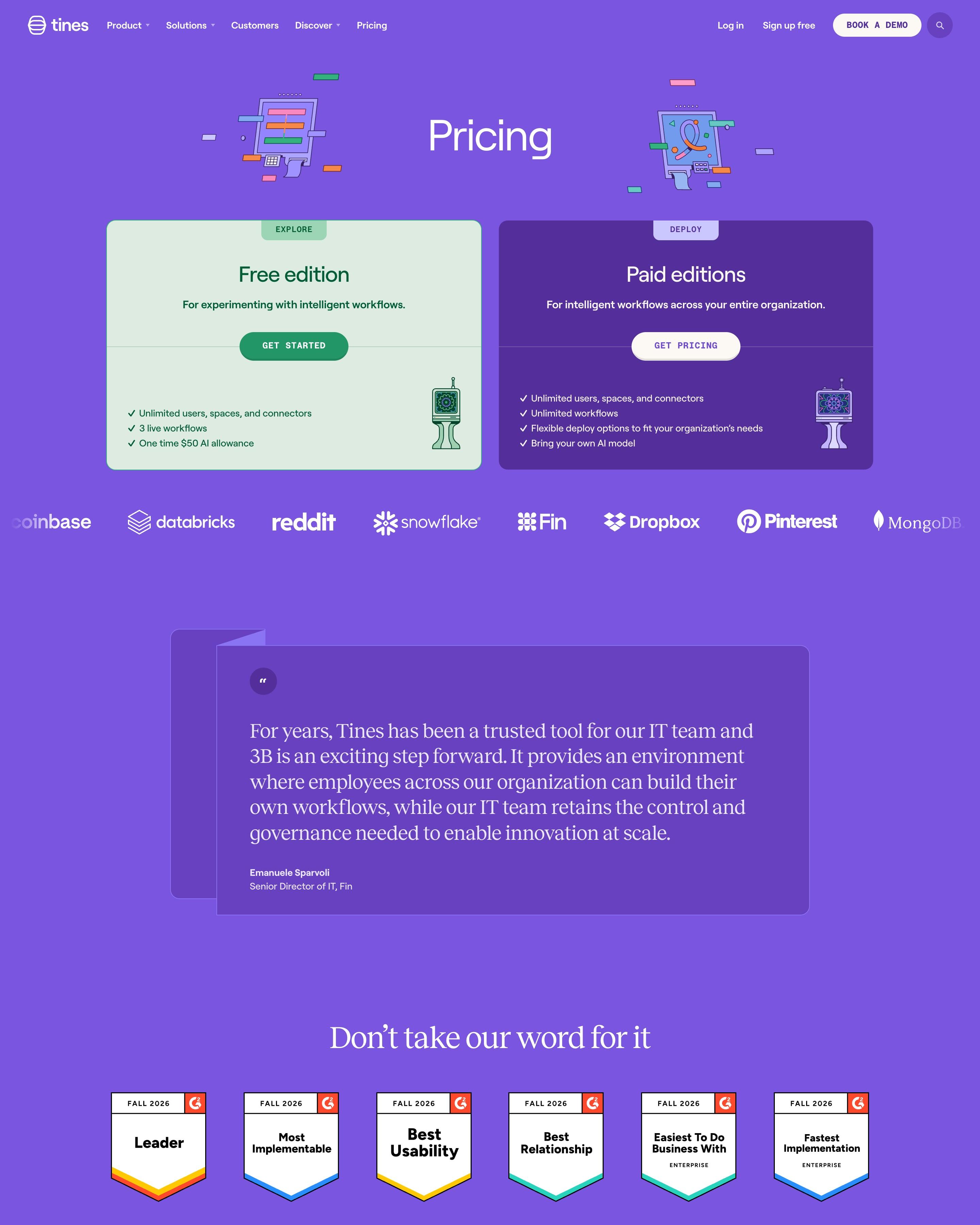
One violet field holds the whole page and just two editions: a mint 'Free edition' card and a dark purple 'Paid editions' card with a 'Get pricing' button instead of a number. Small 'Explore' and 'Deploy' tabs naming each card's job are worth lifting. Drawings of old computer terminals flank the title.
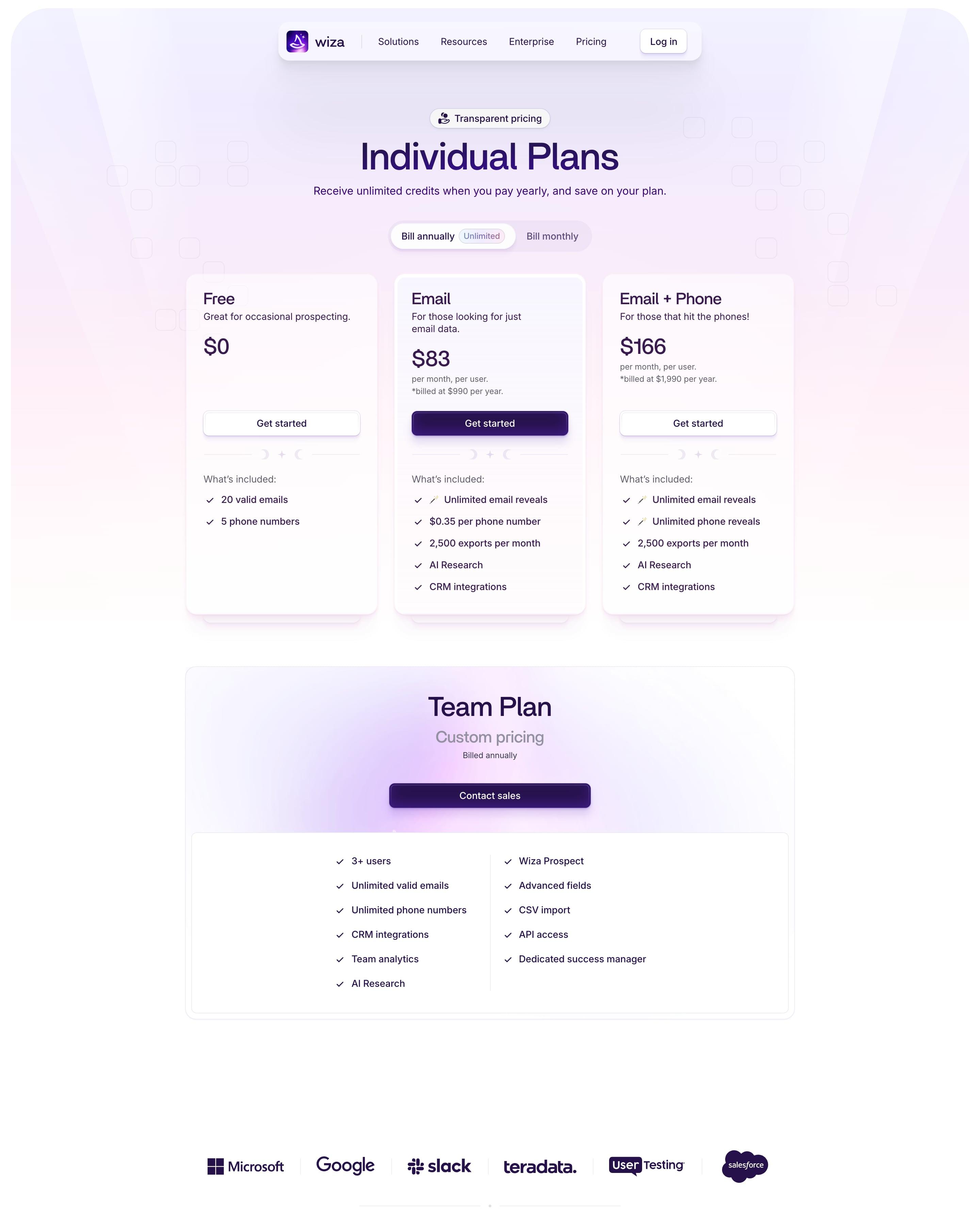
Three plan cards sit under a billing switch whose annual side wears an 'Unlimited' tag, and small moon-and-star dividers, a touch worth copying, carry the site's magic theme into pricing. A separate Team Plan card offers custom pricing, followed by a quote carousel with three result numbers.
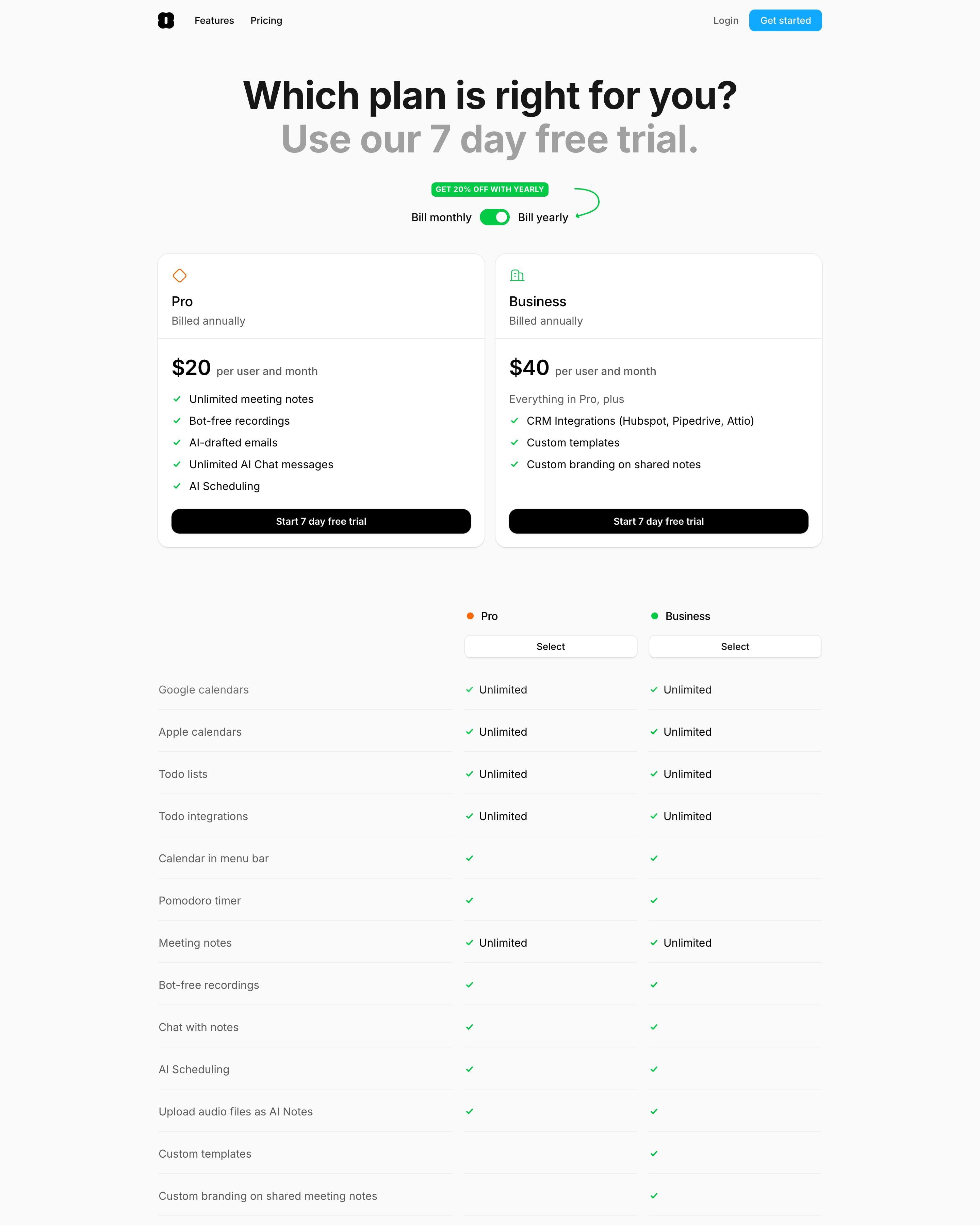
A two-tone headline pairs the question in black with the trial offer in grey. Above two plan cards, a green "Get 20% off with yearly" tag and a hand-drawn arrow point at the billing toggle, a detail worth borrowing. A two-column comparison table follows, with a Select button over each plan.
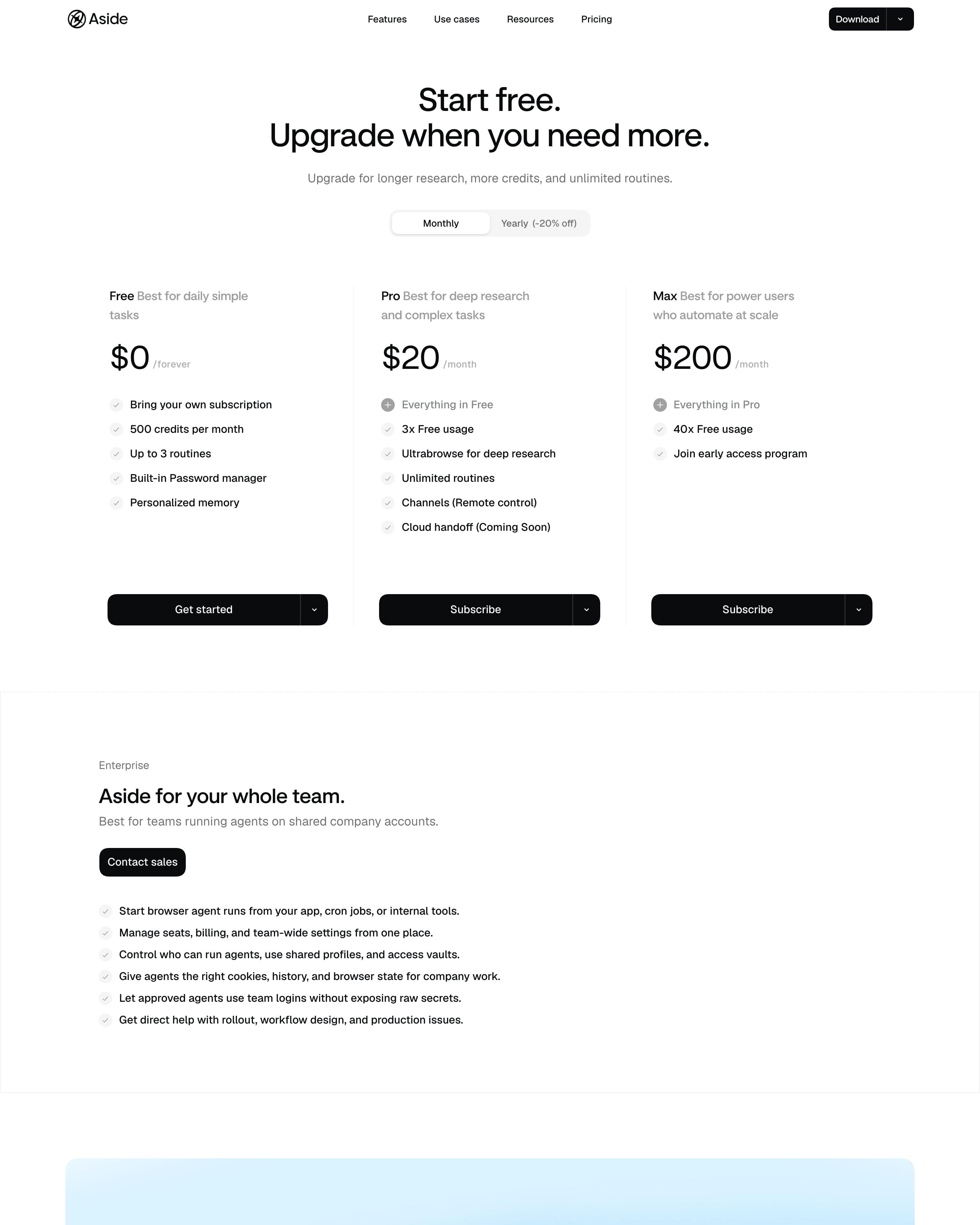
"Start free. Upgrade when you need more." leads into three columns split by thin vertical rules rather than cards: Free at $0, Pro at $20 and Max at $200. Every plan gets the same black split button with a dropdown arrow, so none is pushed harder. Enterprise follows as a plain bordered panel of checklist lines, then the blue-glow CTA "Crafted for both human and agent."
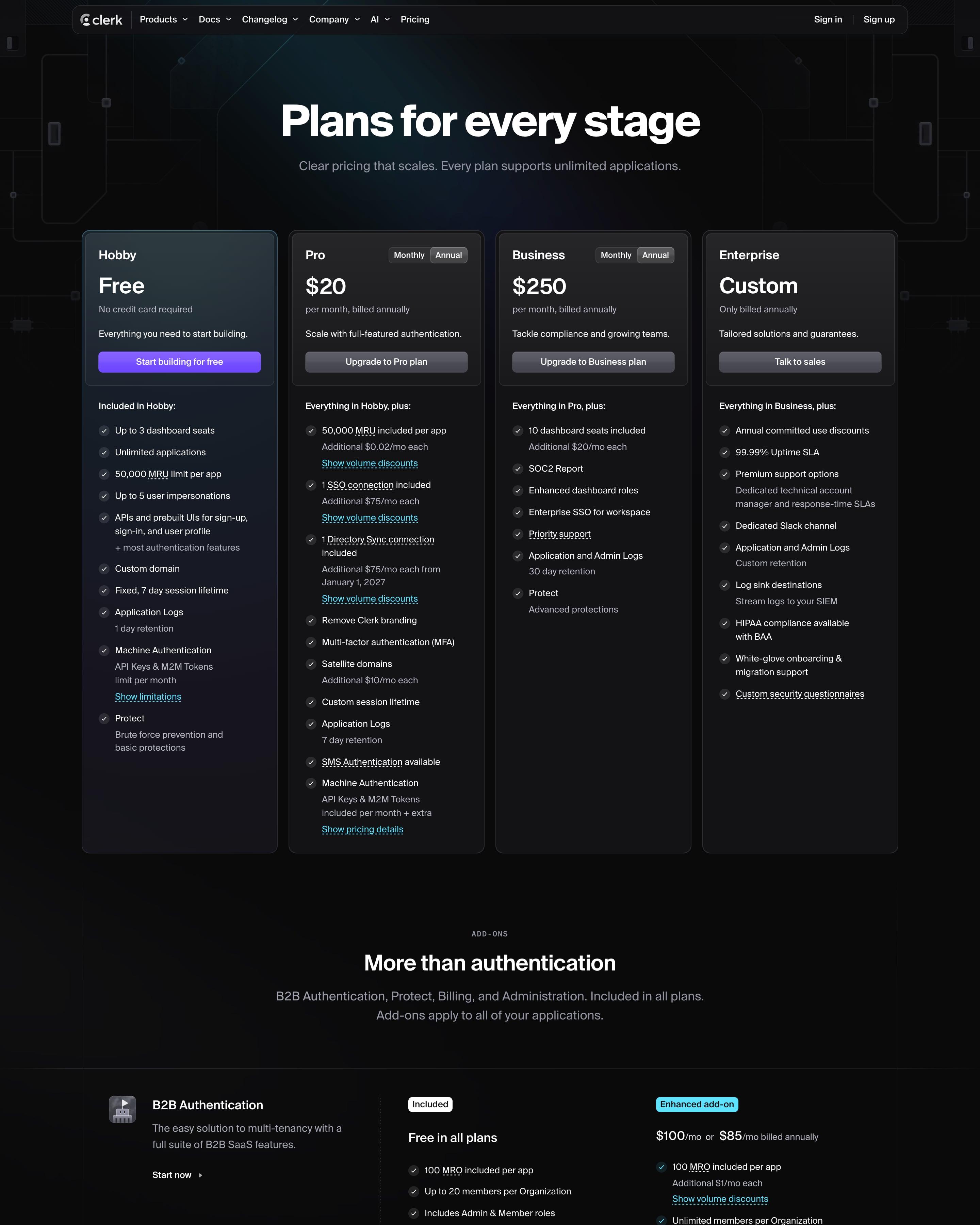
Dark from top to bottom, with four plan cards (Hobby free, Pro $20, Business $250, Enterprise) where only Hobby's button is violet. Add-ons like B2B Authentication and Protect get their own rows with "Included" and "Enhanced add-on" tags, and Protect has a usage slider. The comparison table puts volume tiers inside the cells, such as $0.02/mo per MRU past 50,000.
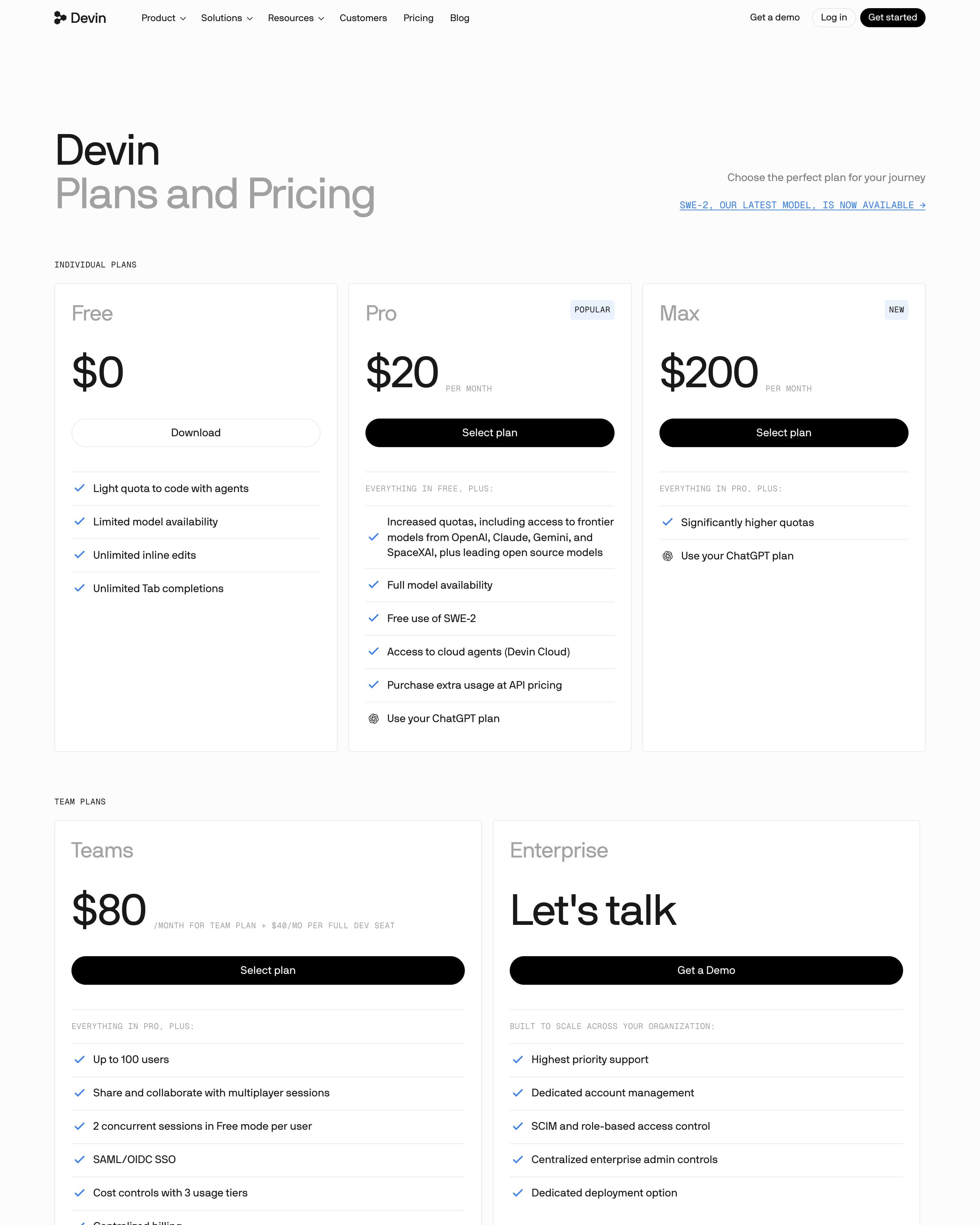
Plans split into Individual (Free, Pro at $20, Max at $200) and Team (Teams at $80, Enterprise), with small monospace labels like "POPULAR" and "EVERYTHING IN PRO, PLUS:". The comparison table uses black filled checks and red outlined crosses, so gaps show at a glance. The FAQ sits in a solid black panel, the only dark block on the page.
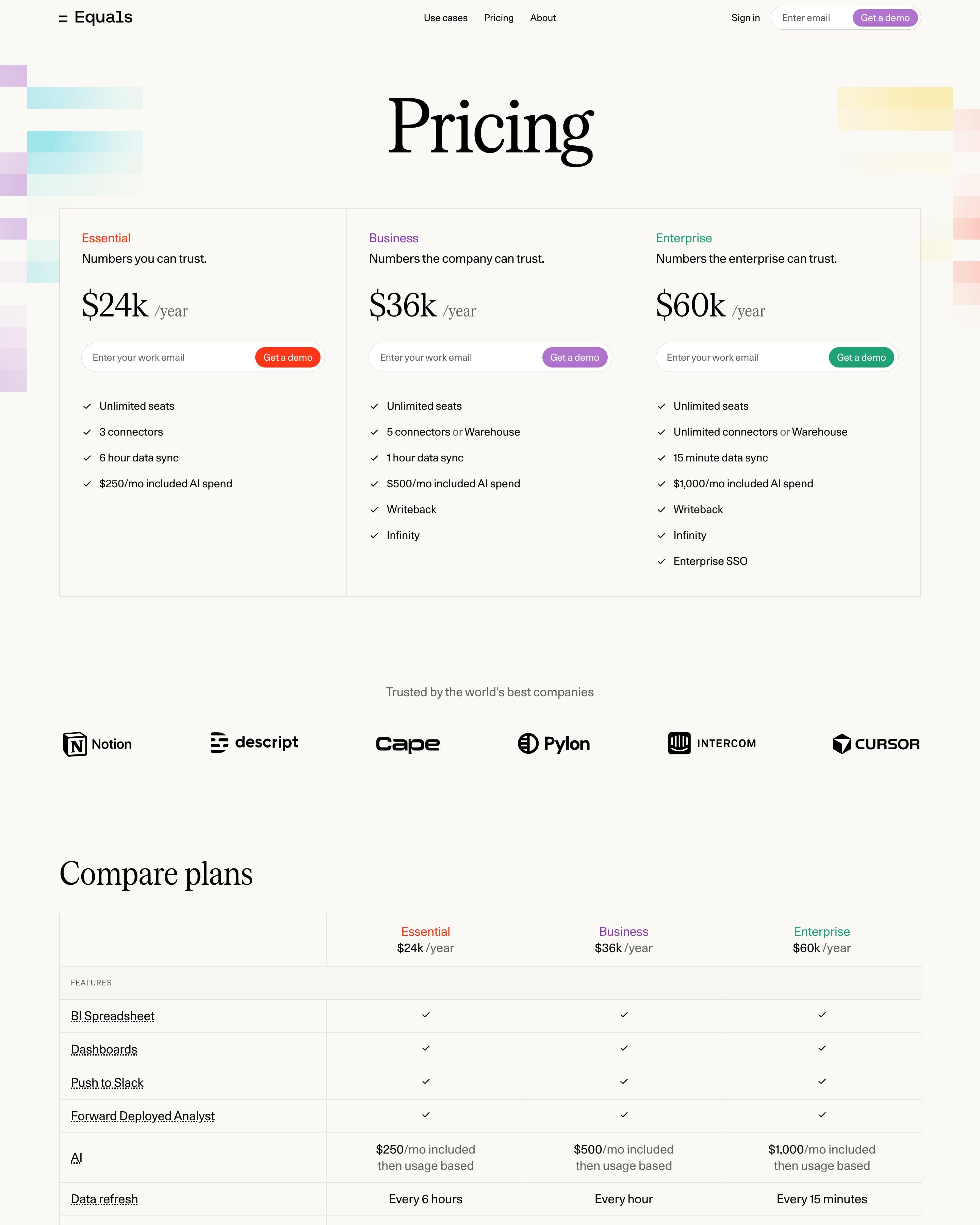
Three yearly plans, from $24k, share one bordered table, each marking its name and button in its own colour: red, purple or green. Every plan swaps the usual button for a work-email field with "Get a demo" built in, and the comparison table repeats those fields under each column. Copy that in-card email field.
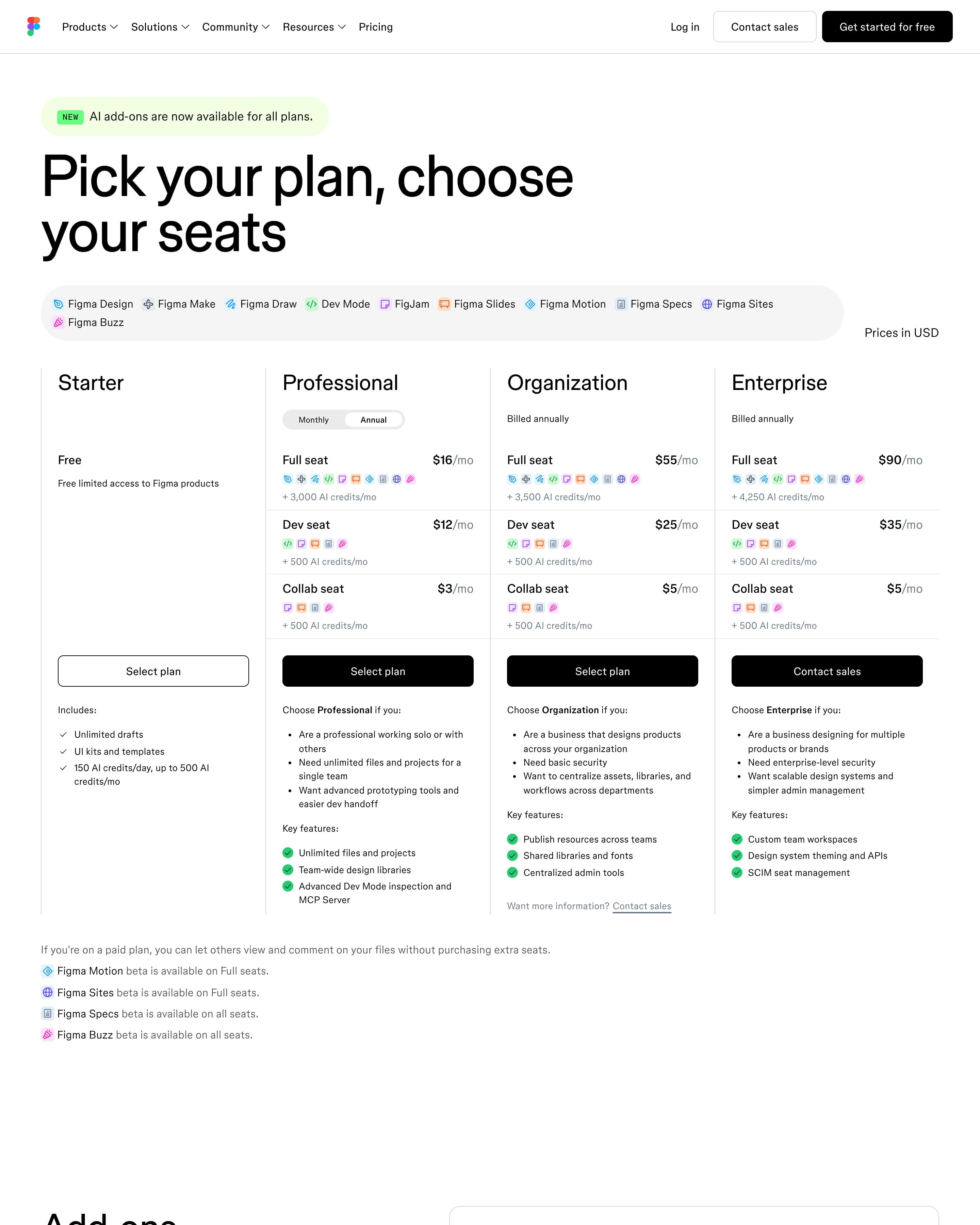
Each of the four plans lists a price per seat type (Full, Dev, Collab), and small product icons show what each seat includes. A monthly/annual switch sits on Professional only. The comparison table repeats the idea with a seat picker and an all/key features toggle, a pattern worth copying for multi-role products.
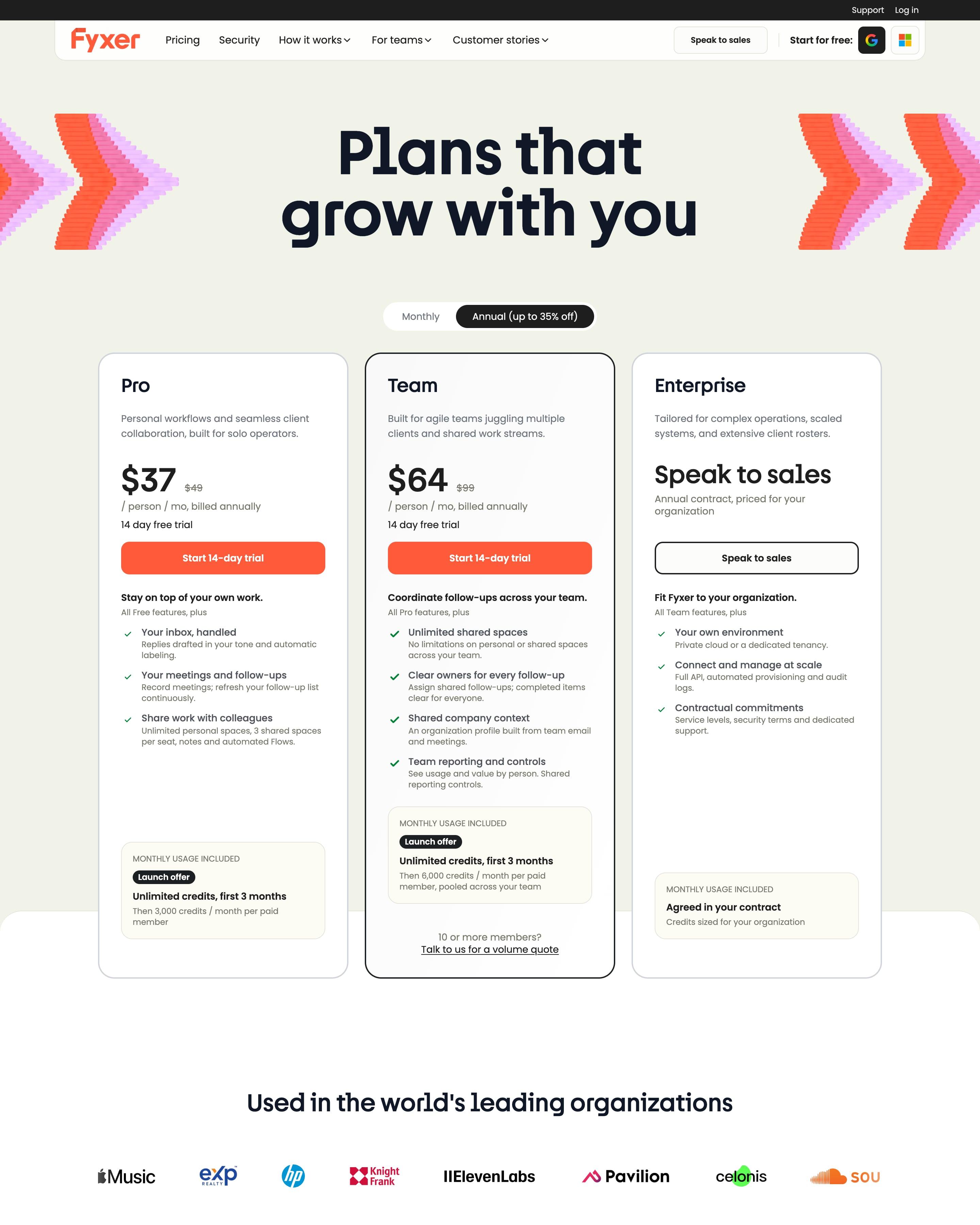
"Plans that grow with you" sits between two pink-and-orange chevron graphics, above Pro at $37, Team at $64 and Enterprise. Team gets a black outline that carries on down the full comparison table, so the recommended column stays marked across every row. Two plain tables then explain credits: what each plan includes per month and what each action costs, from 0.2 for inbox sorting to 650 for a profile rebuild.
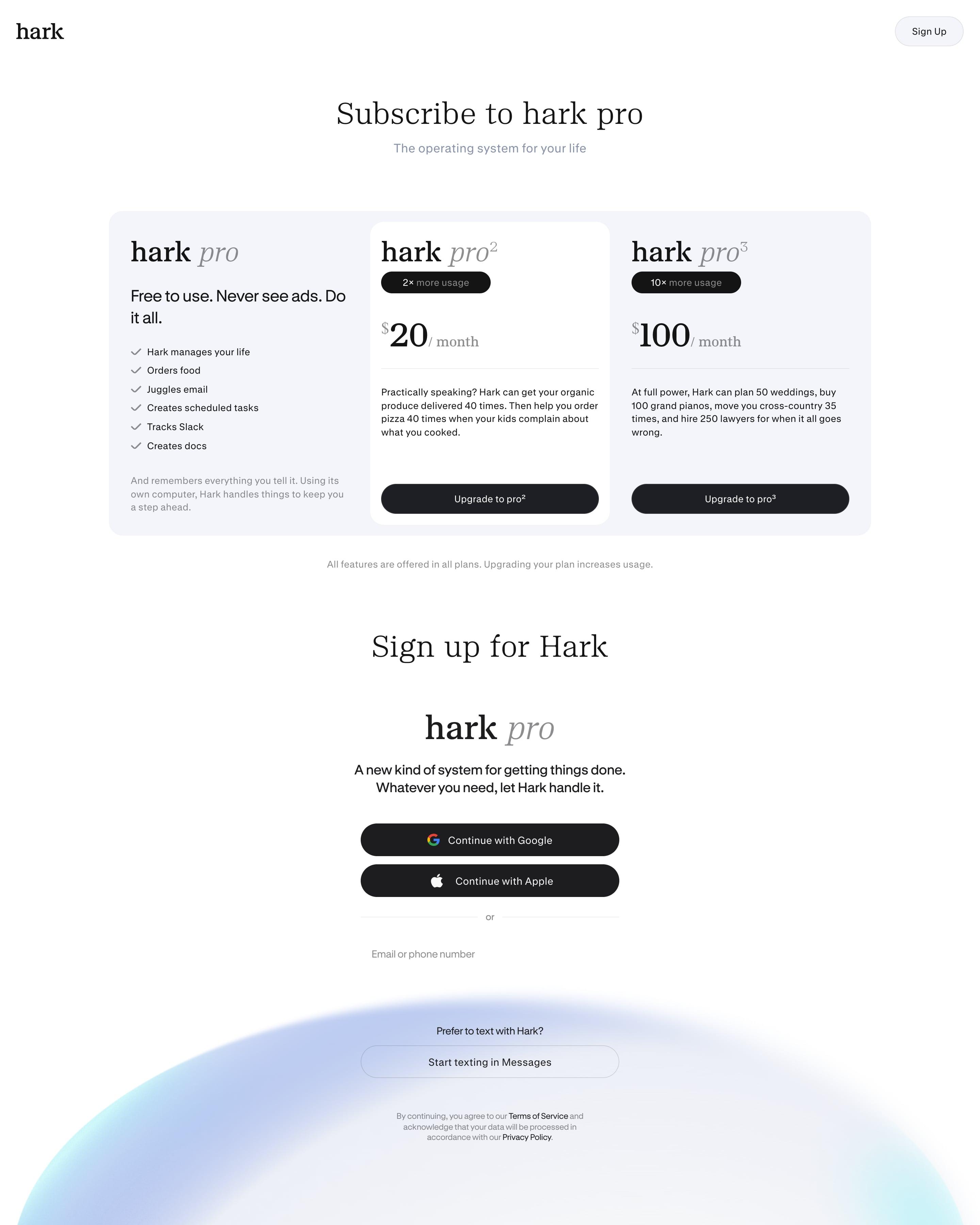
Plans are named with exponents (pro, pro², pro³), a naming idea worth borrowing, and the paid ones skip feature lists. Each shows a "2×" or "10× more usage" pill and a playful line about what that buys, such as planning 50 weddings. A footnote says every plan has every feature.
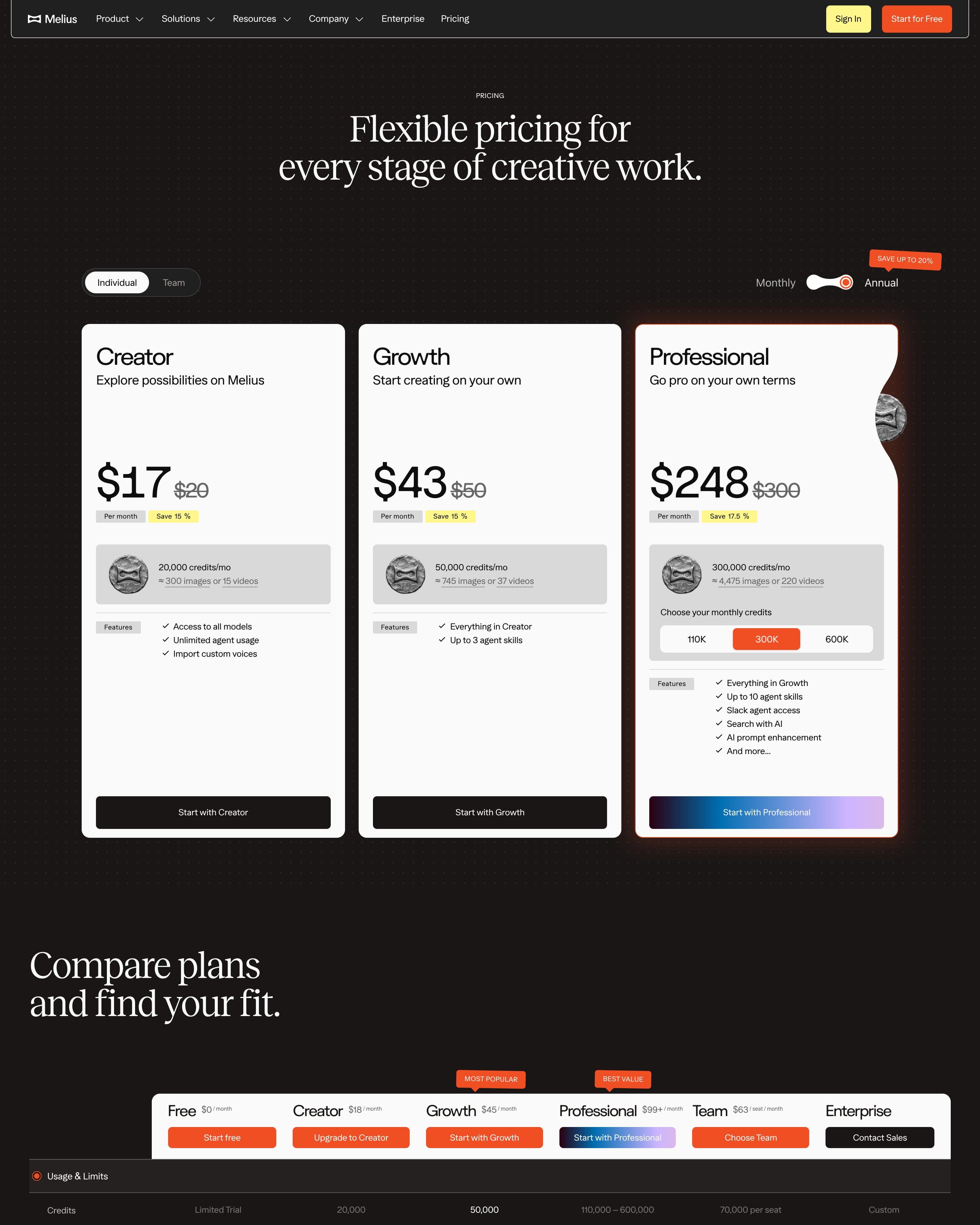
The serif headline "Flexible pricing for every stage of creative work." sits over three white cards on dark dotted ground, priced $17, $43 and $248 with struck-through rates and yellow "Save 15 %" tags. Credits are translated into images or videos, and Professional adds a 110K, 300K, 600K picker and a gradient button. A six-plan comparison table follows, then a serif "EXACTLY AS YOU IMAGINED" stack.
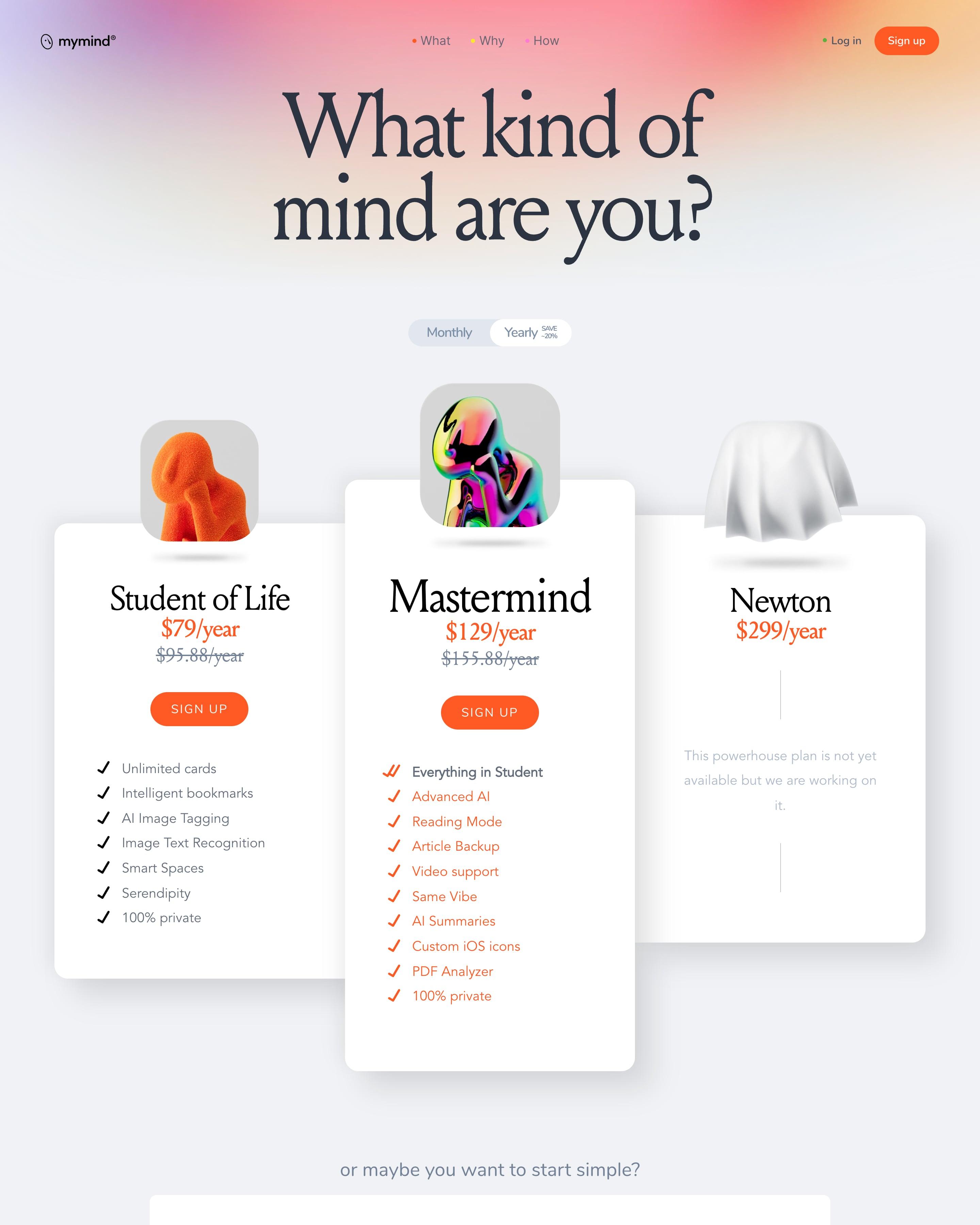
The three main plans sit under 3D sculptures: an orange thinker, a chrome one on the raised middle card, and a figure under a sheet for a plan not yet out. Struck-through prices show the yearly saving. Worth copying: the "We don't run ads" statement ahead of 21 feature cards.
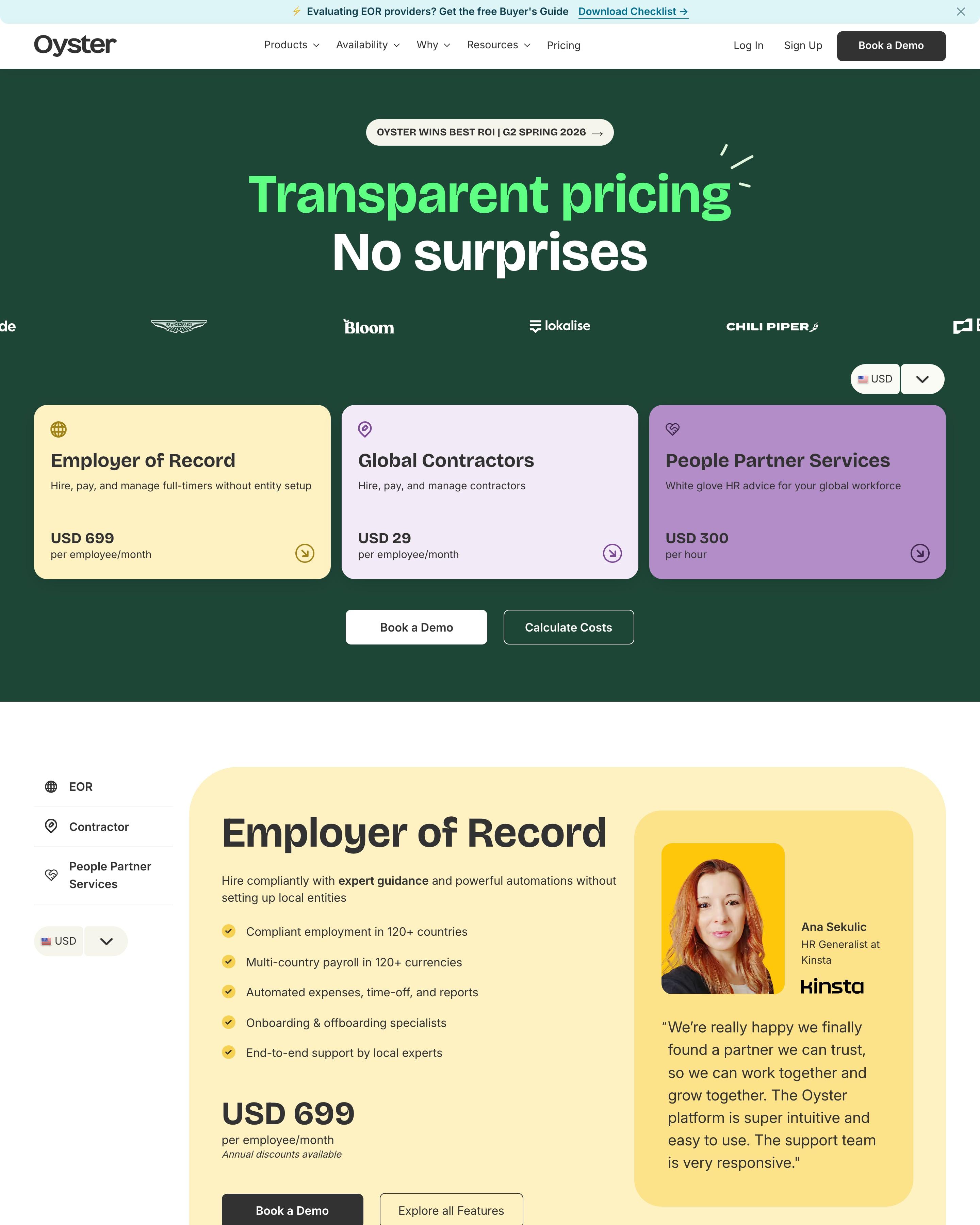
Instead of tiers, three separate services each get a pastel colour and one price, with a currency picker above. Further down, each gets a large card with features, a demo button and a customer quote with photo. The promotion cards for nonprofits, refugees and startups are worth borrowing.
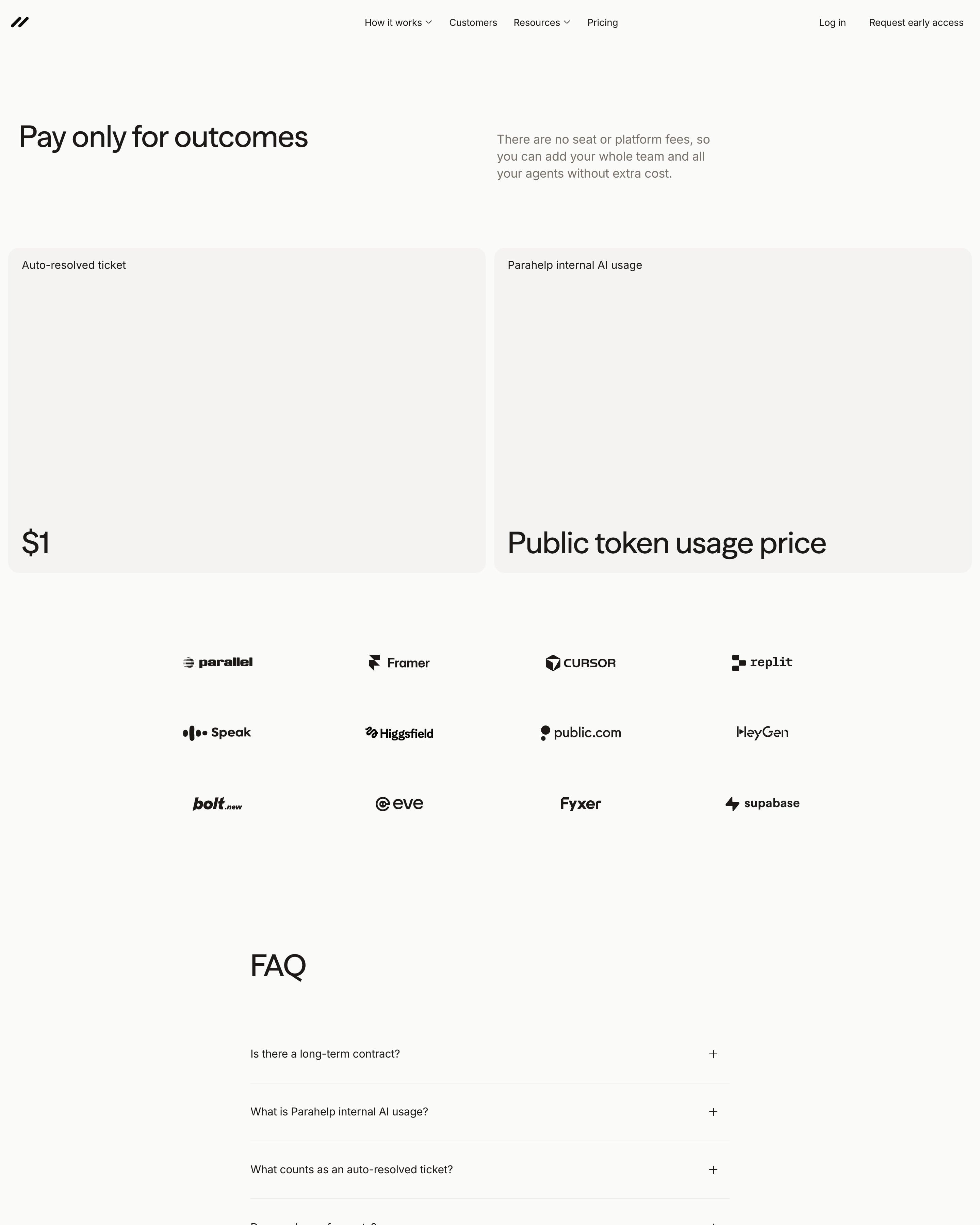
Two grey tiles hold the whole price: "$1" per auto-resolved ticket, and "Public token usage price" for internal AI usage. A line beside the headline rules out seat and platform fees; twelve logos and a six-question FAQ follow. Big type at the foot of an otherwise empty tile is the move to copy.
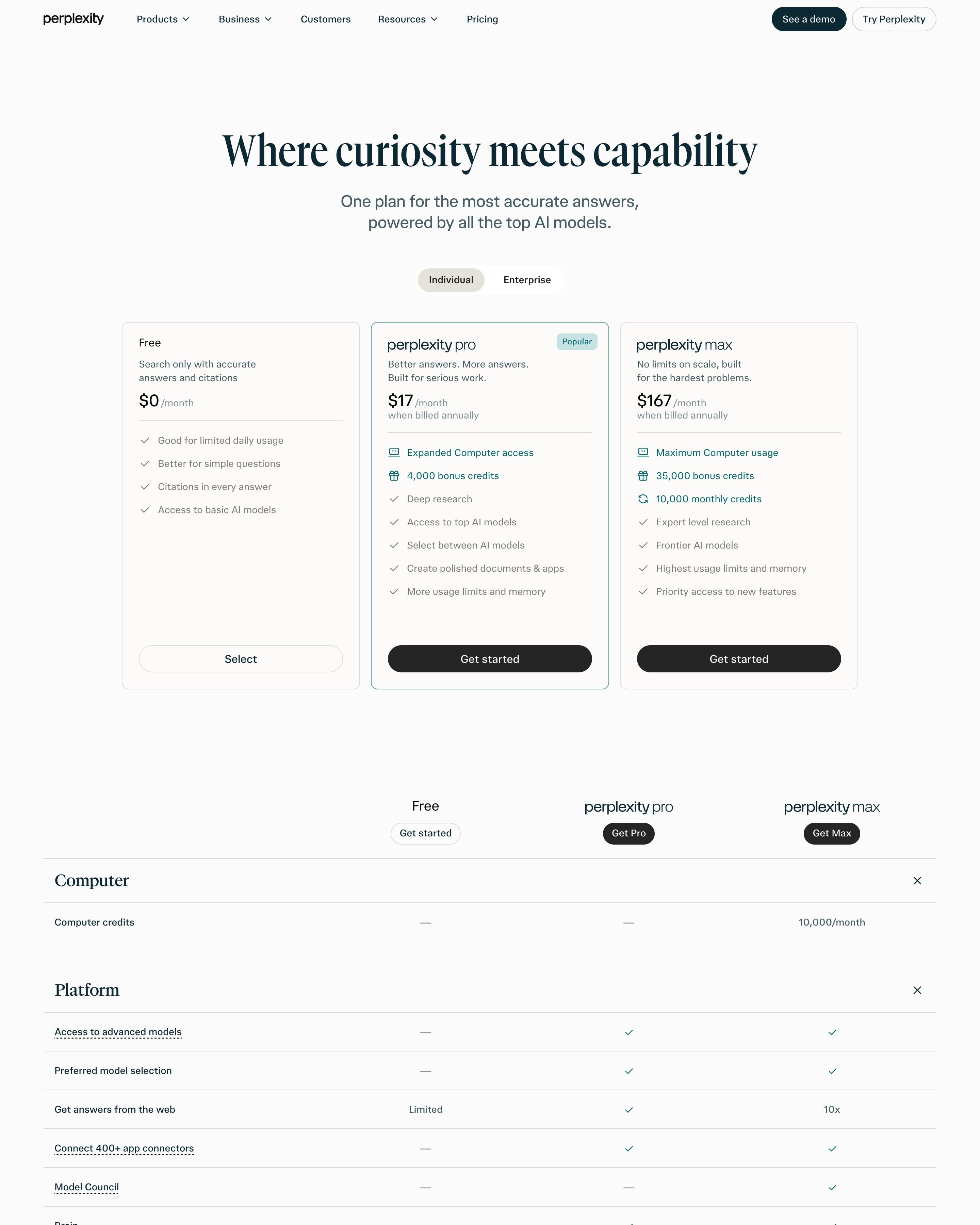
"Where curiosity meets capability" in a tall serif heads three cards, with Pro outlined in teal and a pale "Popular" tag. Pro and Max set their headline perks, like 4,000 bonus credits, in teal above grey checklists. The comparison table groups rows under serif headings (Computer, Platform, Comet) with dotted underlines on terms that carry explanations, then a single CIO quote sits before the FAQ.
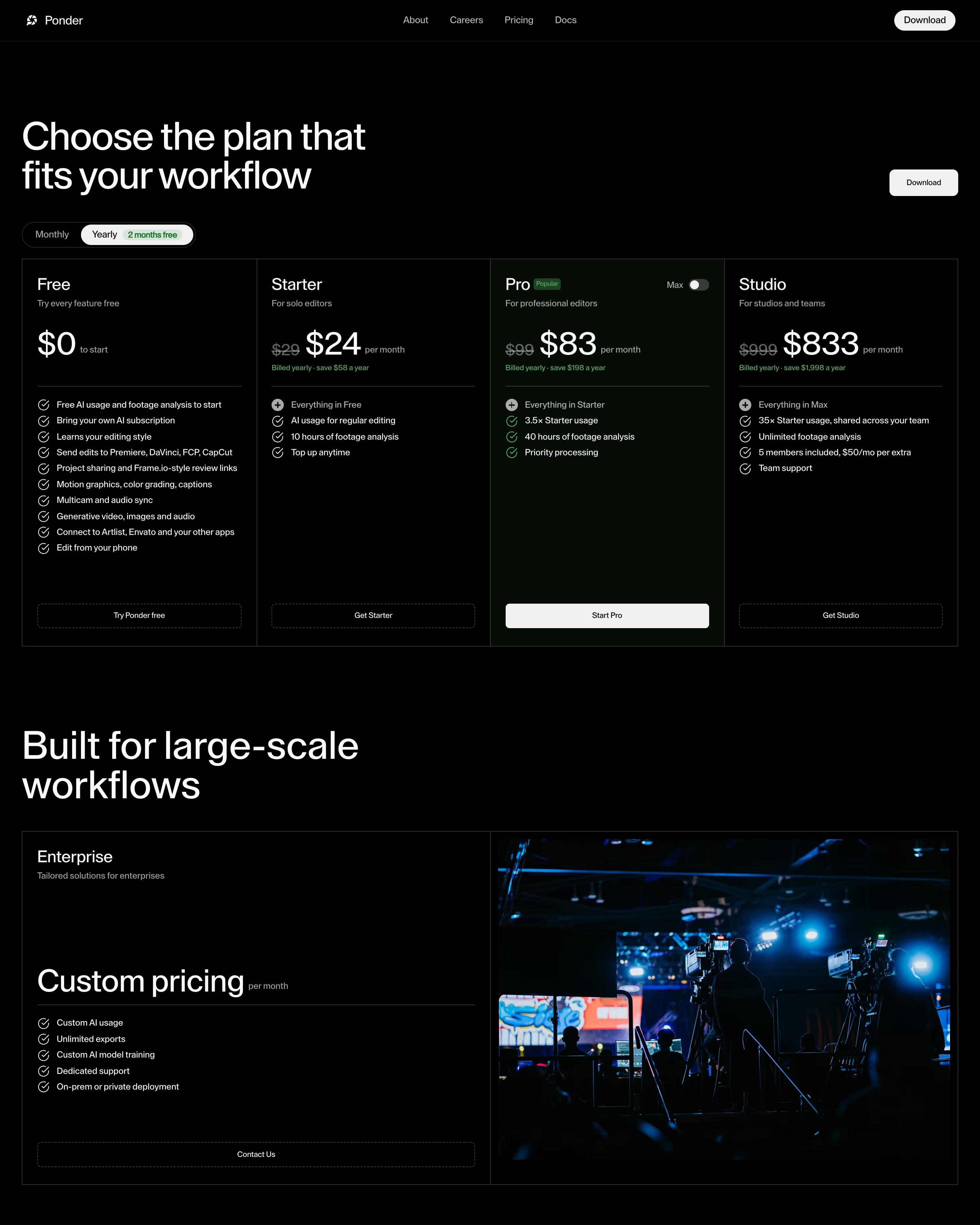
Four outlined columns sit on black under "Choose the plan that fits your workflow", with a Yearly toggle tagged "2 months free" and struck-through prices leading to $0, $24, $83 and $833. Pro gets a green-tinted column, a "Popular" chip and a Max switch. Below, an Enterprise card pairs "Custom pricing" with a blue-lit film set photo, and a $35 extra usage block precedes eleven dashed-line FAQs.
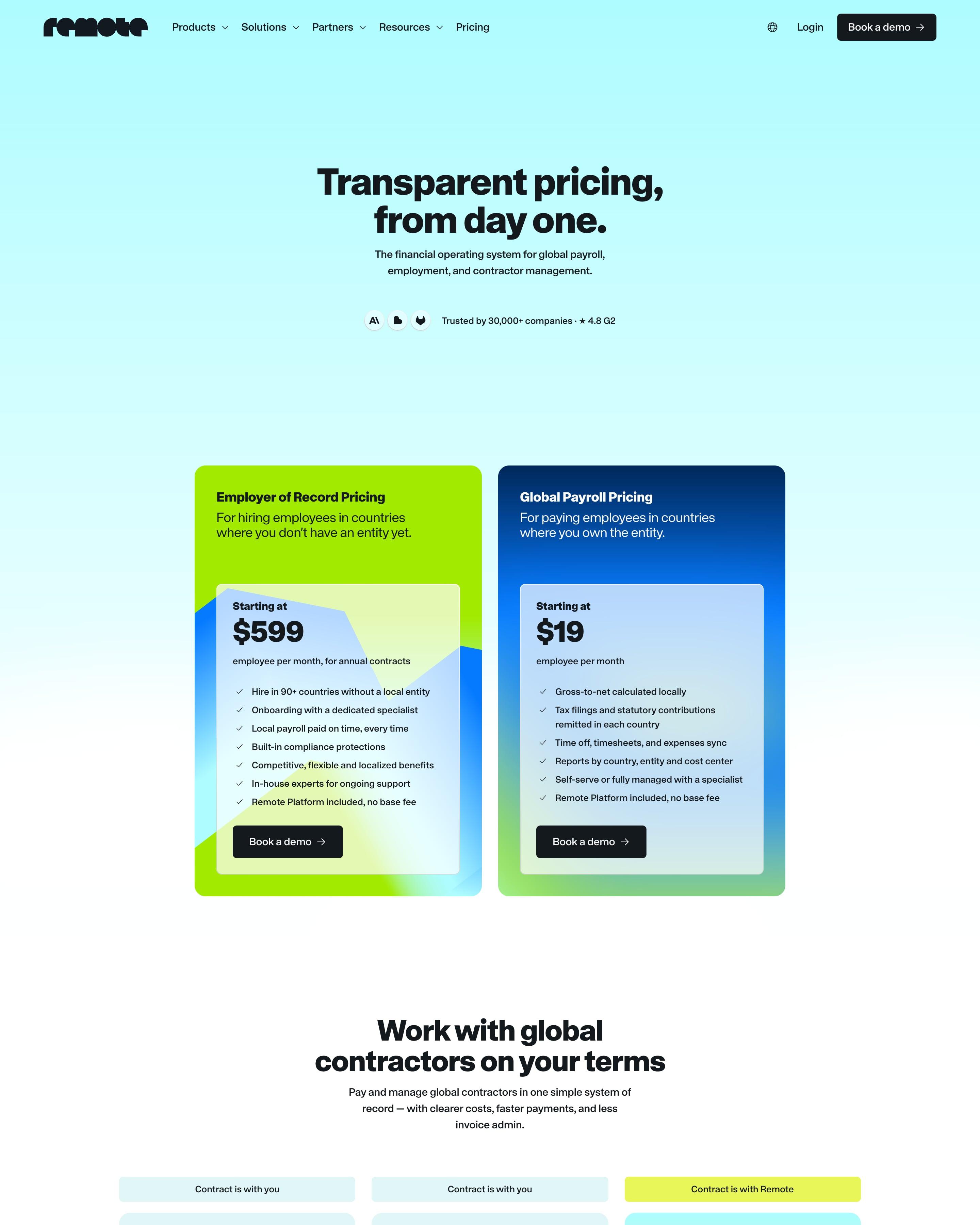
"Transparent pricing, from day one." opens onto two oversized cards, lime for Employer of Record at $599 and deep blue for Global Payroll at $19, each holding a frosted inner panel. Three contractor plans follow, with small labels above saying whether the contract is with you or with Remote. The FAQ is titled "Questions we actually get asked."
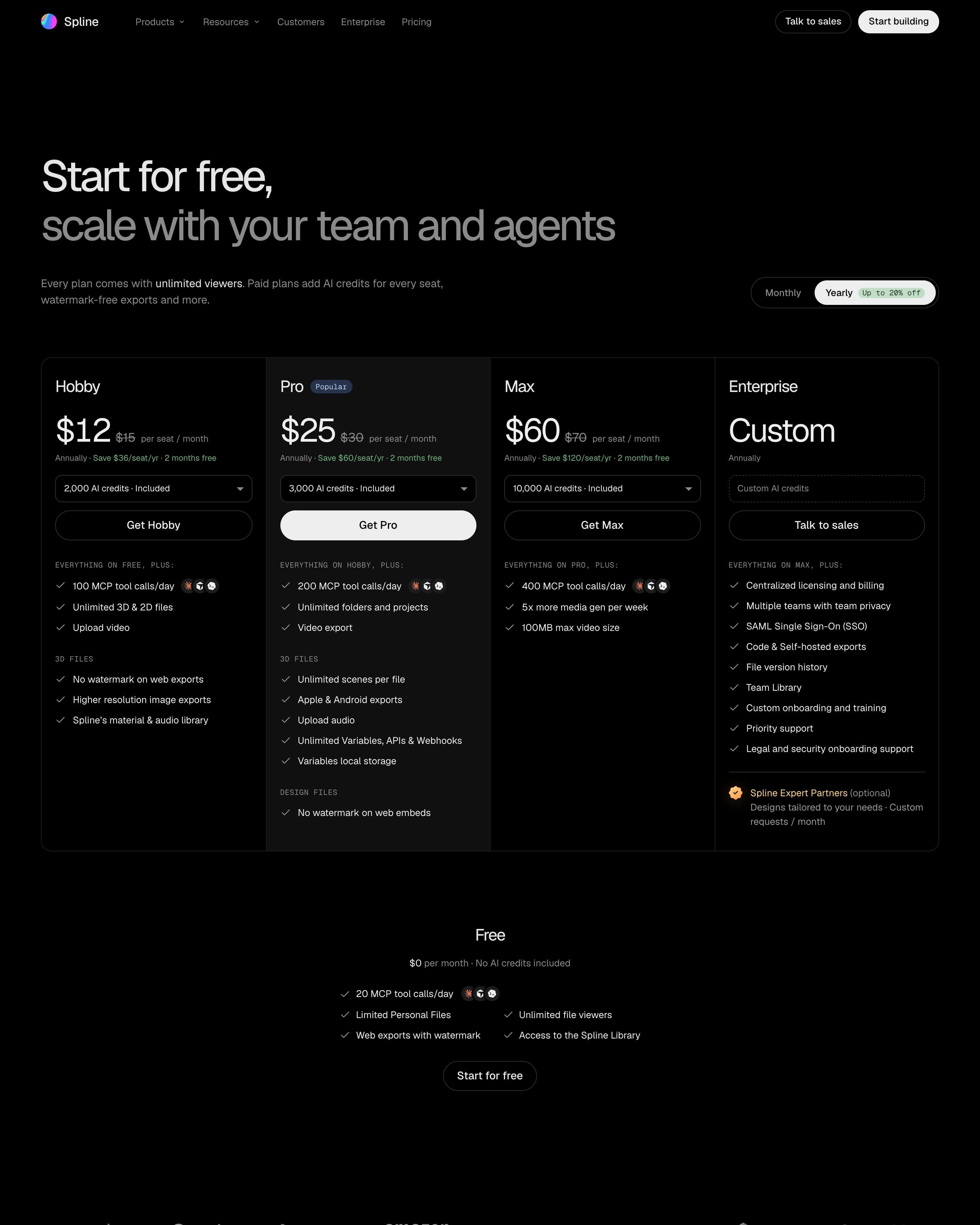
Four plans share one bordered row; Hobby, Pro and Max show the annual rate beside a struck-through monthly one, plus an AI-credits dropdown. To borrow: the free tier sits in its own small block underneath instead of a fifth column. A comparison table grouped under 3D Editor, 2D Editor and Workspace & Collab follows.
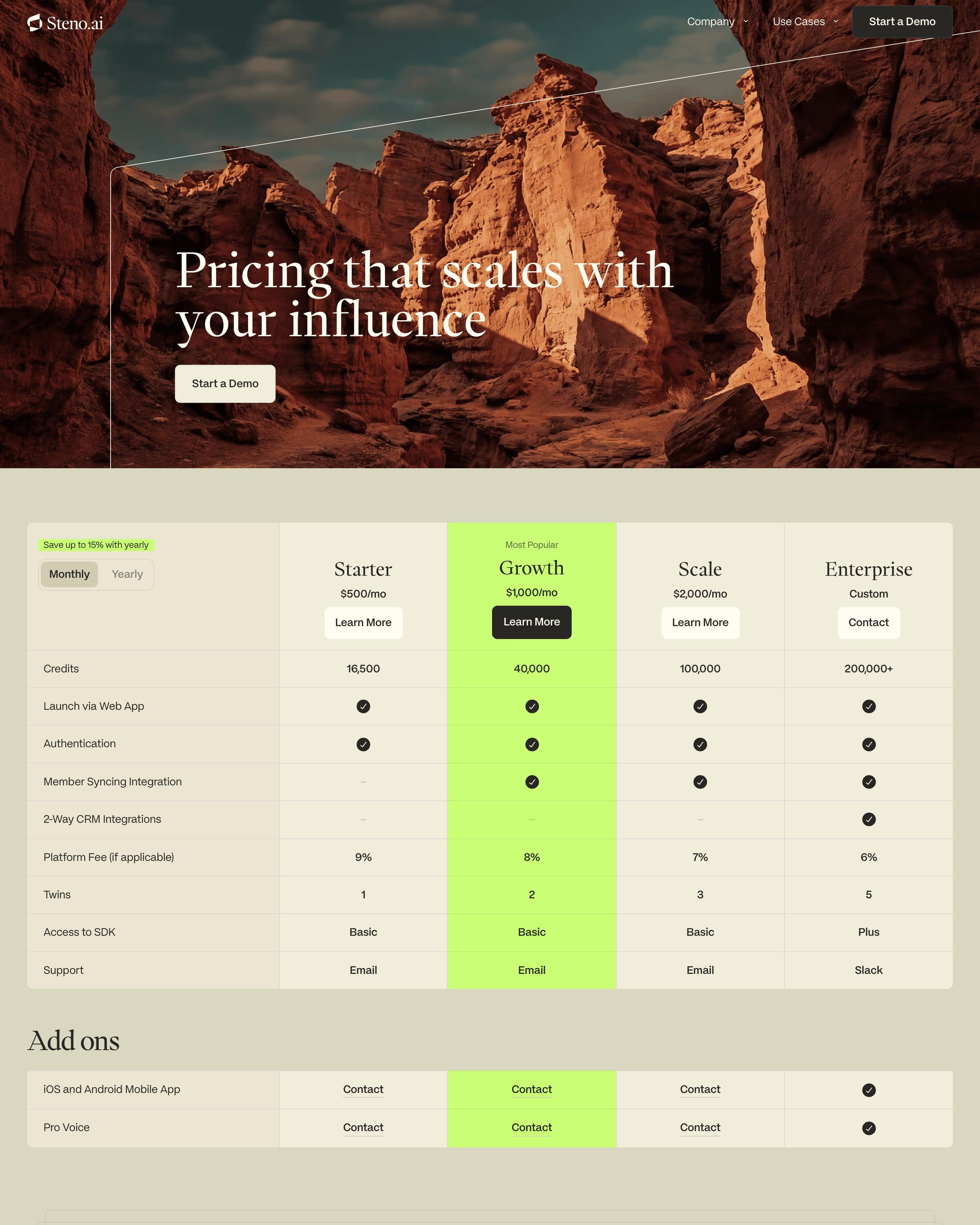
A red-canyon photo crossed by one thin diagonal line opens the page, then a four-column table on beige. Growth is the only lime-green column, from "Most Popular" down through the add-ons, and the yearly toggle carries a lime "Save up to 15%" tag. Platform fees fall from 9% to 6% by tier, and the Tony Robbins video block from the homepage reappears below.
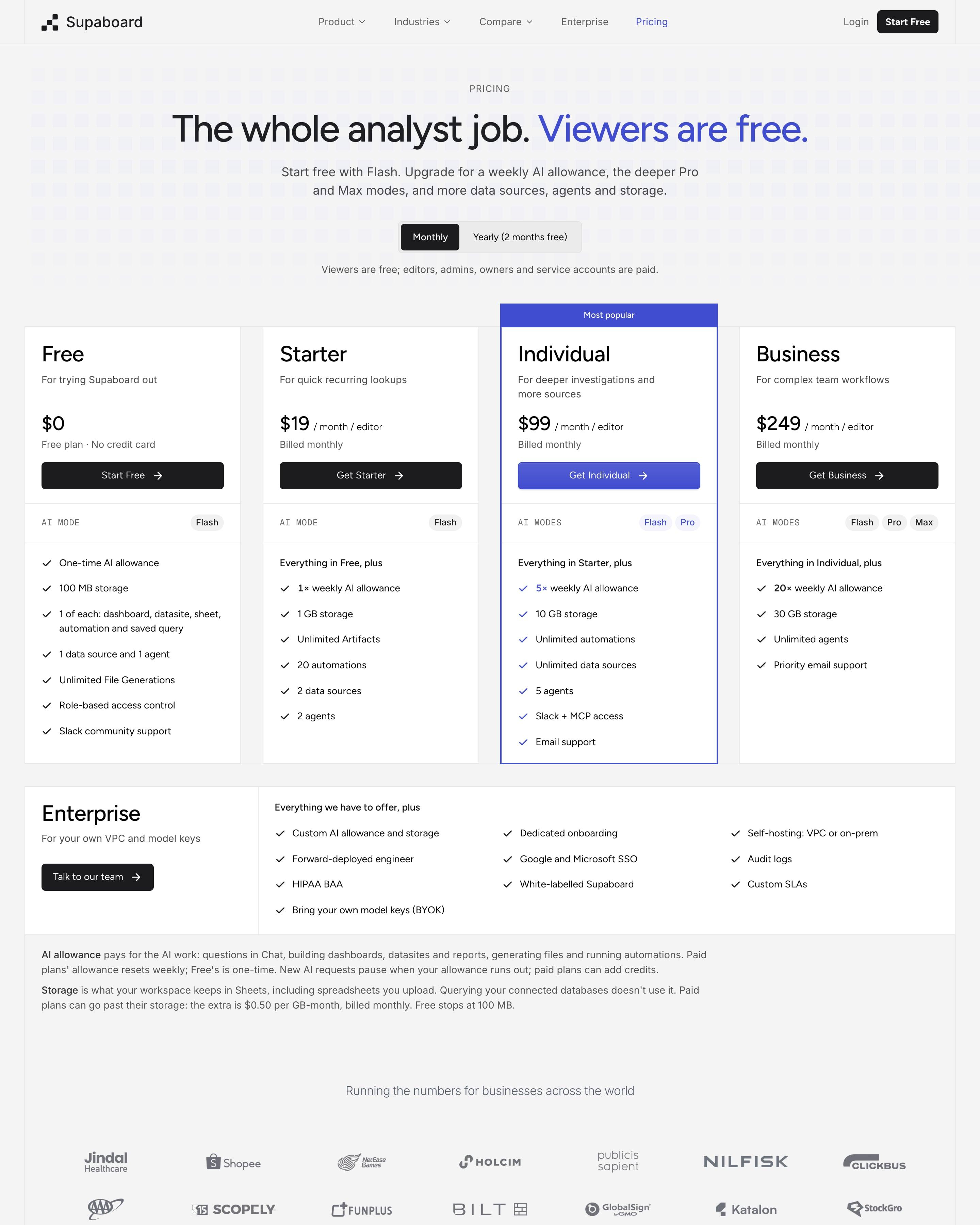
A row of AI-mode chips (Flash, Pro, Max) on every plan card shows what each tier adds, a compact idea worth copying. The most popular plan gets a blue outline and a tab on top; a wide Enterprise row, three payback figures and a FAQ follow.
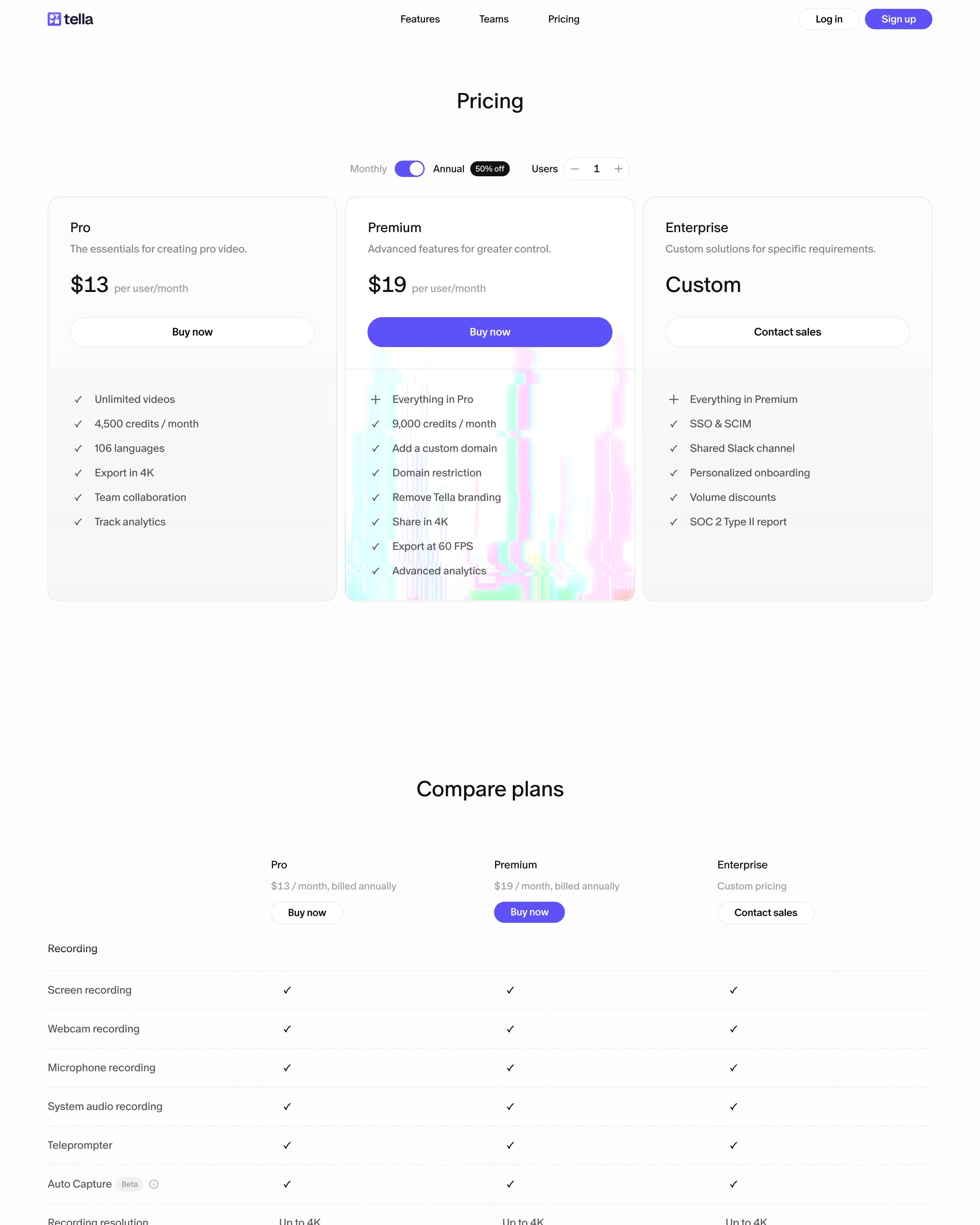
Three cards, Pro at $13, Premium at $19 and Enterprise, and only Premium gets a violet button and a glitch wash behind its feature list. A long comparison table follows, from Recording to Support & security, in plain rows of checkmarks. Worth copying: the users stepper beside the Monthly/Annual toggle and its black "50% off" chip, so the price fits the team before you read the cards.
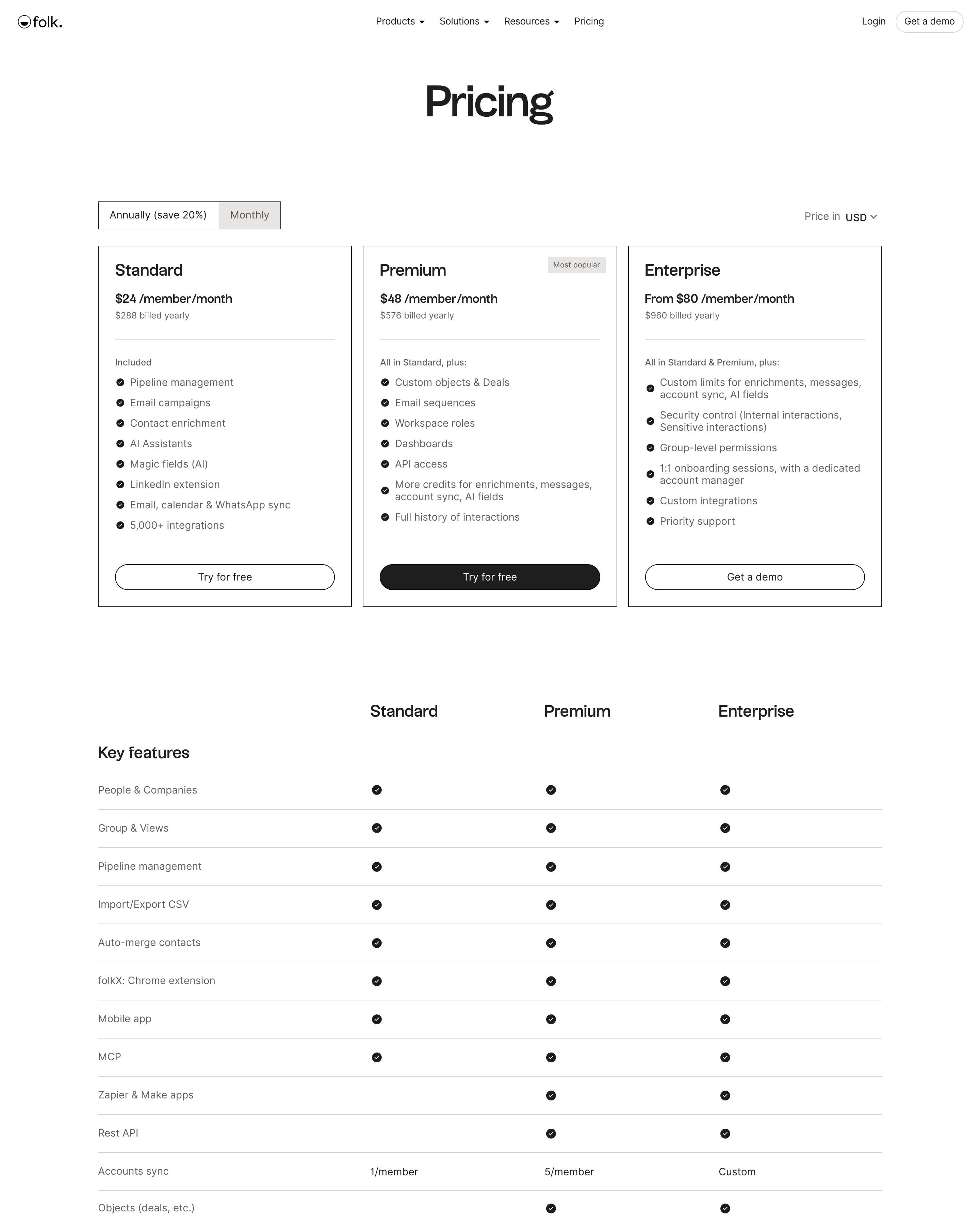
Three bordered plan cards sit under an annual/monthly switch and a currency picker; Premium carries a "Most popular" tag and the only black button. The comparison table groups features into five areas with plain dots and limits. Testimonial cards that highlight a key phrase in each quote are easy to lift.
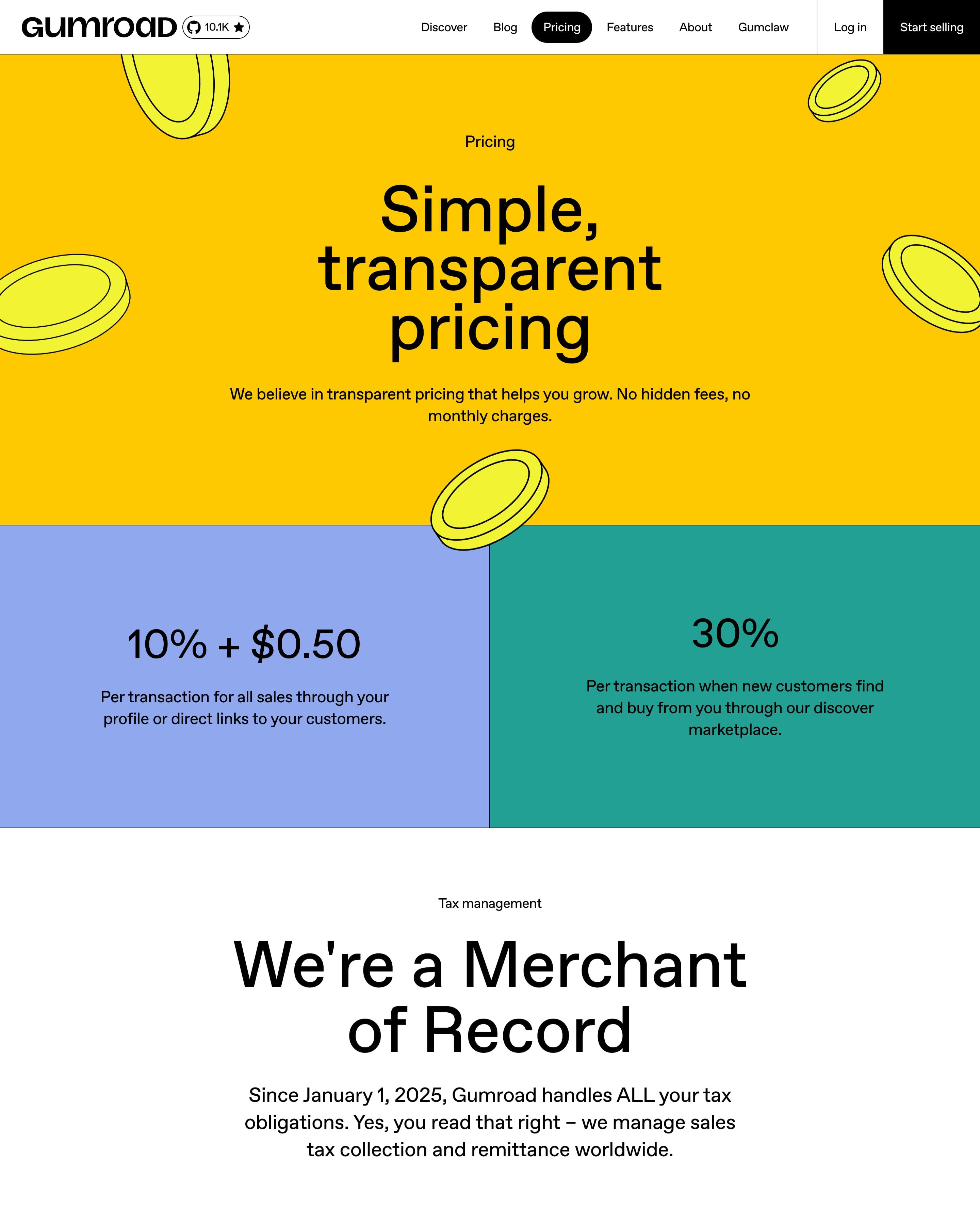
No plan cards here: the price is two numbers in flat colour blocks, 10% + $0.50 for direct sales and 30% via the marketplace. A yellow hero scattered with coins and a pink panel of outlined currency symbols keep the colour loud. The two-block layout is worth copying for any fee-based price.
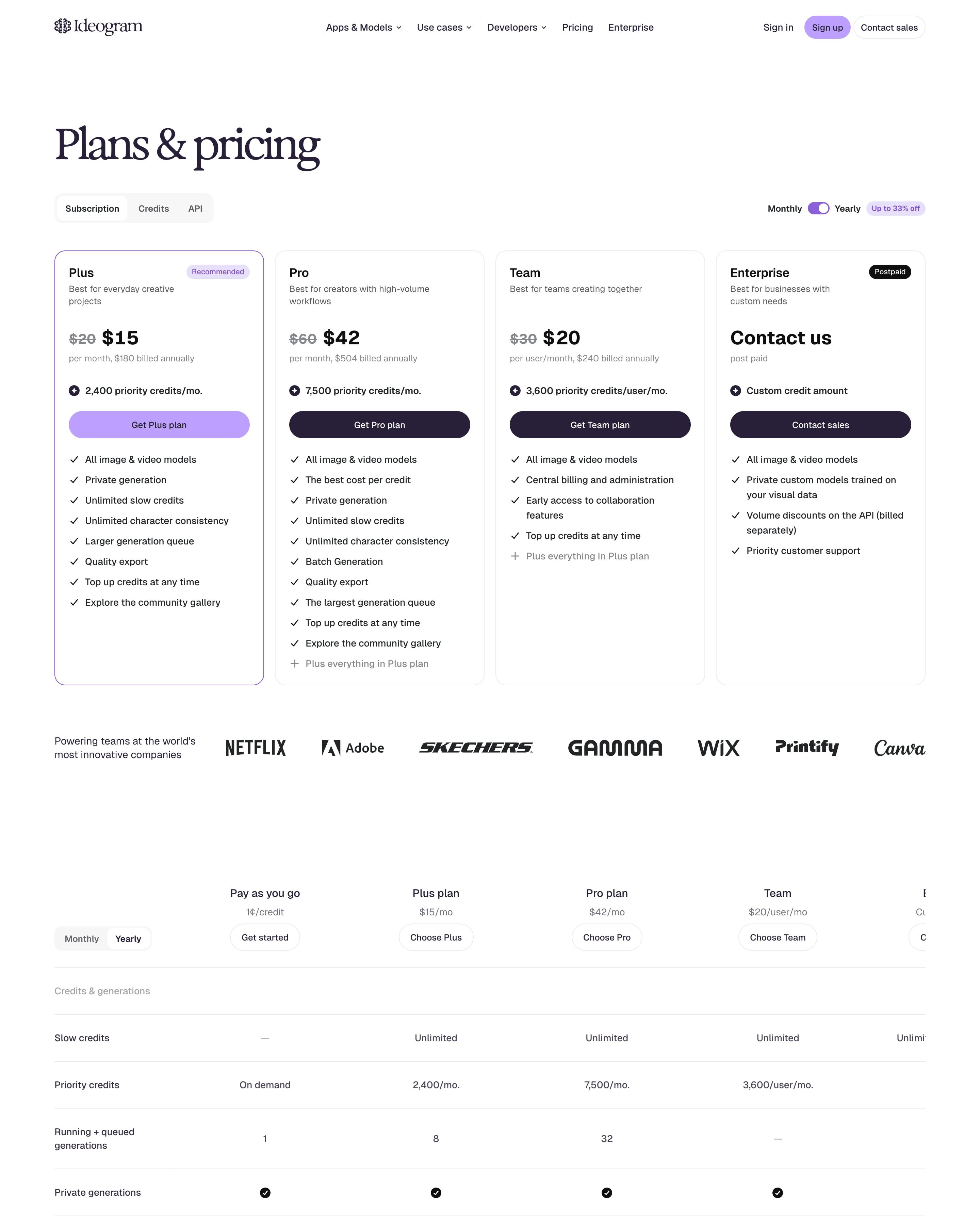
"Plans & pricing" in a tight serif sits above a Subscription, Credits and API switch and a Monthly/Yearly toggle tagged "Up to 33% off". Four cards show struck-through prices ($20 to $15 for Plus), and only Plus gets a lilac outline and lilac button. Worth copying: the "Using your credits" table, which lists every model and rendering setting with its exact credit cost per image.
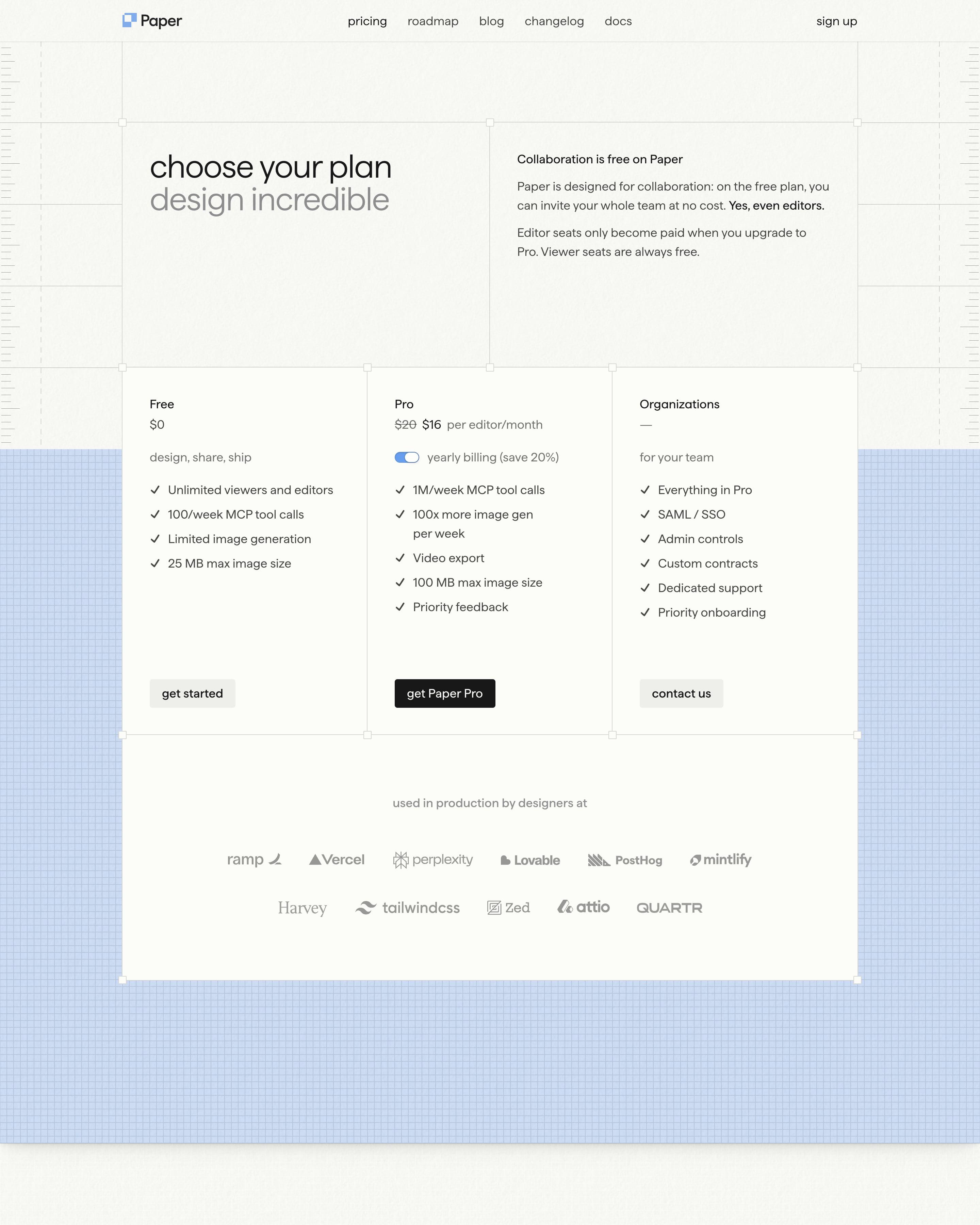
Three plain columns sit on a pale blue graph-paper band, with the Pro price shown as $20 struck through beside $16 and a yearly billing toggle. Worth copying: a panel next to the heading that answers the seat question up front, saying collaboration is free, even for editors.
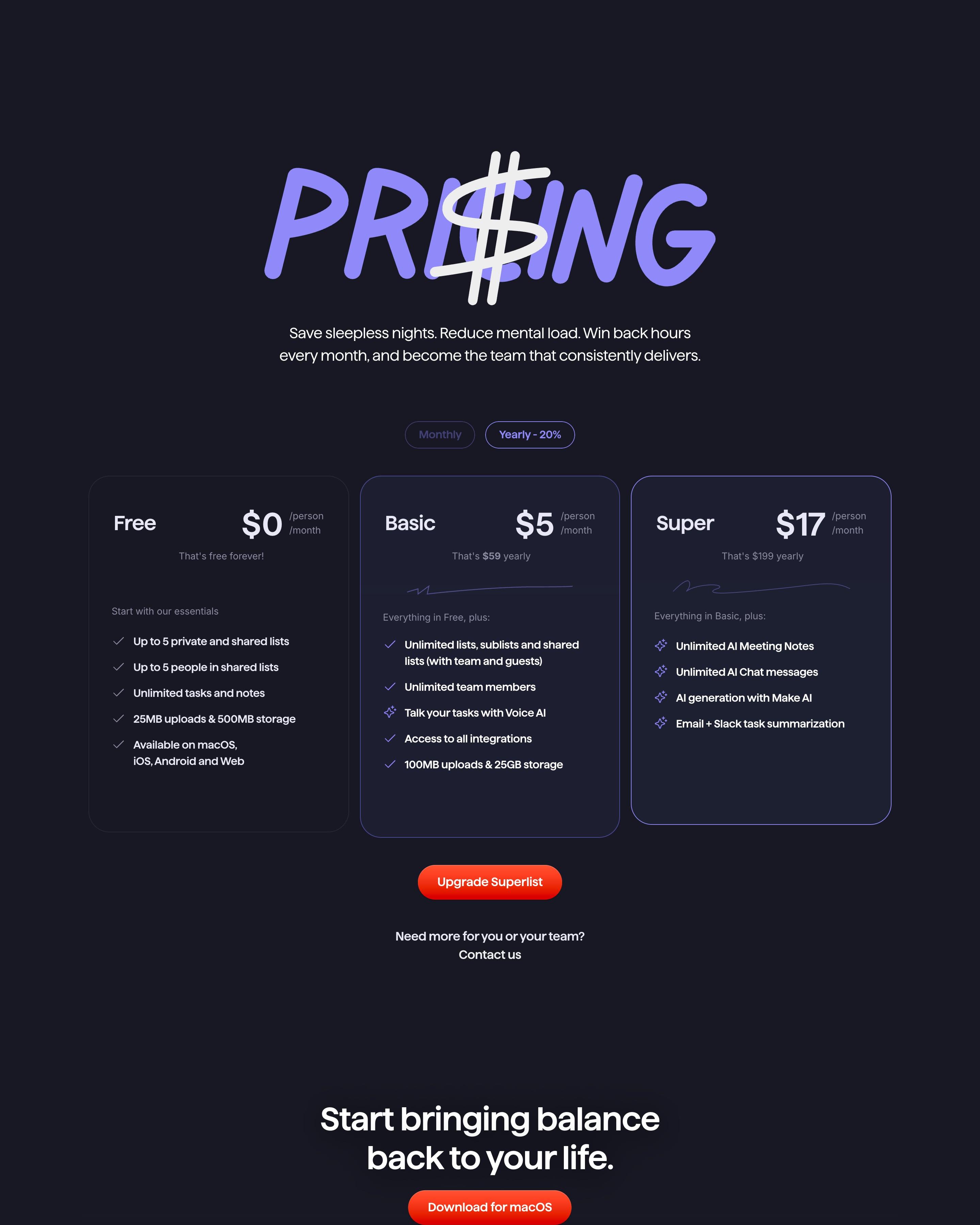
Marker-style lavender letters spell 'PRI$ING' on dark navy, with a white dollar sign in place of the C. Below a Monthly/Yearly switch sit Free, Basic ($5) and Super ($17); the paid cards also show their yearly totals, $59 and $199, a small touch worth taking. App-store reviews then fill a masonry wall.
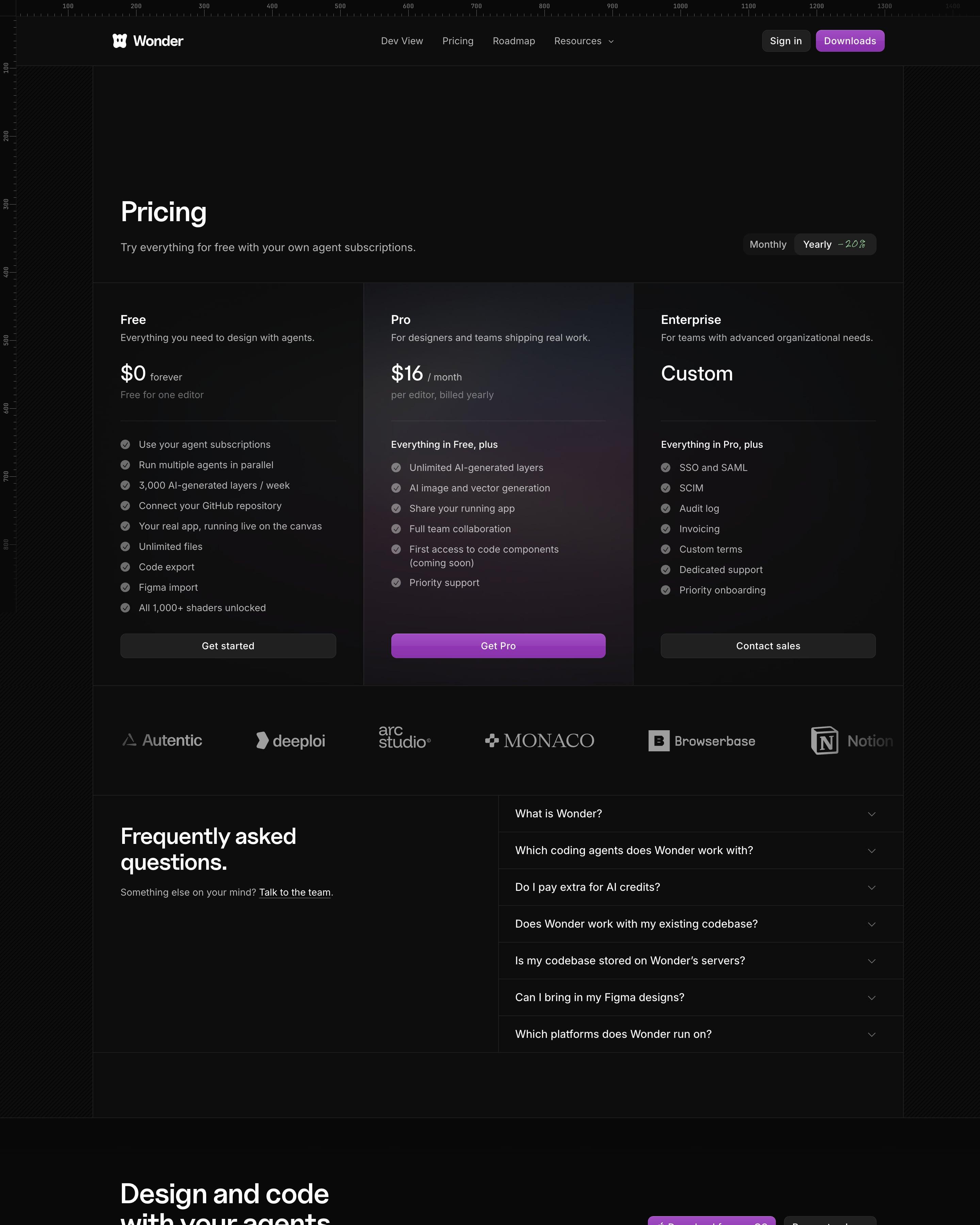
Three columns share one bordered grid, and only Pro gets a faint purple glow and the one purple "Get Pro" button. The subhead sets the terms in a line: "Try everything for free with your own agent subscriptions." The yearly toggle carries a handwritten "-20%", and the free tier lists real limits, like 3,000 AI-generated layers a week.
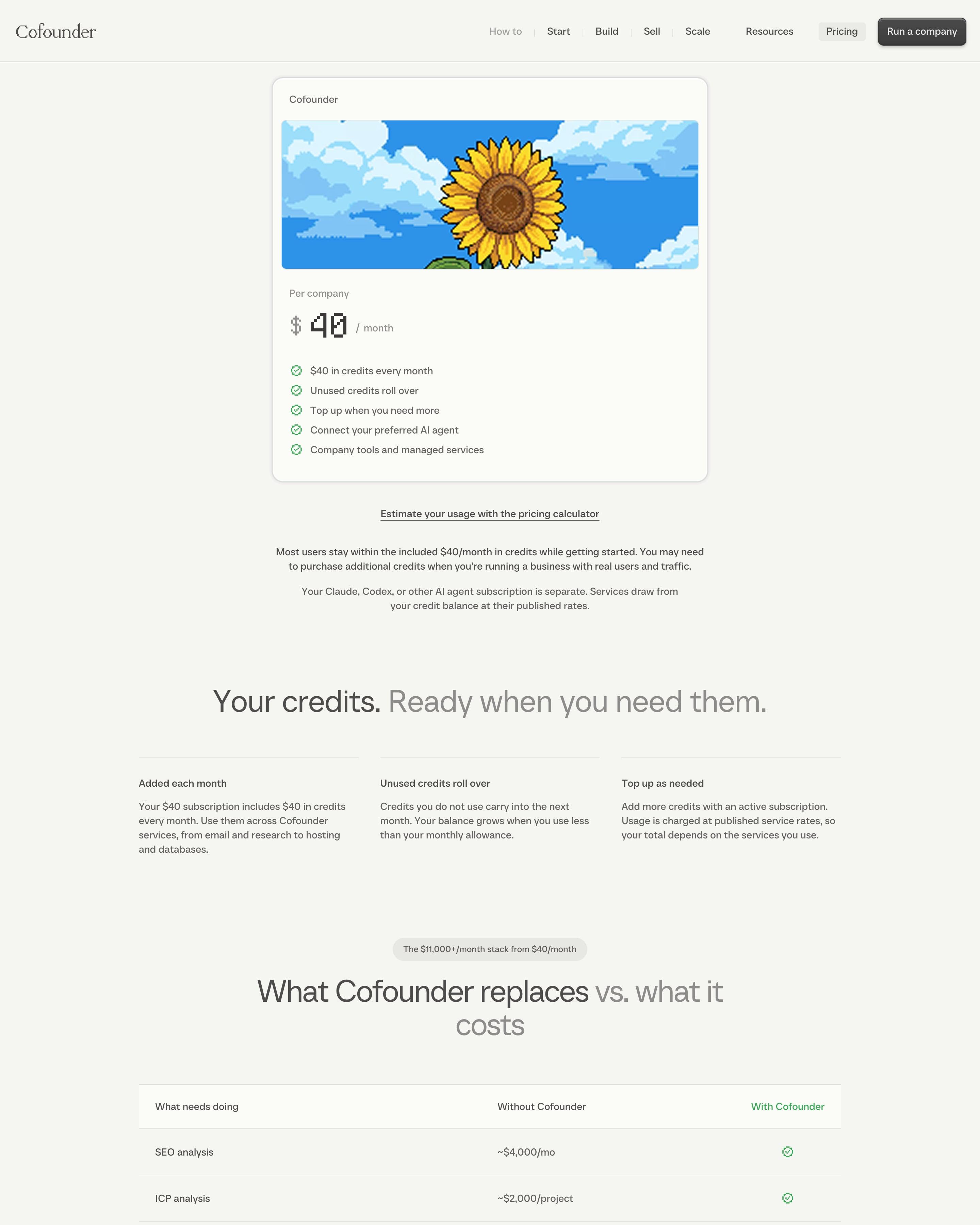
One plan, one card: a pixel-art sunflower, $40 a month in a pixel font and five ticked lines. A table titled "What Cofounder replaces vs. what it costs" prices jobs like SEO analysis without the product, then totals $11,000+/mo against "From $40/mo". That cost-comparison table is the pattern to borrow for single-plan pricing.
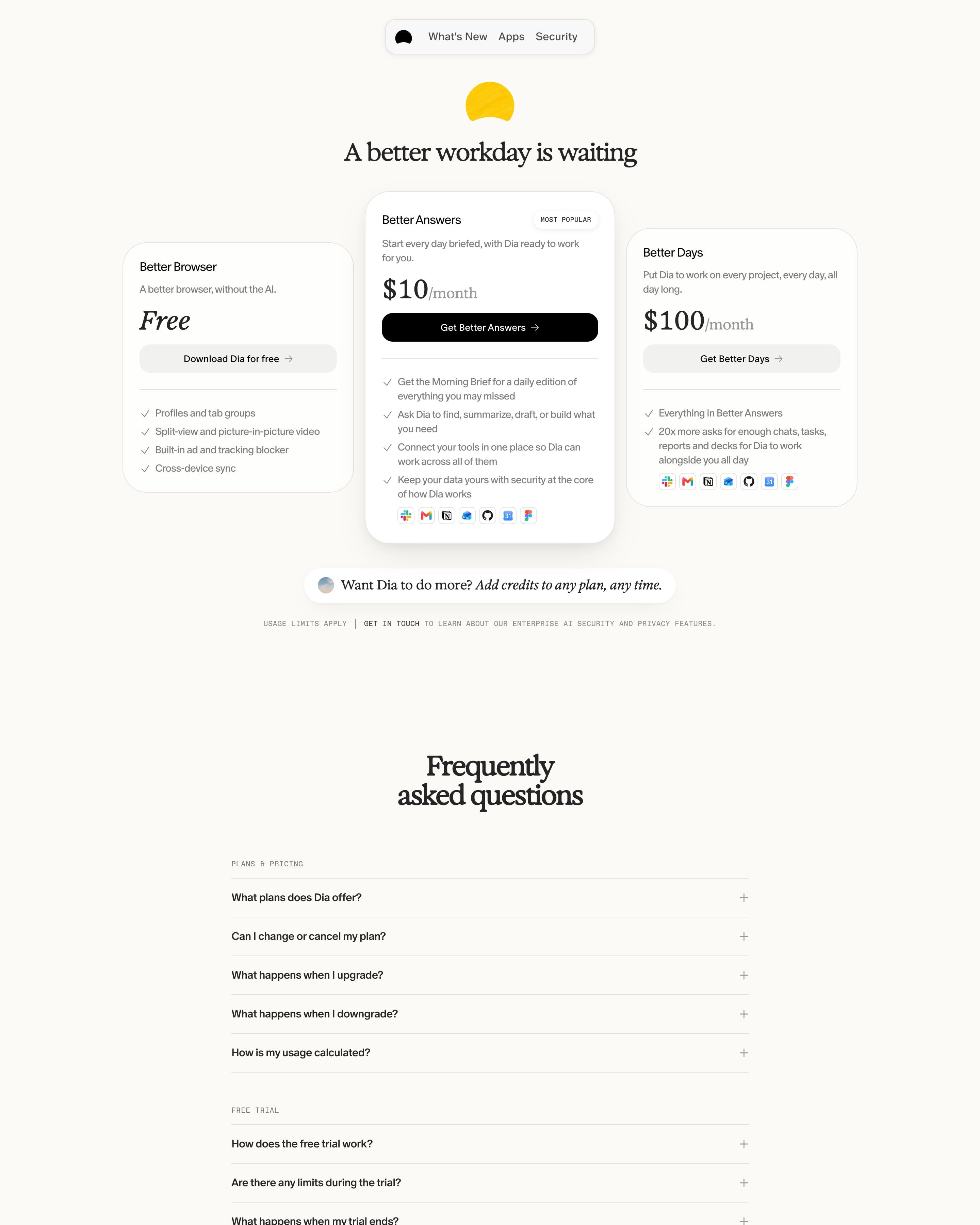
Three cards on cream, and the middle one, Better Answers at $10/month, sits taller with a shadow, a "MOST POPULAR" tag and the only black button. Prices mix a serif "$100" with an italic "Free", and each paid tier ends in a row of tool icons from Slack to Figma. The FAQ groups questions under small monospaced labels like "PLANS & PRICING".
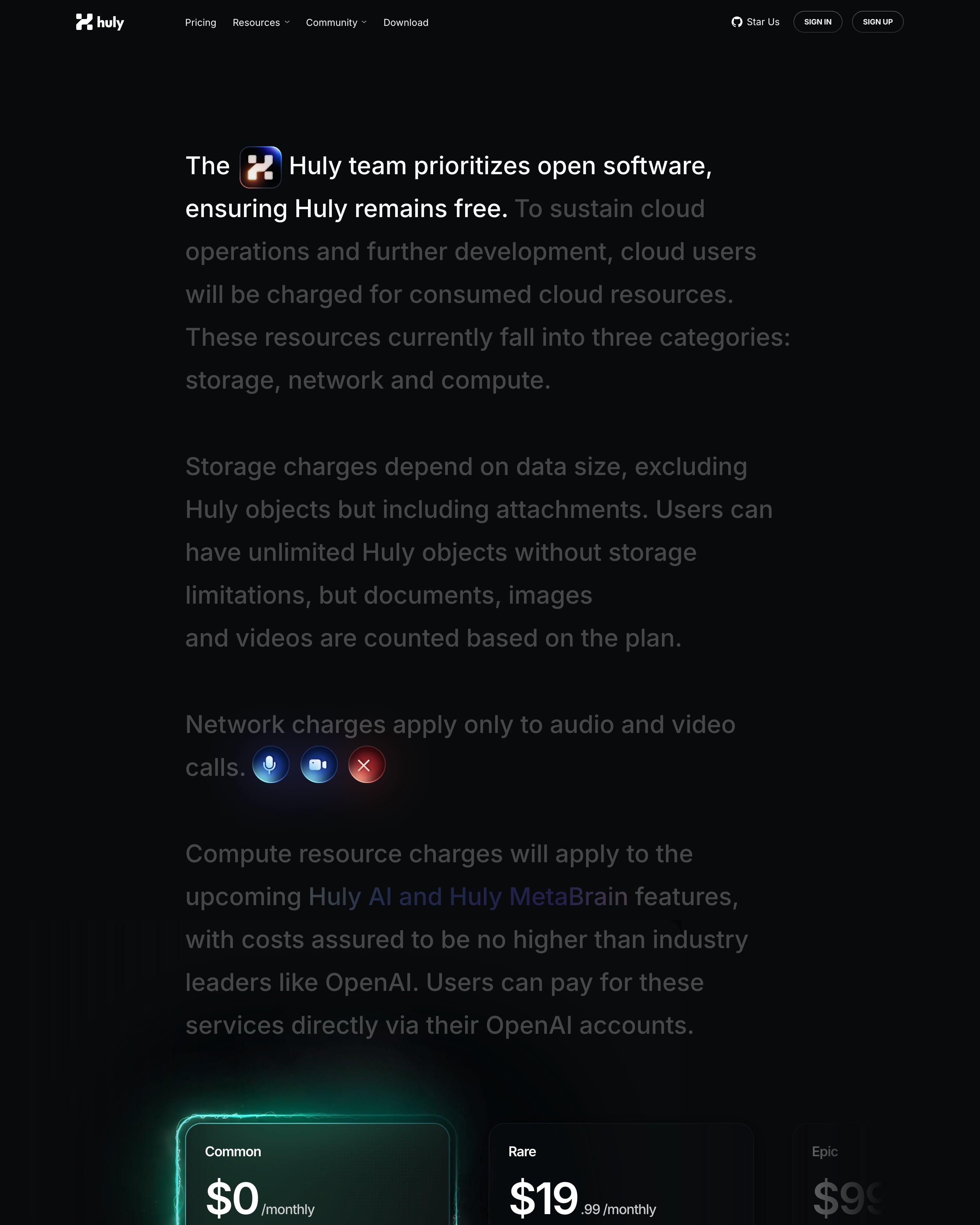
Pricing opens as an essay: large text explains the storage, network and compute charges, with the first line in white and the rest dimmed. Plans are named like game items (Common, Rare) and sit in a side-scrolling row, the free one lit by a green glow. The rarity-style names are easy to steal.
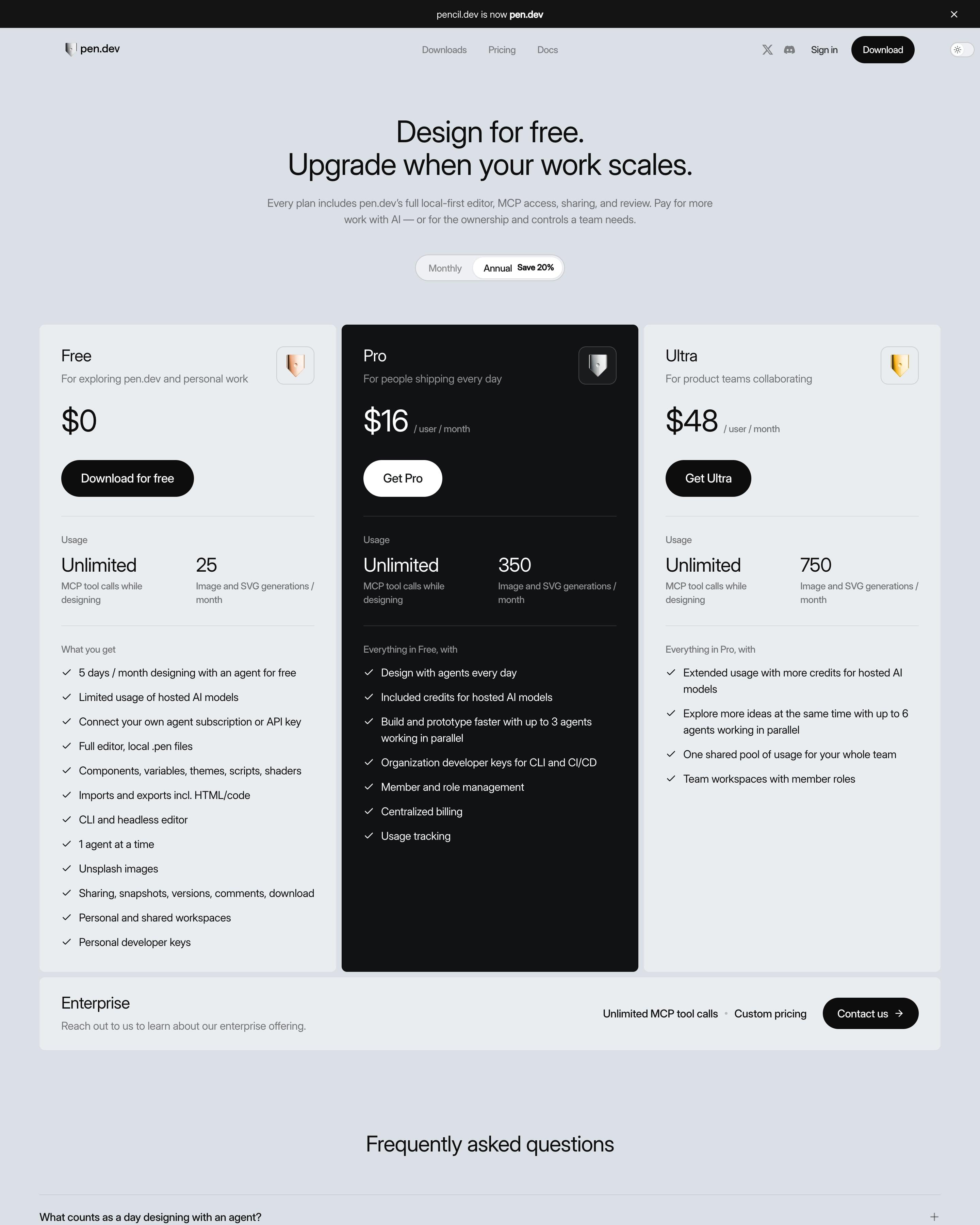
Pro is the one inverted card, black with a white "Get Pro" button between two light-grey plans. Each tier gets a small shield badge in copper, silver or gold, and a usage row pairs "Unlimited" MCP tool calls with 25, 350 or 750 image and SVG generations a month. Enterprise drops to a slim full-width bar underneath rather than a fourth column.
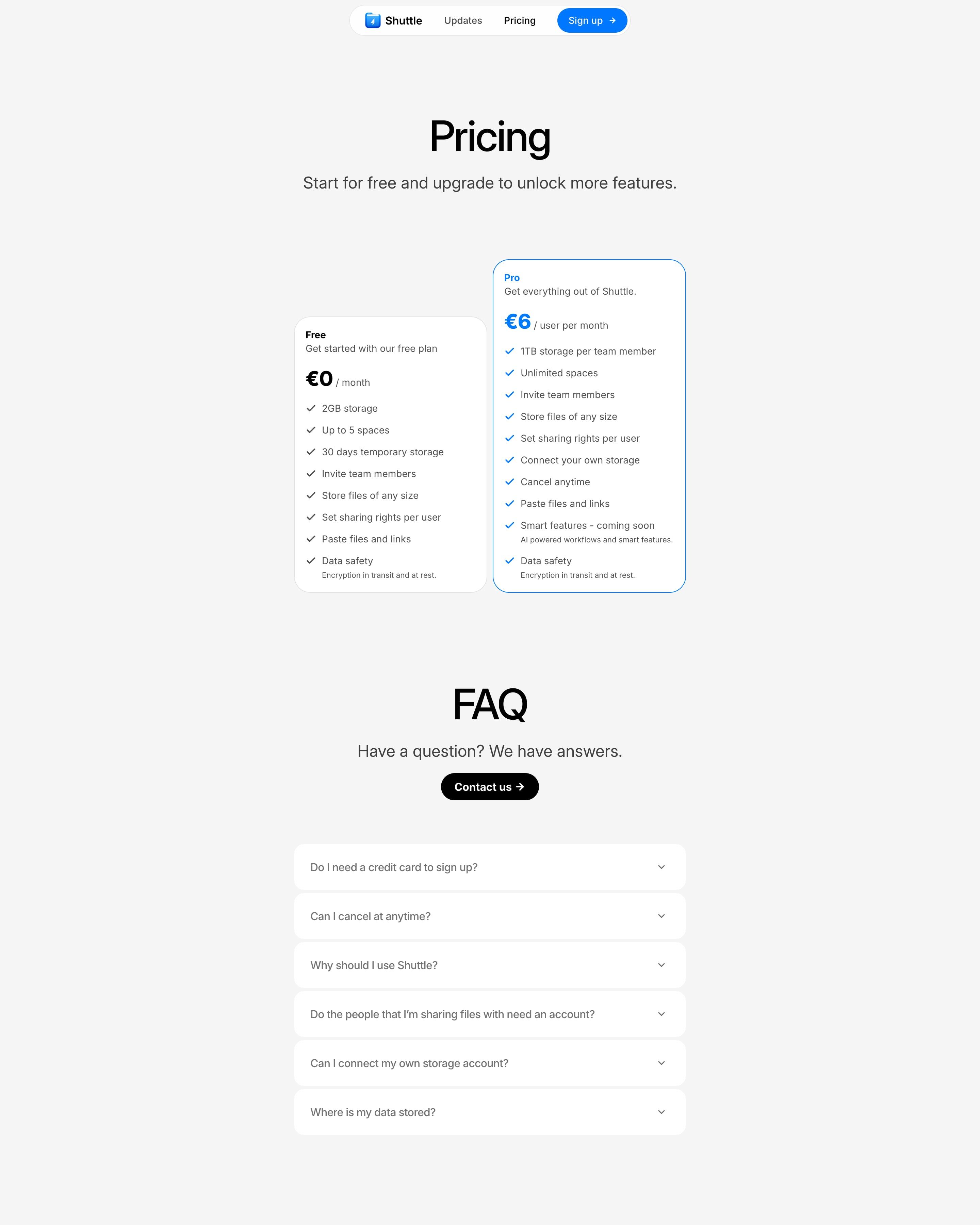
A centred "Pricing" headline sits over two cards: Free at €0 and a blue-outlined Pro at €6 per user per month, raised above its neighbour. Both use plain checkmark lists with small grey sub-lines such as "Encryption in transit and at rest." An "FAQ" title, a black "Contact us" pill and six white accordion rows lead to the blue folder icon and "The smarter and simpler way to share."













































































By page type
Frequently asked questions
Plans you can compare at a glance, one plan clearly recommended, the price before the fine print, and answers to what stops a purchase: limits, overages, discounts and security. Many add a monthly and yearly toggle and an enterprise plan behind "Contact sales".
Each page is opened at 1440 pixels wide, like a laptop, and scrolled from top to bottom so every image and section loads. Cookie banners, chat bubbles and popups are left out, and the whole page is saved as one image.